Interactive product tour · 8 steps

Click through a collector's day in CollectPlus 12

Explore the real interface at your own pace. Click the numbered hotspots on each screen, switch between collector, debtor and manager views, or use your ← and → arrow keys.

Interactive walkthrough steps

Jordan Ellis · Collector /dashboard
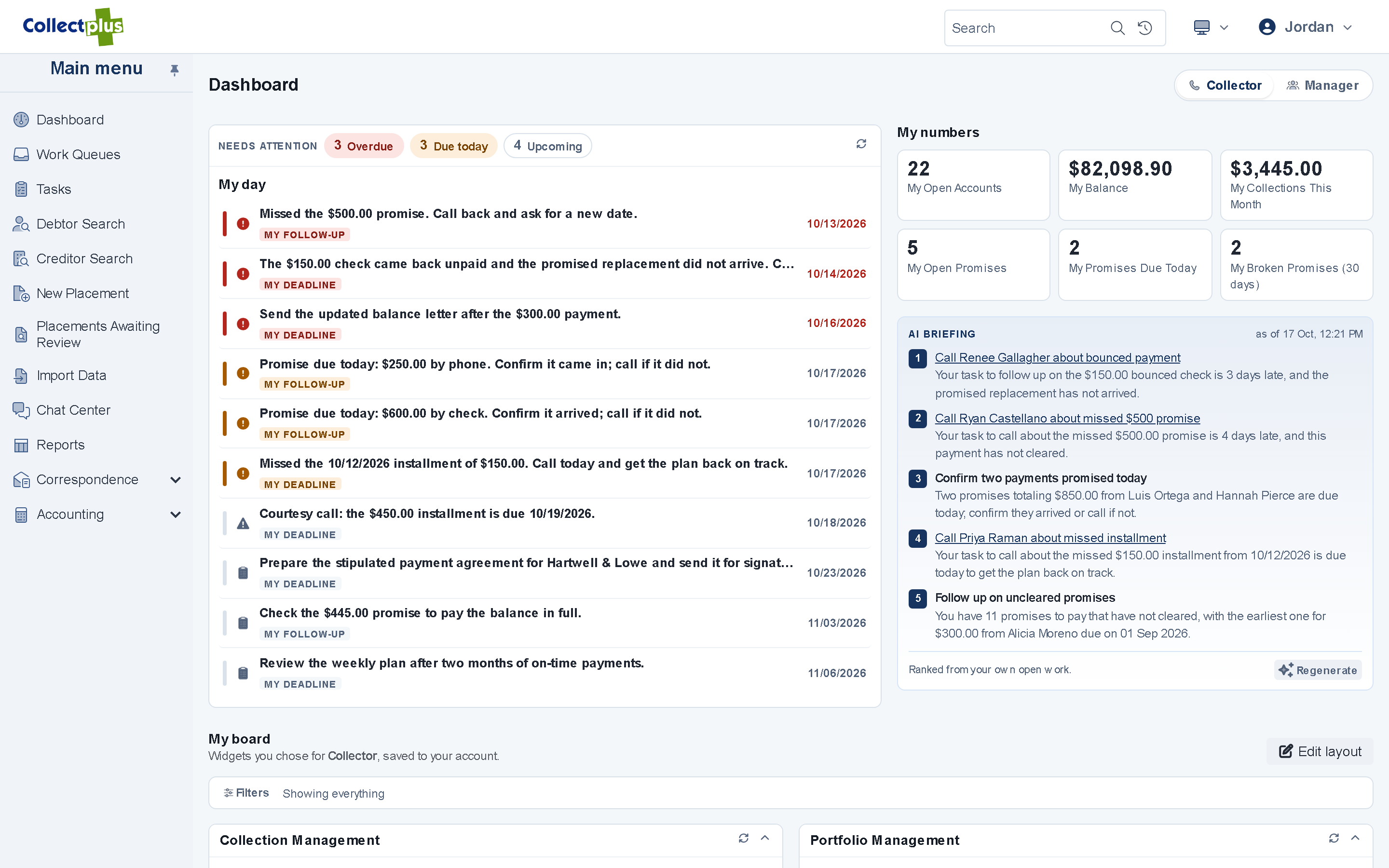
Collector dashboard for Jordan Ellis showing overdue and due-today tasks, open account metrics, and the AI daily briefing
1
Needs attention & My day Overdue, Due today and Upcoming chips filter Jordan's ranked task list so broken promises and returned checks surface first.
Step 1 of 8 · The morning Collector view

Start each morning with what matters most

Jordan signs in to the collector dashboard. Instead of hunting through reports, today's tasks, promises and an optional AI briefing rank the first calls to make.
Explore the collector workspace →
1 / 8
Jordan Ellis · Collector /queues/my-active-debtors
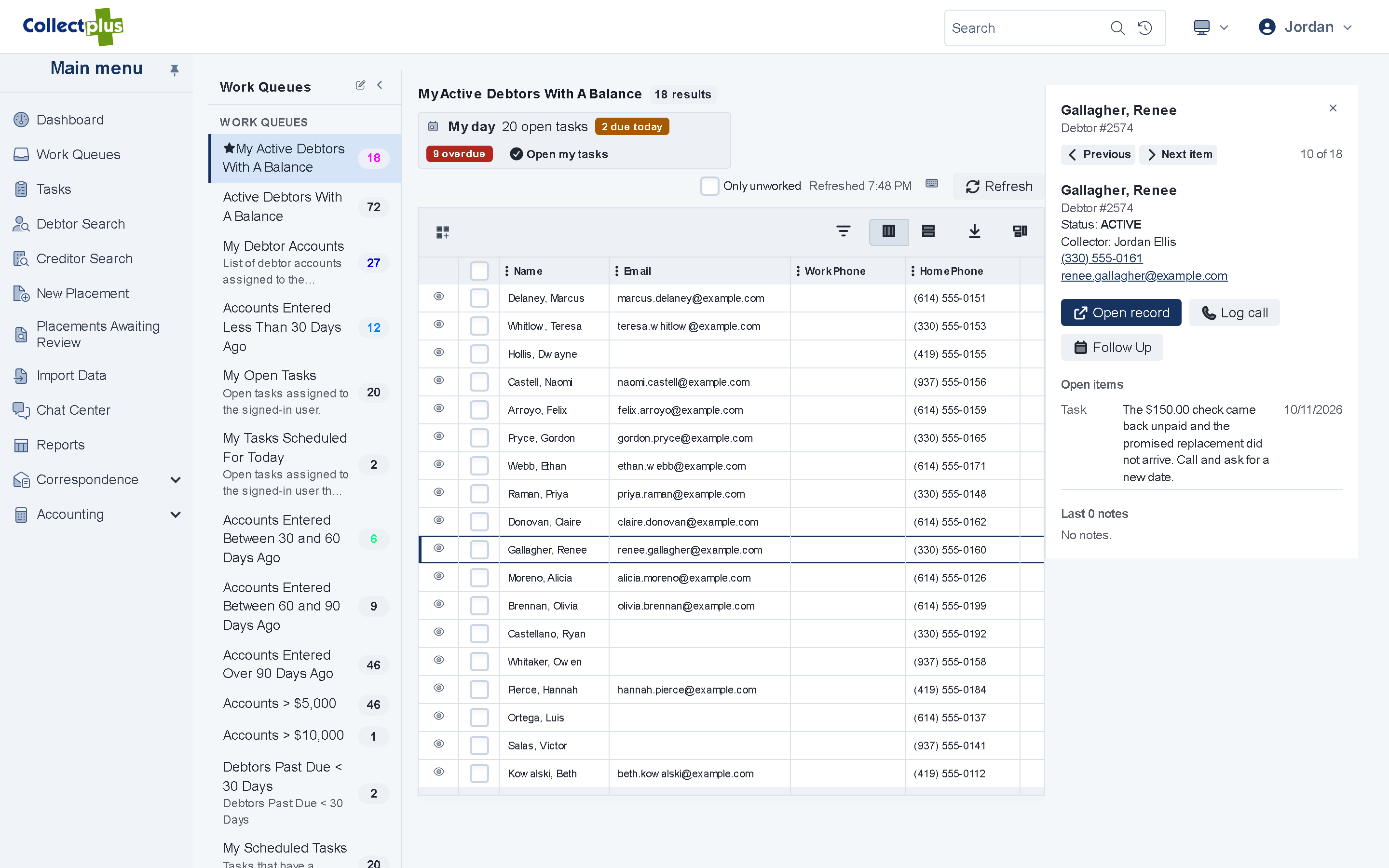
18 debtors in queue
Work Queues screen showing saved queues on the left, ranked debtor rows in the middle, and the triage drawer for Renee Gallagher on the right
1
Saved work queues Queues are built from your agency's rules—by collector, creditor, age or balance—and show live counts beside each list.
Step 2 of 8 · Work the queue Collector view

Triage accounts from top to bottom

When the morning follow-ups are done, Jordan opens My Active Debtors With A Balance and steps through the list without bouncing back and forth between screens.

See how work queues work →
2 / 8
Jordan Ellis · Collector /client/2569/details
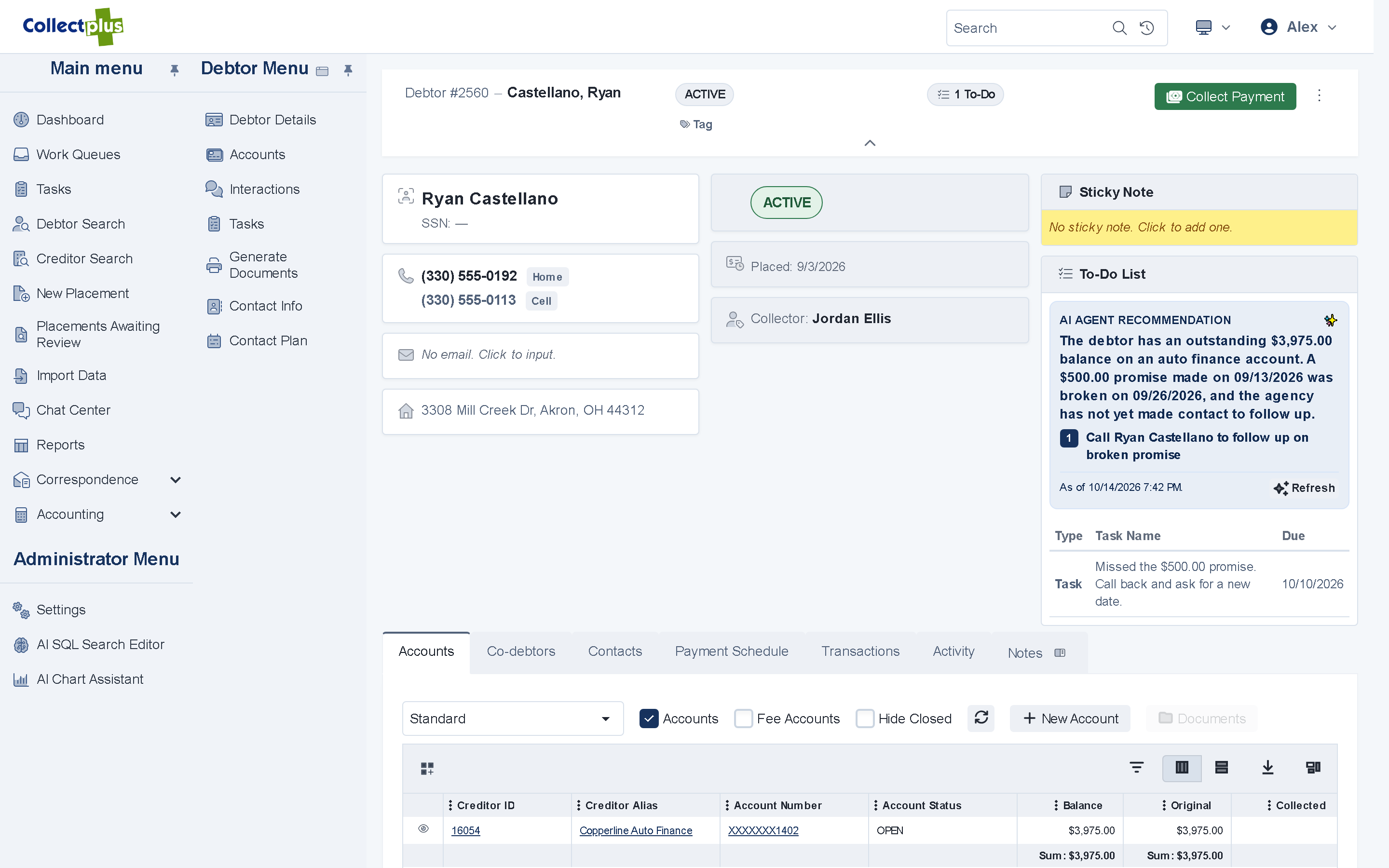
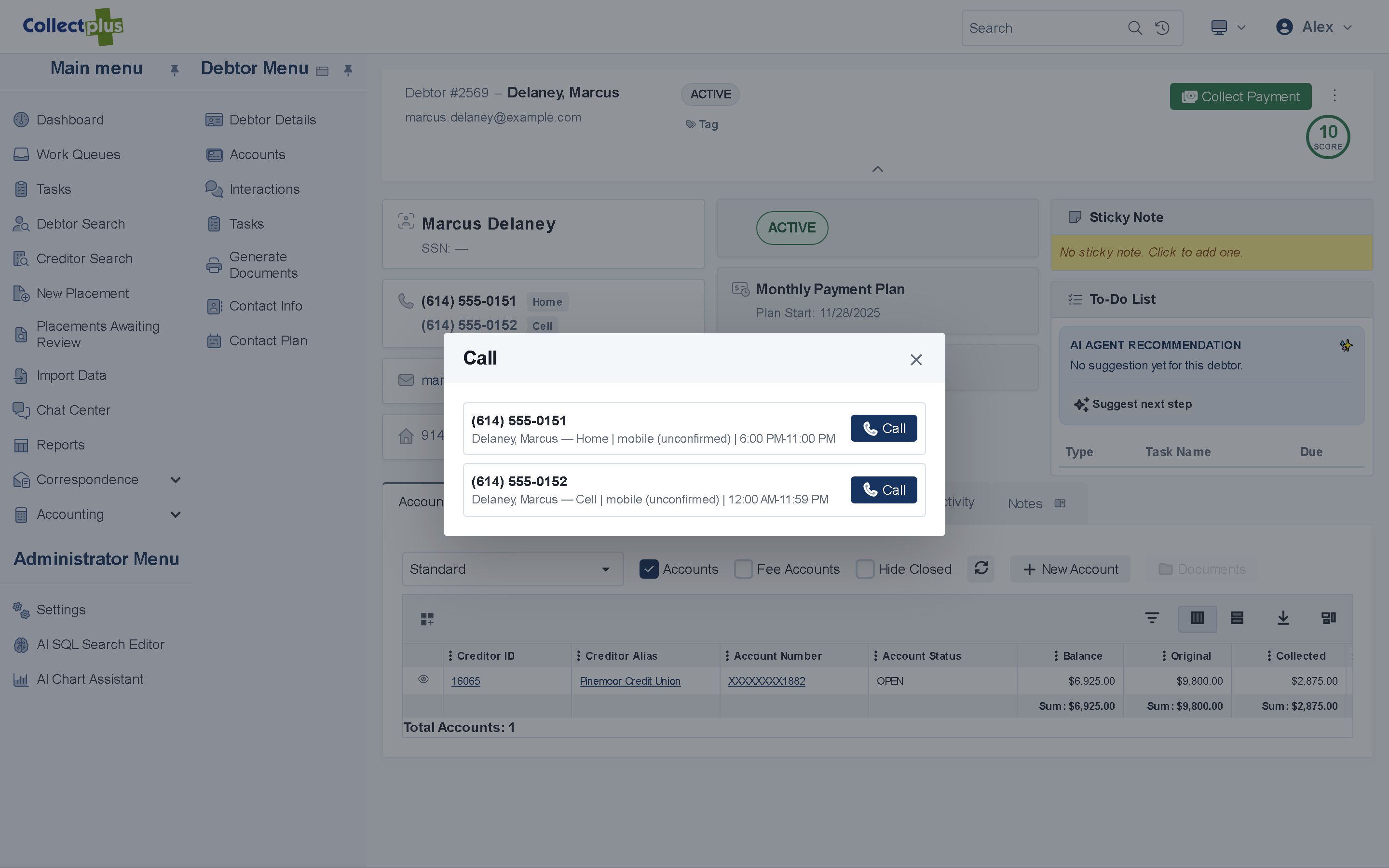
Debtor record with the Call window listing Home and Cell phone numbers, allowed calling hours, and Call buttons
1
Pinned debtor workspace The debtor's status, contact score, open to-dos and Collect Payment button stay pinned at the top while you move across tabs.
Step 3 of 8 · Call & follow-up Collector view

Click to call, log a promise and set the follow-up

Jordan opens the debtor's record and places a call with Intermedia Unite. When the call connects, the call card opens a call log where recording a promise to pay schedules the follow-up task automatically.

Explore calls and communications →
3 / 8
Jordan Ellis · Collector /client/2514/schedule
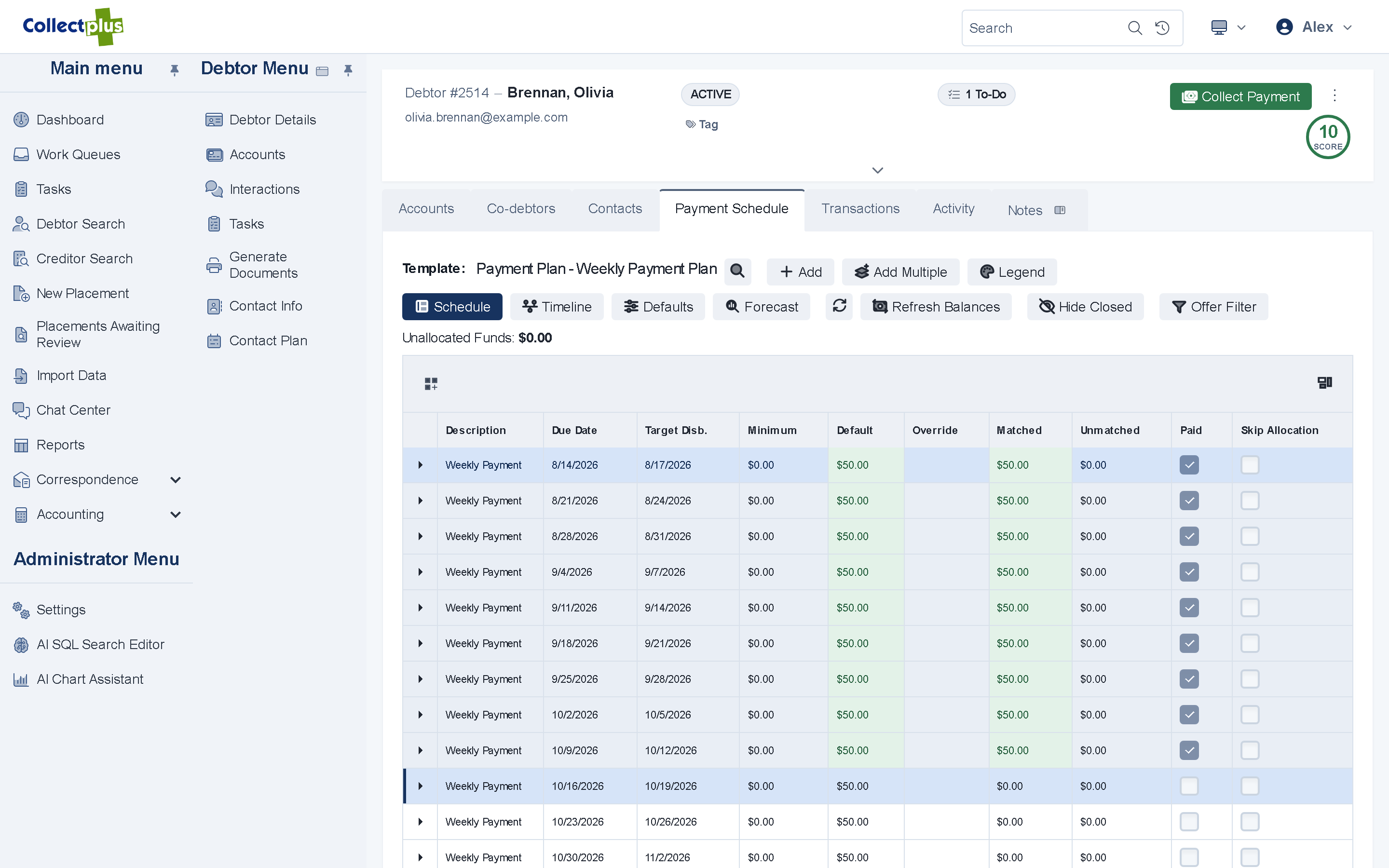
Debtor Payment Schedule tab showing a Weekly Payment Plan template and a list of $50.00 installments marked Paid
1
Payment plans from templates Apply a Weekly, Bi-Weekly or Monthly plan template in seconds, or adjust individual installment amounts, due dates and overrides.
Step 4 of 8 · Get paid Collector view

Set up a payment plan or text a secure pay link

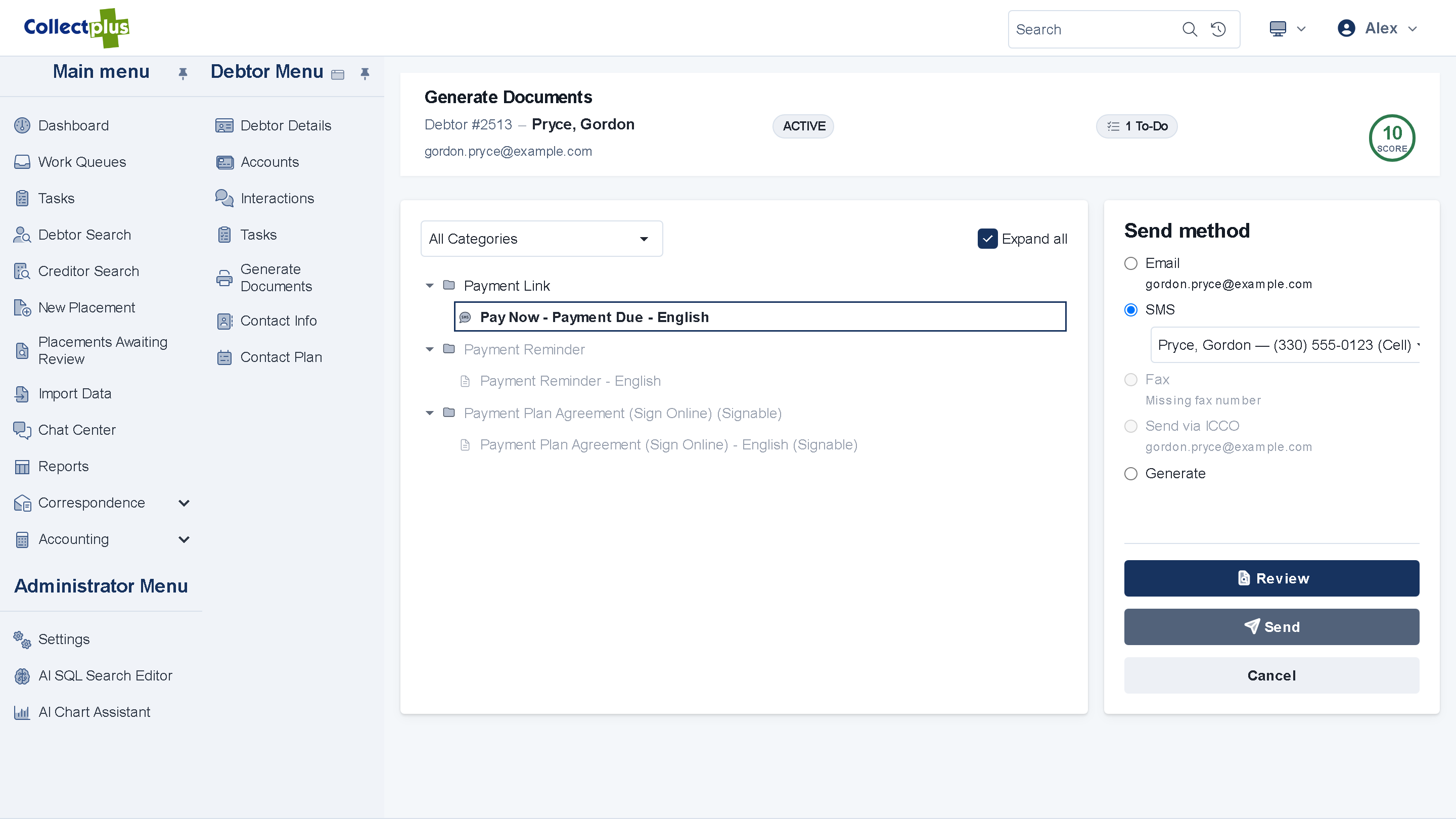
When a debtor is ready to resolve their balance, Jordan can take a card or bank payment on the spot, build an installment plan from a template, or text a Pay Now link.

Explore payments and plans →
4 / 8
Claire Donovan · Debtor (Phone) /accounts & /mydocuments
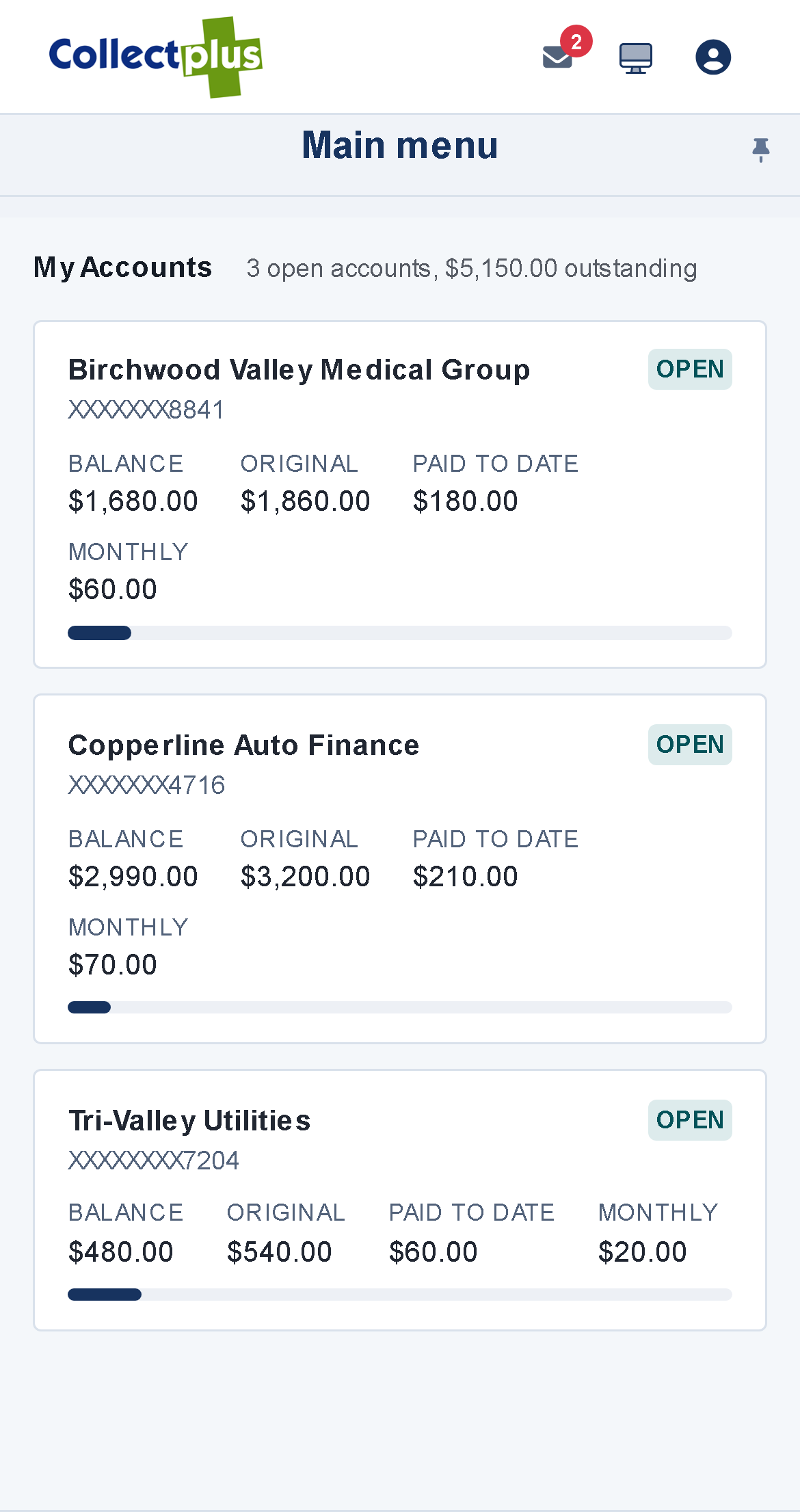
Debtor portal on a phone showing Claire Donovan's three open accounts and monthly installment amounts
Portal: My Accounts
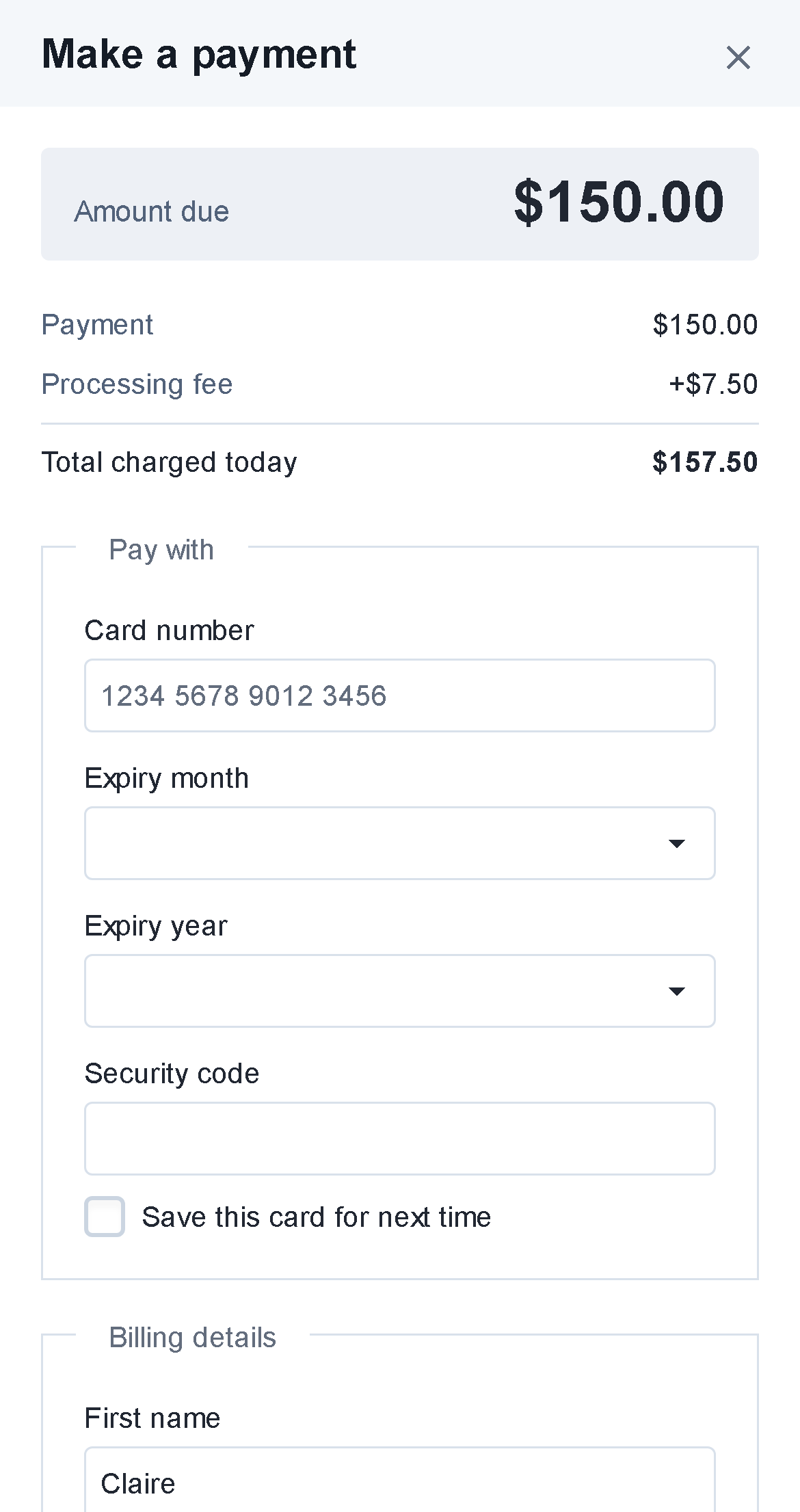
Make a payment screen on a phone showing $150.00 amount due, $7.50 processing fee, and card details
Pay Now on a phone
1
Balances & plans, any hour Claire sees each open account, original balance, amount paid to date and monthly installment from her phone at any hour.
Step 5 of 8 · The debtor's side Debtor phone view

Debtors pay and sign agreements on their own time

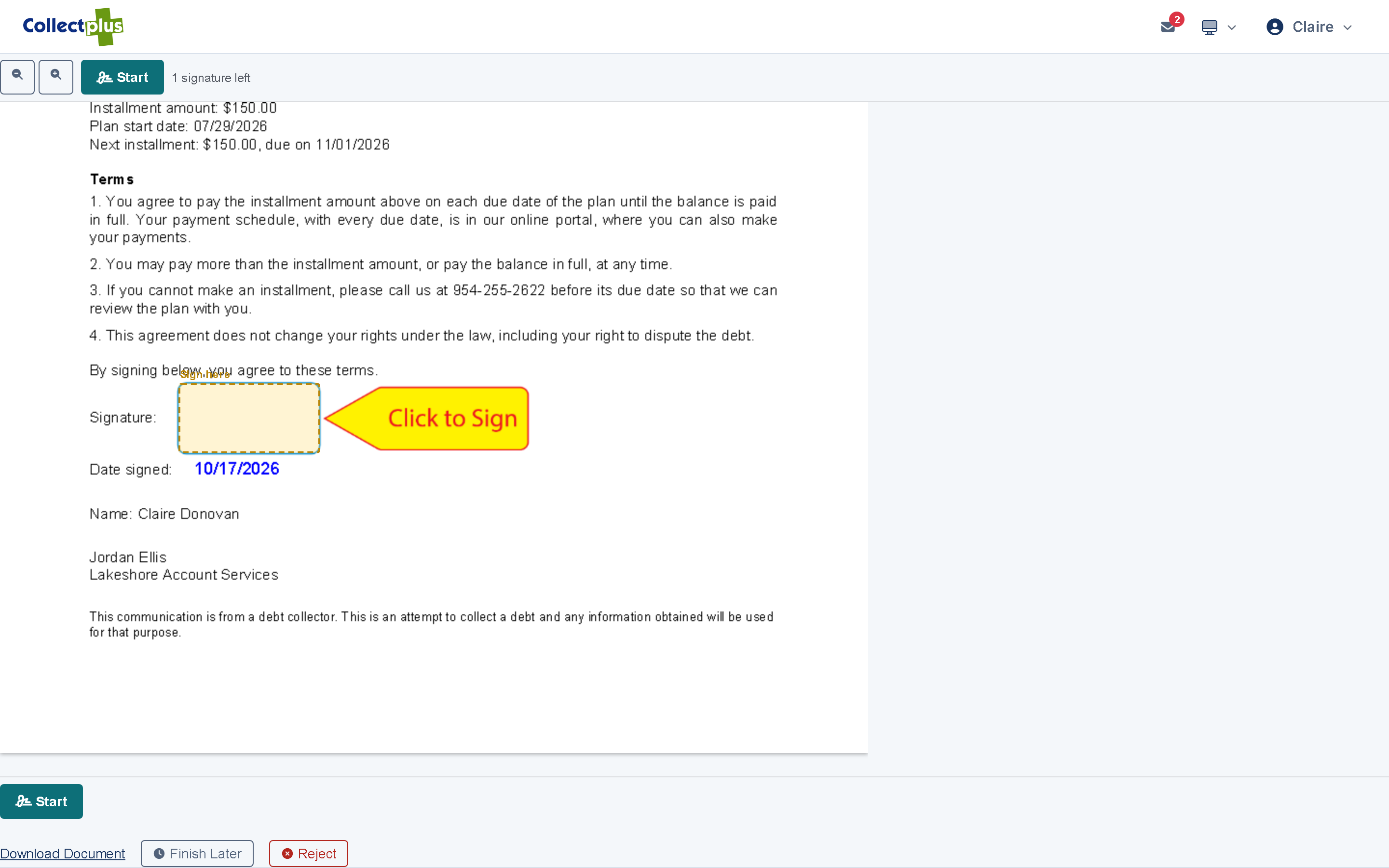
On the other end, Claire opens the link on her phone. Payment links need no password, and debtors who sign in to the portal can view all their accounts, save a card and sign documents.

Explore the debtor portal →
5 / 8
Jordan Ellis & Alex Rivera /client/2517/interactions
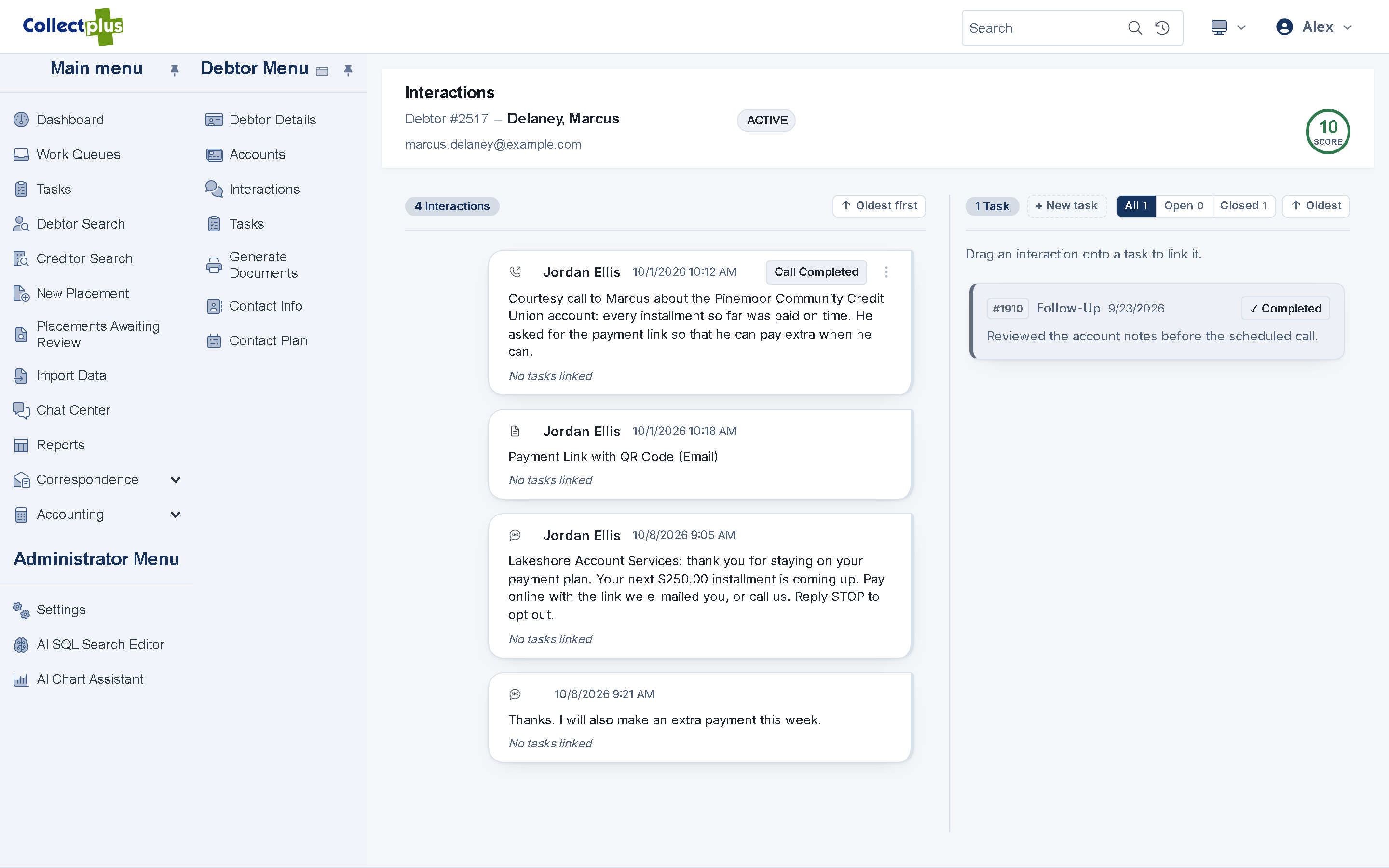
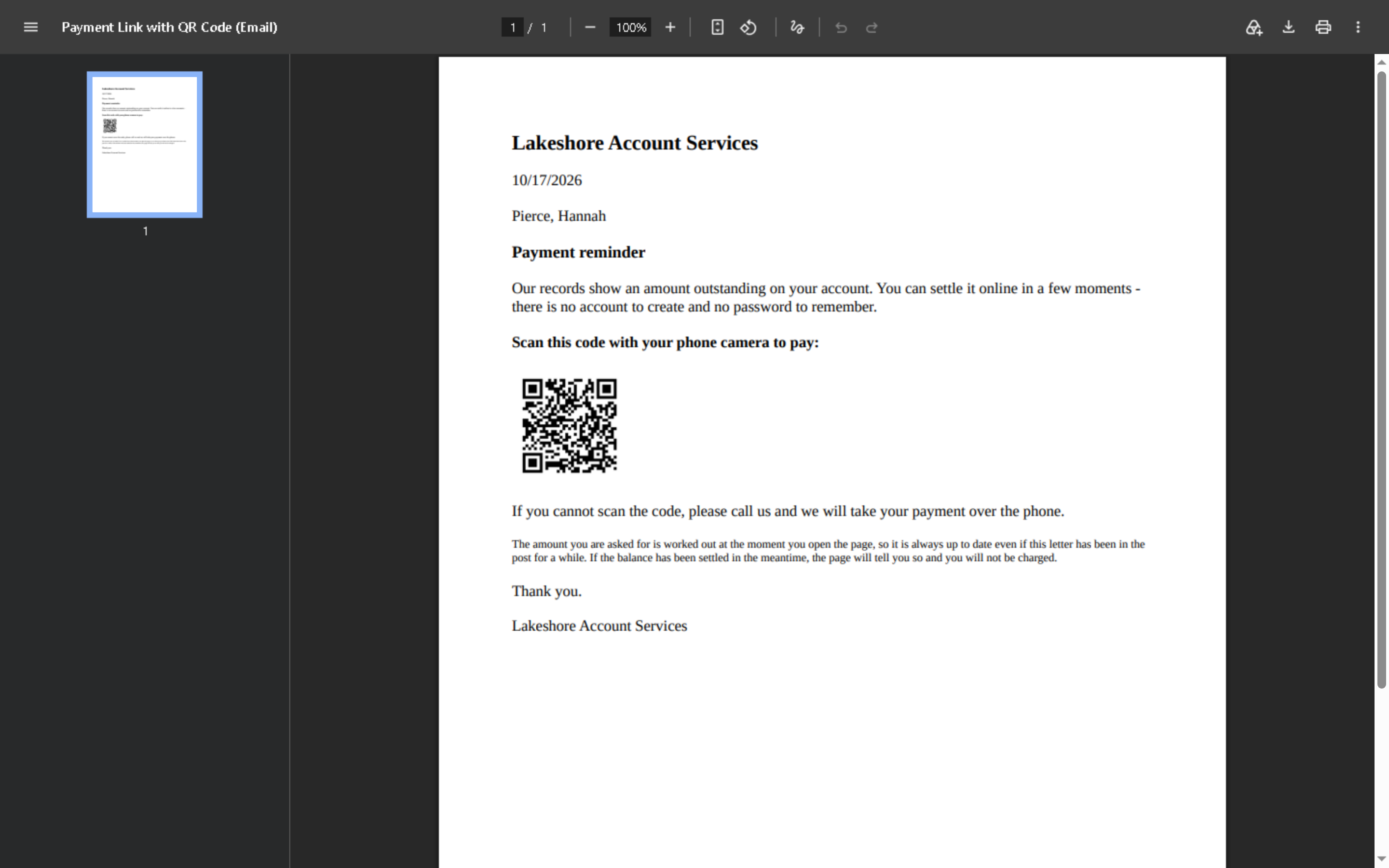
Debtor Interactions timeline showing a completed call, an emailed payment link with QR code, an outbound SMS, and the debtor's SMS reply
1
Every channel on one timeline Calls, emailed payment links, letters, notes and text messages sit in one chronological stream beside the debtor's tasks.
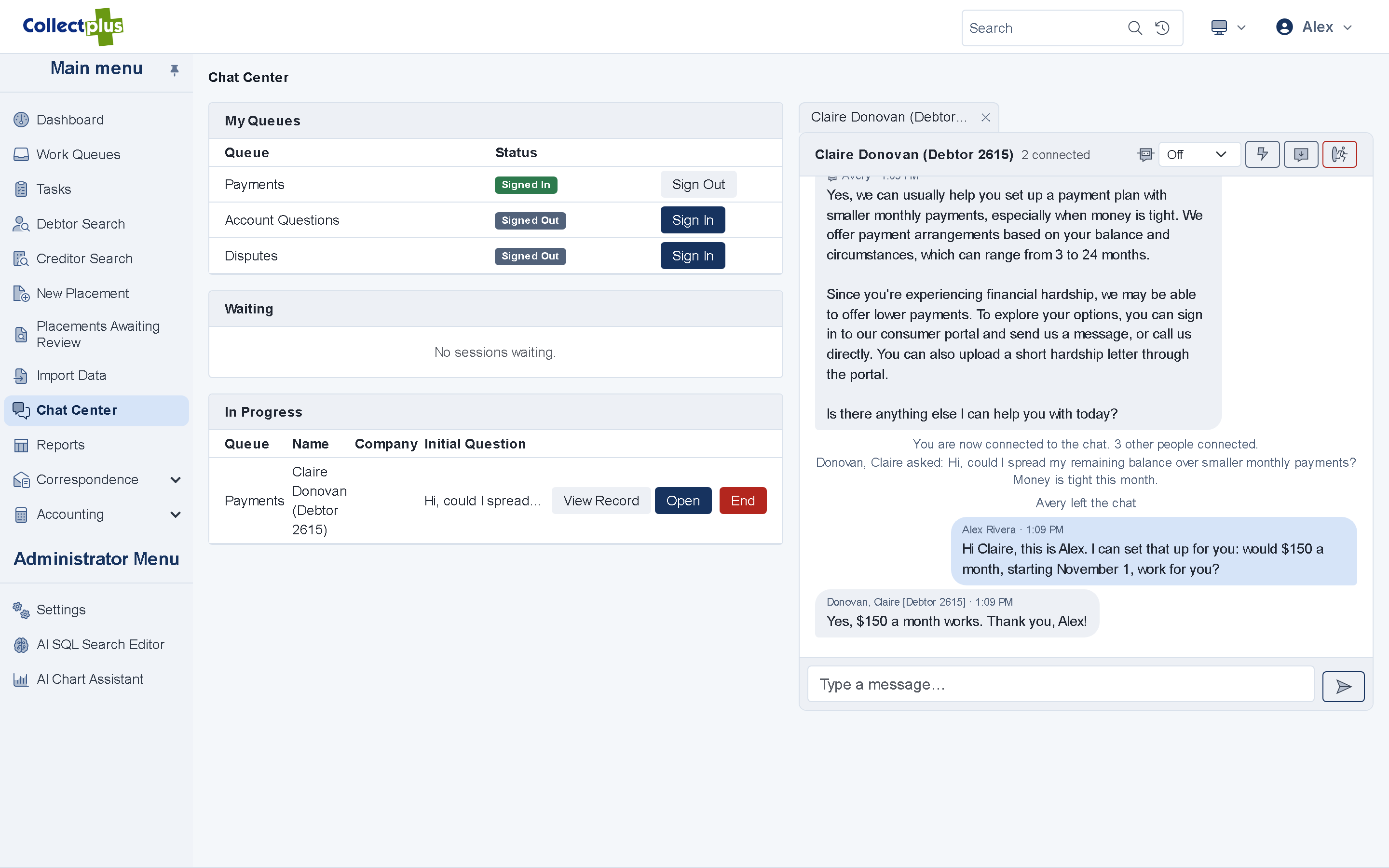
Step 6 of 8 · Communications Timeline, chat & mail

Every text, letter, call and live chat in one place

Whether a debtor replies to a text, scans a QR code on a printed letter or opens a live chat in the portal, the entire conversation stays on the account record.

Explore communications →
6 / 8
Alex Rivera · Manager /dashboard & /ai-chart-assistant
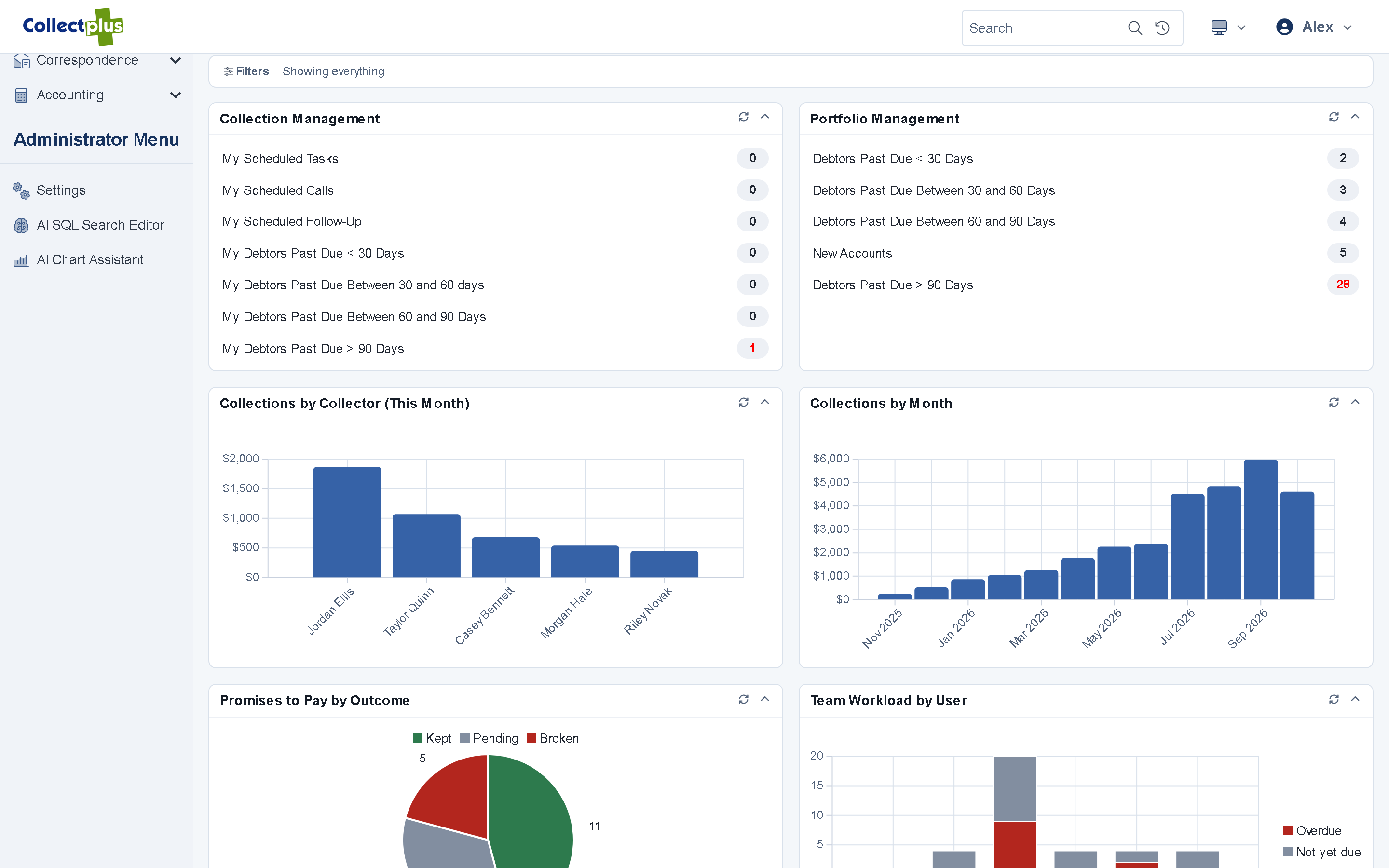
Manager dashboard showing Portfolio Management aging counts, Collections by Collector, Collections by Month, Promises to Pay by Outcome, and Team Workload
1
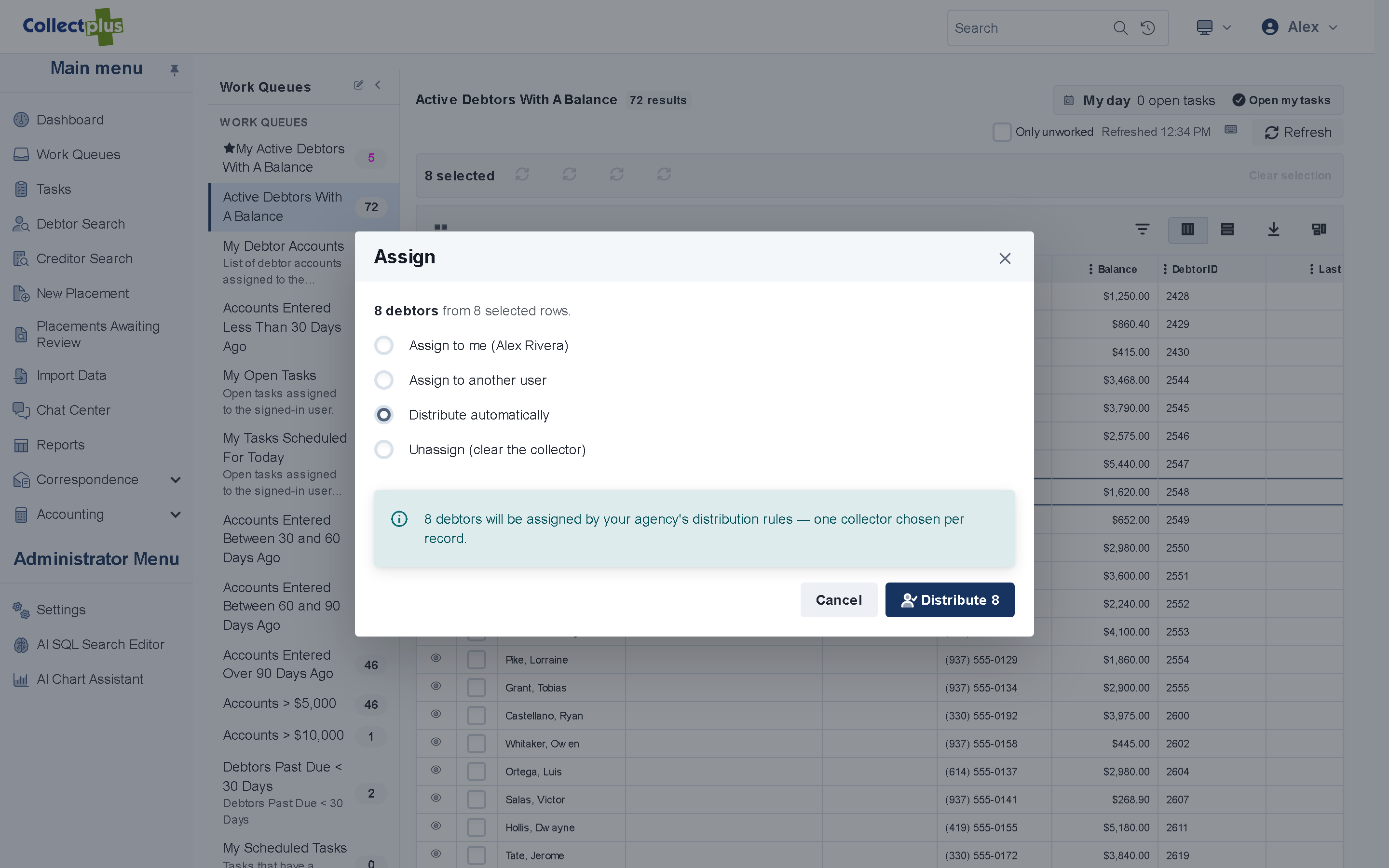
Balance workload in one step Managers see past-due buckets across the portfolio and can select accounts in any work queue to distribute them automatically across collectors.
Step 7 of 8 · The manager Manager view

Supervise the floor, watch collections live and ask for charts

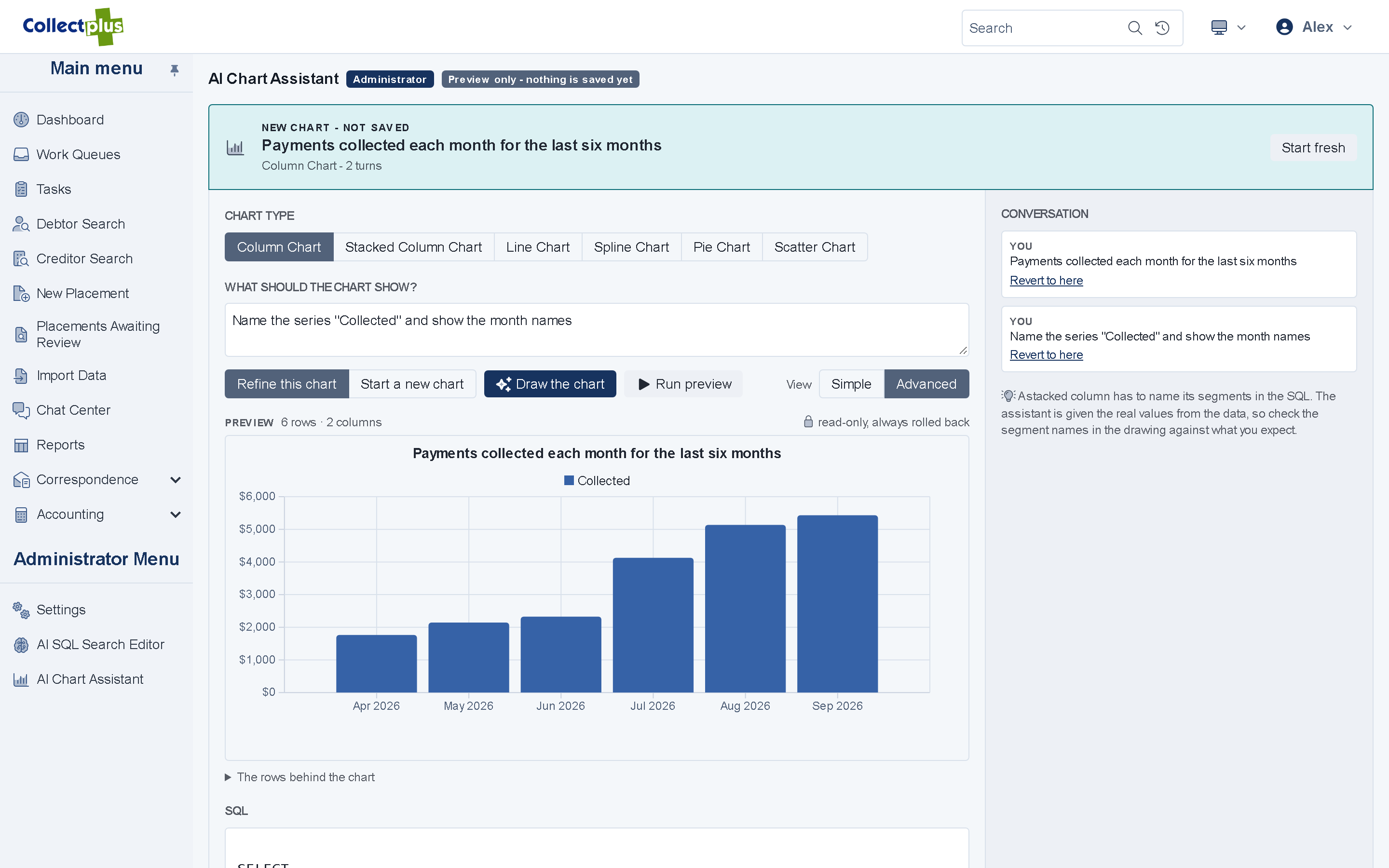
Alex switches to the Manager dashboard to check team workload, distribute new placements across collectors, and draft new charts in plain English.

Explore reporting and dashboards →
7 / 8
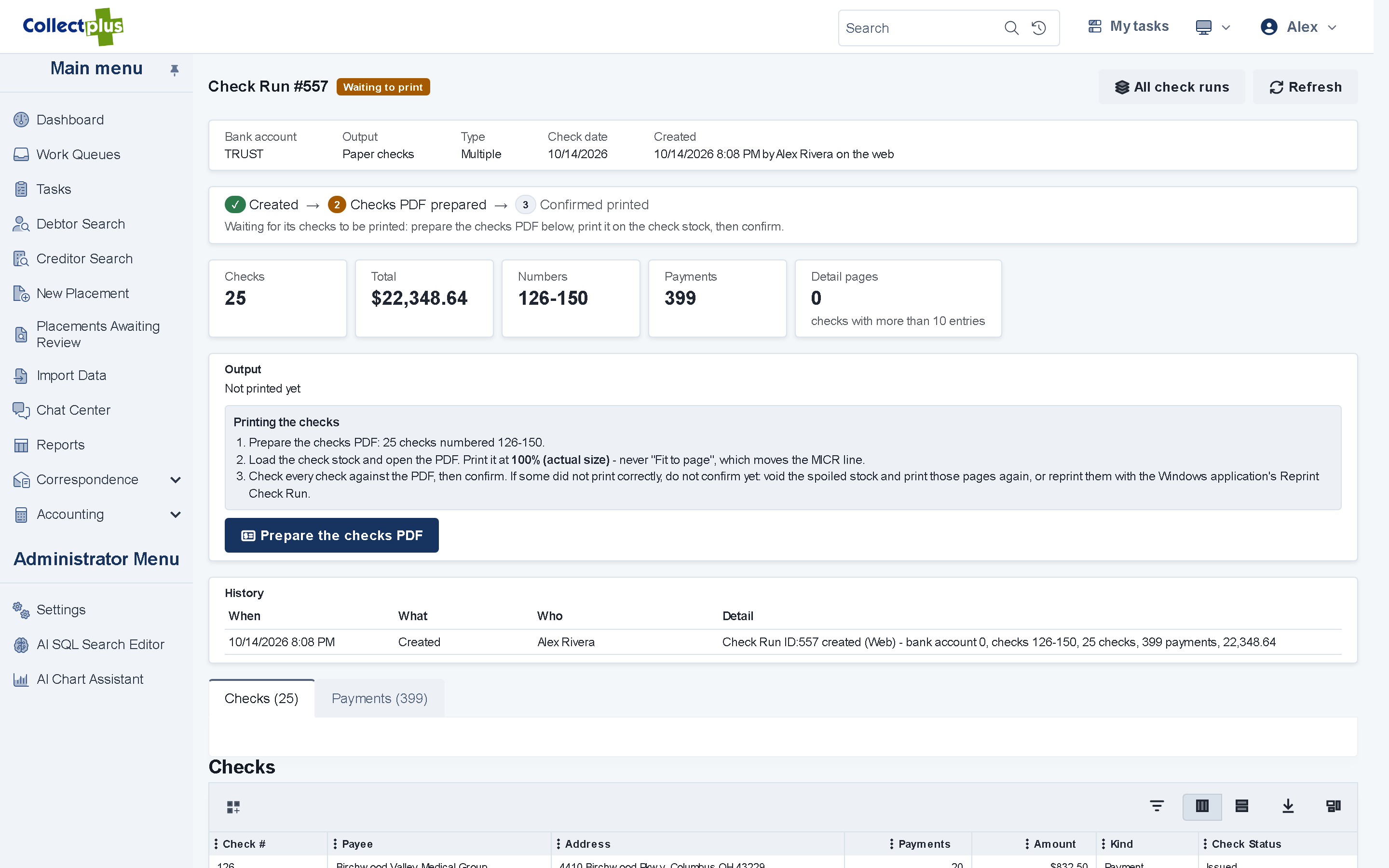
Alex Rivera · Administrator /accounting/check-runs/557
Check Run #557 screen showing 25 checks totaling $22,348.64 across 399 payments, ready to prepare the checks PDF
1
Creditor check runs on the web Check Run #557 groups 399 payments into 25 creditor checks totaling $22,348.64, applying each creditor's contingency, flat or tiered fee terms.
Step 8 of 8 · Remittance & security Admin & creditor view

Remit to creditors and audit every change

Every posted payment splits the creditor's share and your fee automatically. Print creditor check runs from the browser, give clients their own portal, and keep an audit trail of every change.

For IT and security teams

How the screens in this tour work under the hood

Real interface
Every screen and clip in this tour is captured from the CollectPlus 12 demo database for fictional agency Lakeshore Account Services.
Hybrid architecture
Collectors, managers, creditor clients and debtors work in the ASP.NET Core (.NET 8) web app; the included Windows application handles back-office trust accounting and bank reconciliation.
Telephony
Click-to-call and the live call card connect with Intermedia Unite, checking do-not-use flags and allowed calling hours before dialing.
Payments
Card payments run through Authorize.Net, NMI or Clover. ACH batches produce NACHA files for your bank, and staff can take a one-time ACH payment through NMI.
E-signature
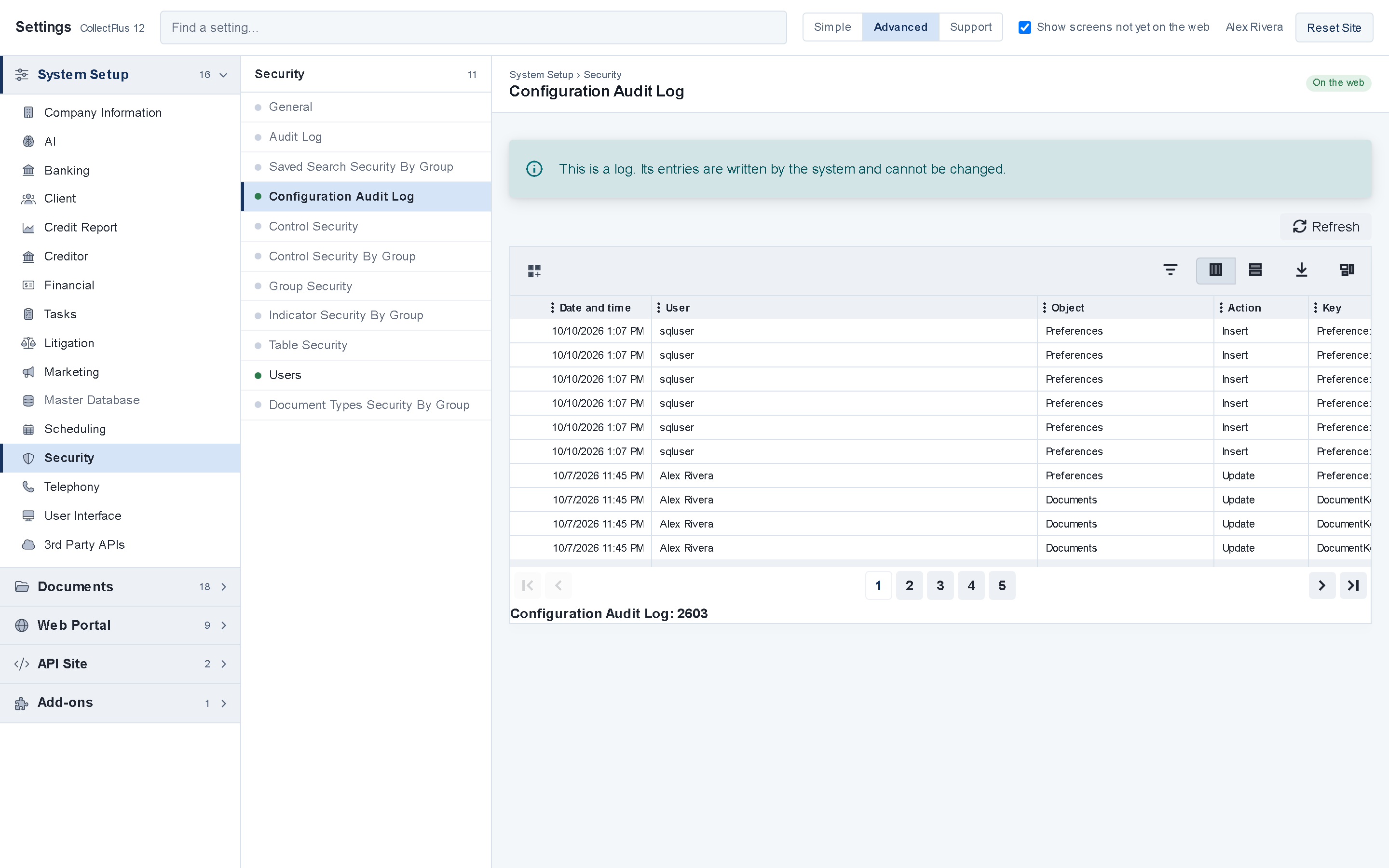
ICCOSign is built in and records each signer's IP address and timestamp; DocuSign and SignNow are also supported.
AI with Gemini
Google Gemini runs in your agency's own Google Cloud project through Vertex AI. Suggestions are advisory and never change an account on their own.

Ready to see CollectPlus with your own workflow?

A 30-minute live demo walks through your creditors, your payment rules and your team's questions.

Book a demo Call