Law firms
Collection software for law firms and collection attorneys
CollectPlus runs a collections practice from the client's placement to the remittance check: each client's fee agreement, a portal where clients follow their accounts, settlements within the client's authority, and trust accounting.
- A fee agreement for each client
- Client portal
- Trust accounting
How a practice uses it
From the client's file to the client's check
In CollectPlus your clients are creditors, and the people who owe them are debtors. Each step hands its data to the next.
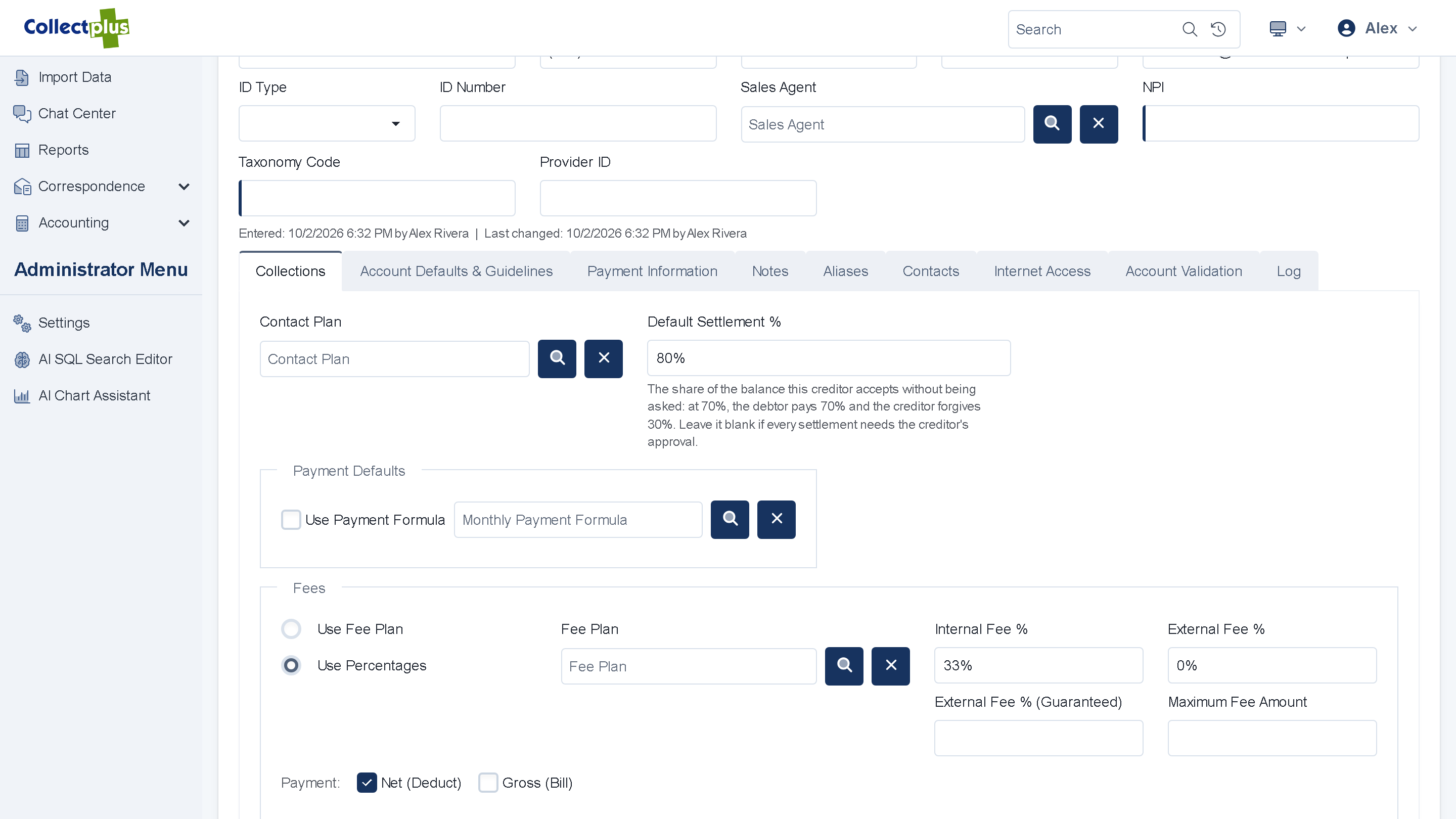
- PlacementA client places accounts in the portal or sends a file. You review each placement before it goes live. Creditor management
- Demand and follow-upEach account starts on its client's contact plan: the letters that go out and the follow-up tasks that are created, on the days you choose. Collector workspace
- Payment, plan or settlementDebtors pay in full, on an installment plan, or by a settlement within the authority your client gave you. Payments
- RemittanceEach payment is split by the client's fee agreement, and a check run pays the client its share. Remittance
Your clients
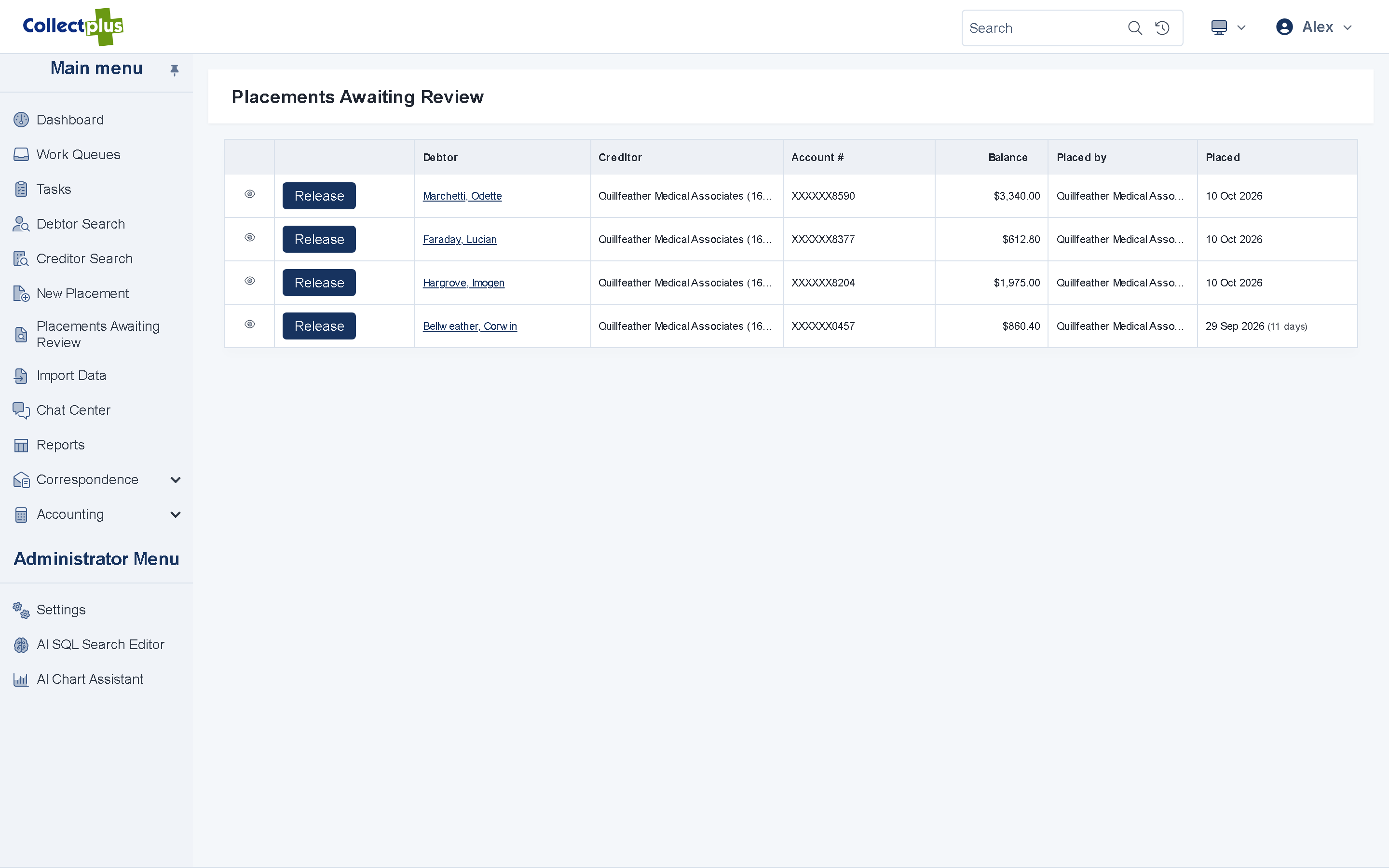
Each client's fee agreement, applied to every payment
- A fee for each client. A percentage, a flat amount or a formula, tiered by balance, payment, account age or amount recovered, with caps.
- Net or gross remittance. Deduct your fee from each payment, or remit in full and invoice the fee.
- Client portal. Each client signs in to see its remittance checks and documents, and to place new accounts.
Letters and agreements
Demand letters and signed agreements, from your own templates
- Your templates. Letters are Word files with merge fields, sent one at a time or in batches, by mail, email or text.
- E-signature. Debtors sign payment agreements online with ICCOSign, DocuSign or SignNow.
- A record of each signature. ICCOSign records who signed, from which IP address and when.
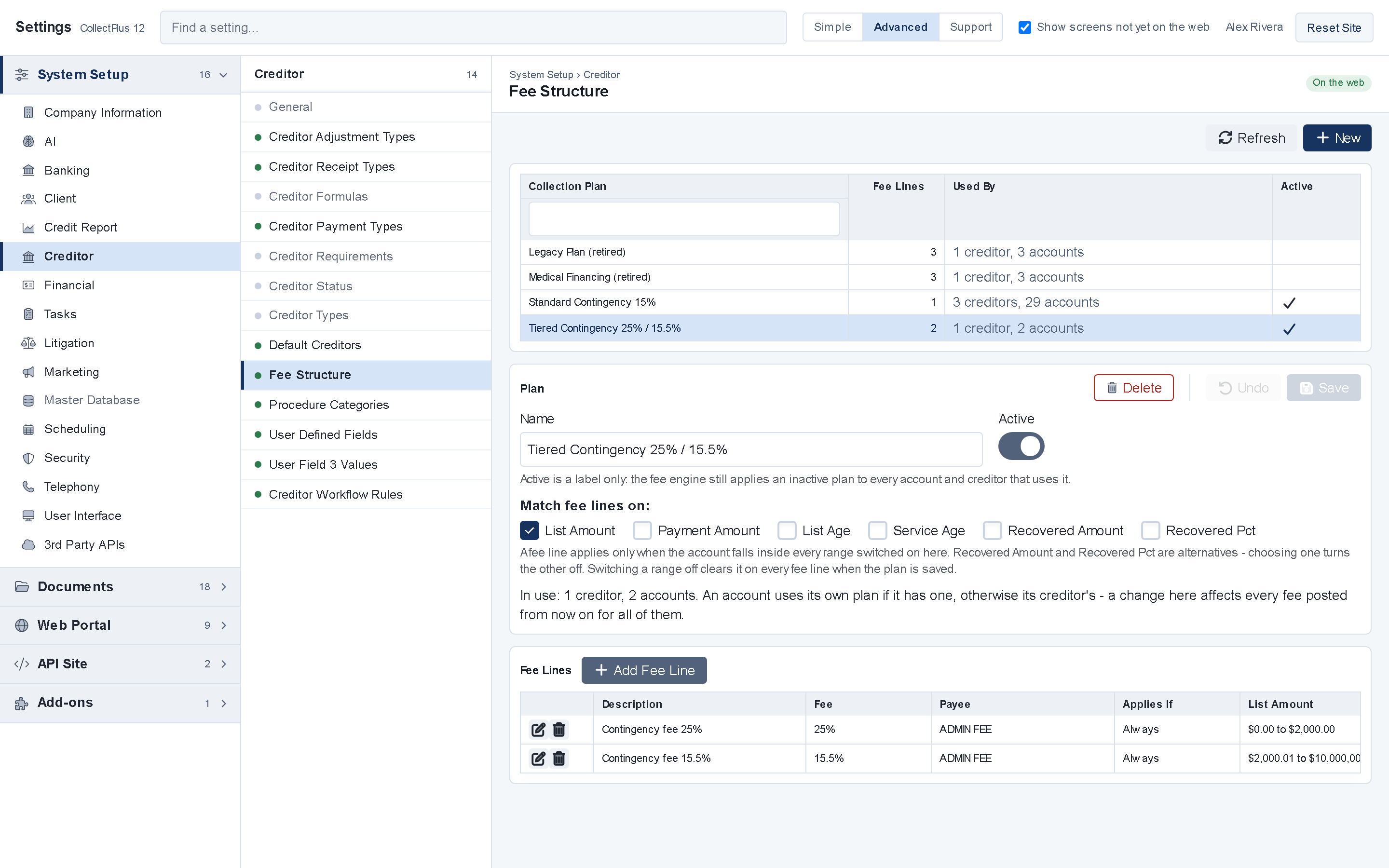
- A way to pay on your letters. A QR code on a letter opens the debtor's balance, ready to pay.
Settlements and payment plans
Settle within the authority your client gave you
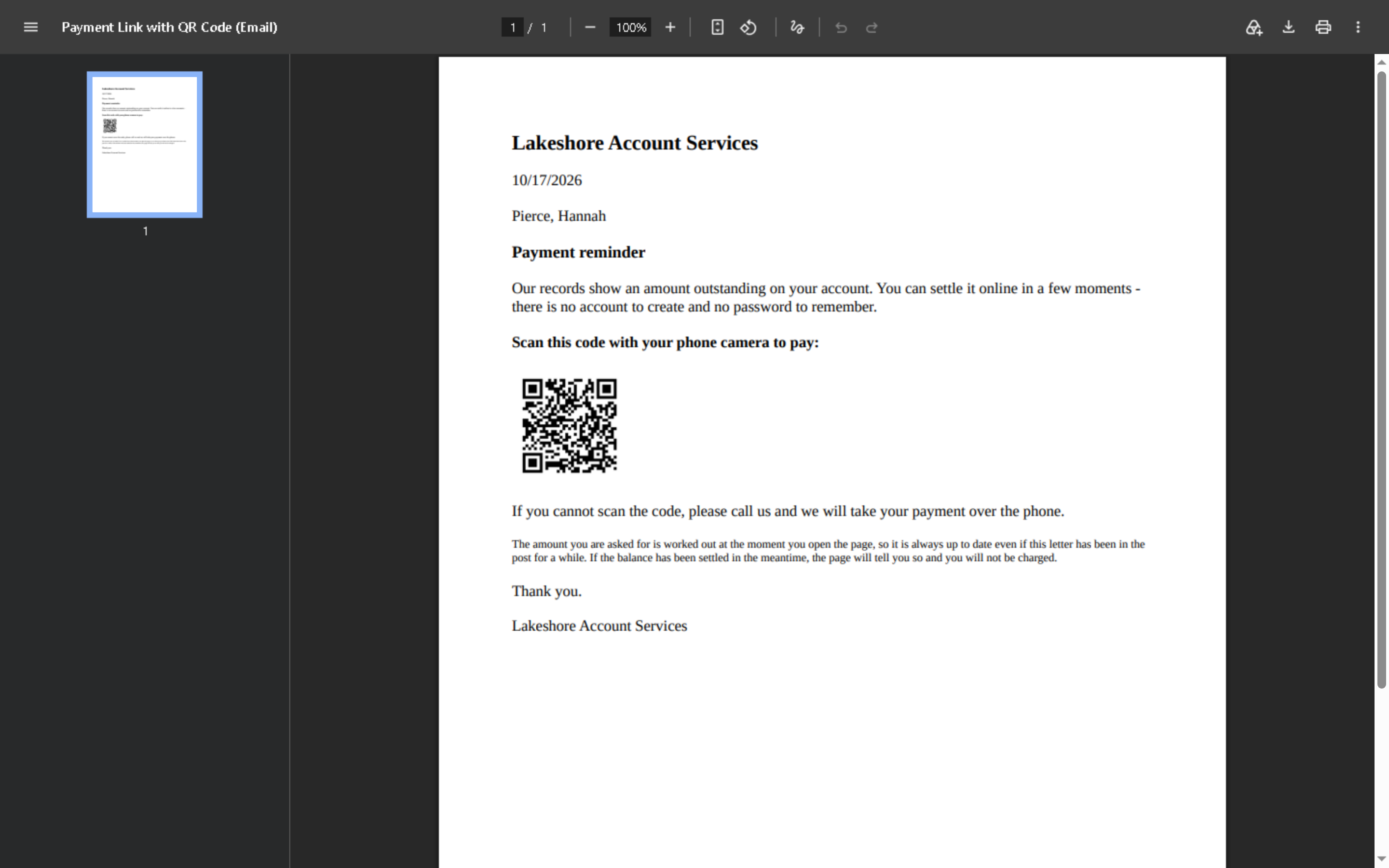
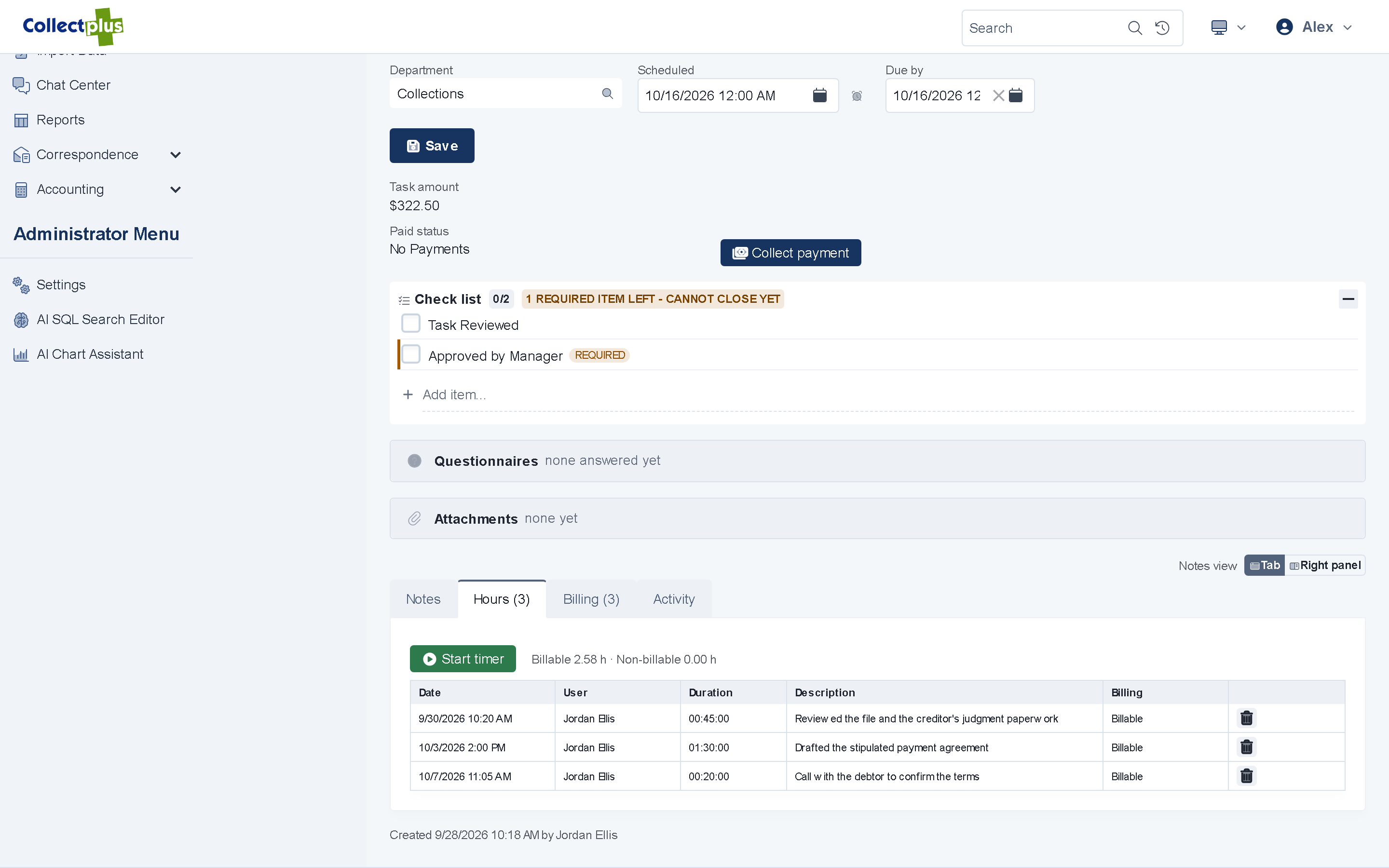
- Settlement authority per client. Record the share of a balance each client accepts without being asked.
- Approval requests. For an offer beyond that authority, open an approval request for the client. A work queue lists the ones still waiting.
- Payment plans. Installment plans from your templates, collected by link or by scheduled card and ACH batches.
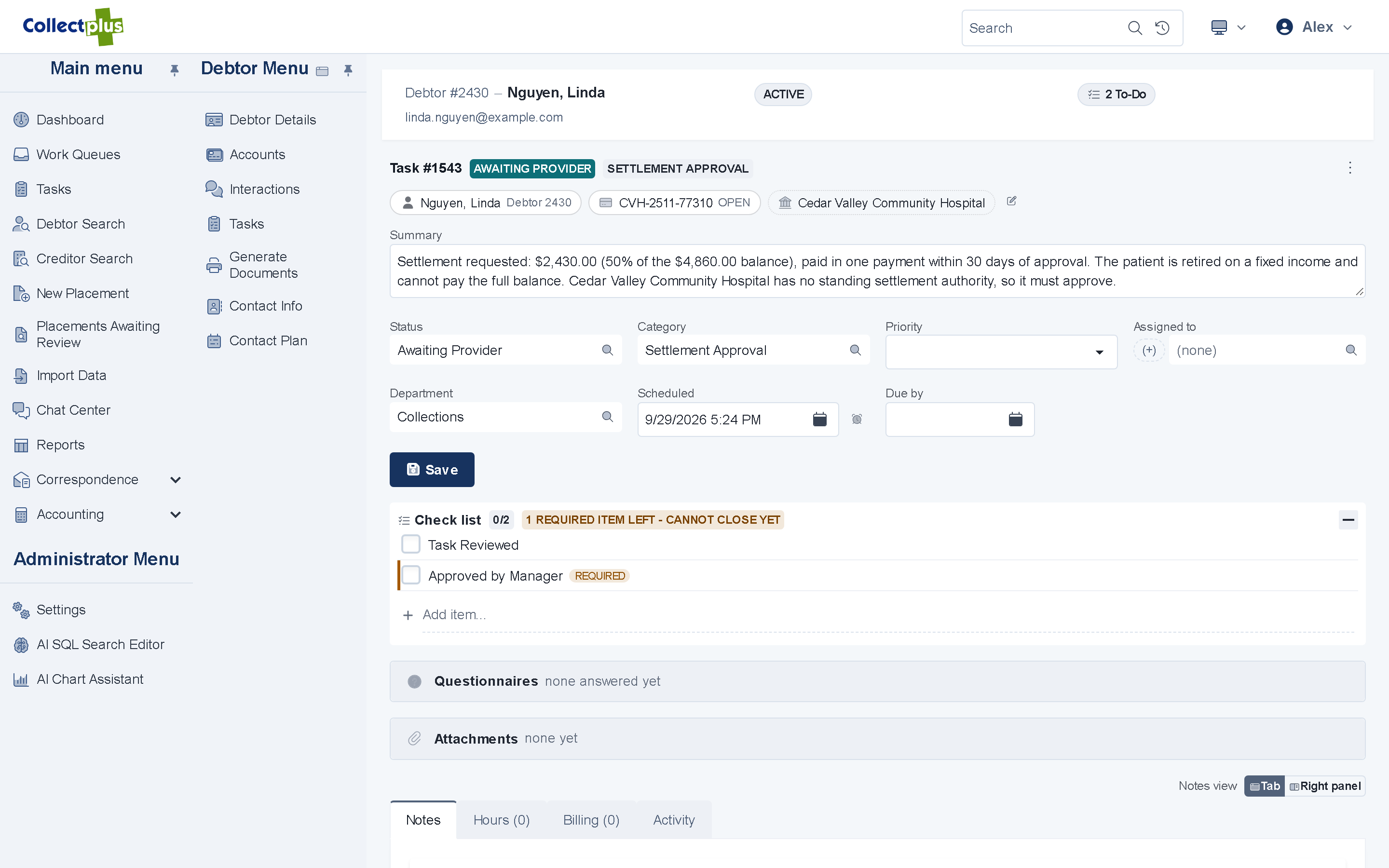
Trust accounting and remittance
Client money, accounted for
- Check runs. Print client checks, or produce ACH and check files, from the web app.
- Trust accounting Windows app Bank reconciliation, deposits, refunds and voids.
- Client invoices Windows app Invoice the fees you bill.
CollectPlus 12 is a hybrid: daily work runs in the web app, and the Windows application, which is included, handles this back-office work.
Legal work
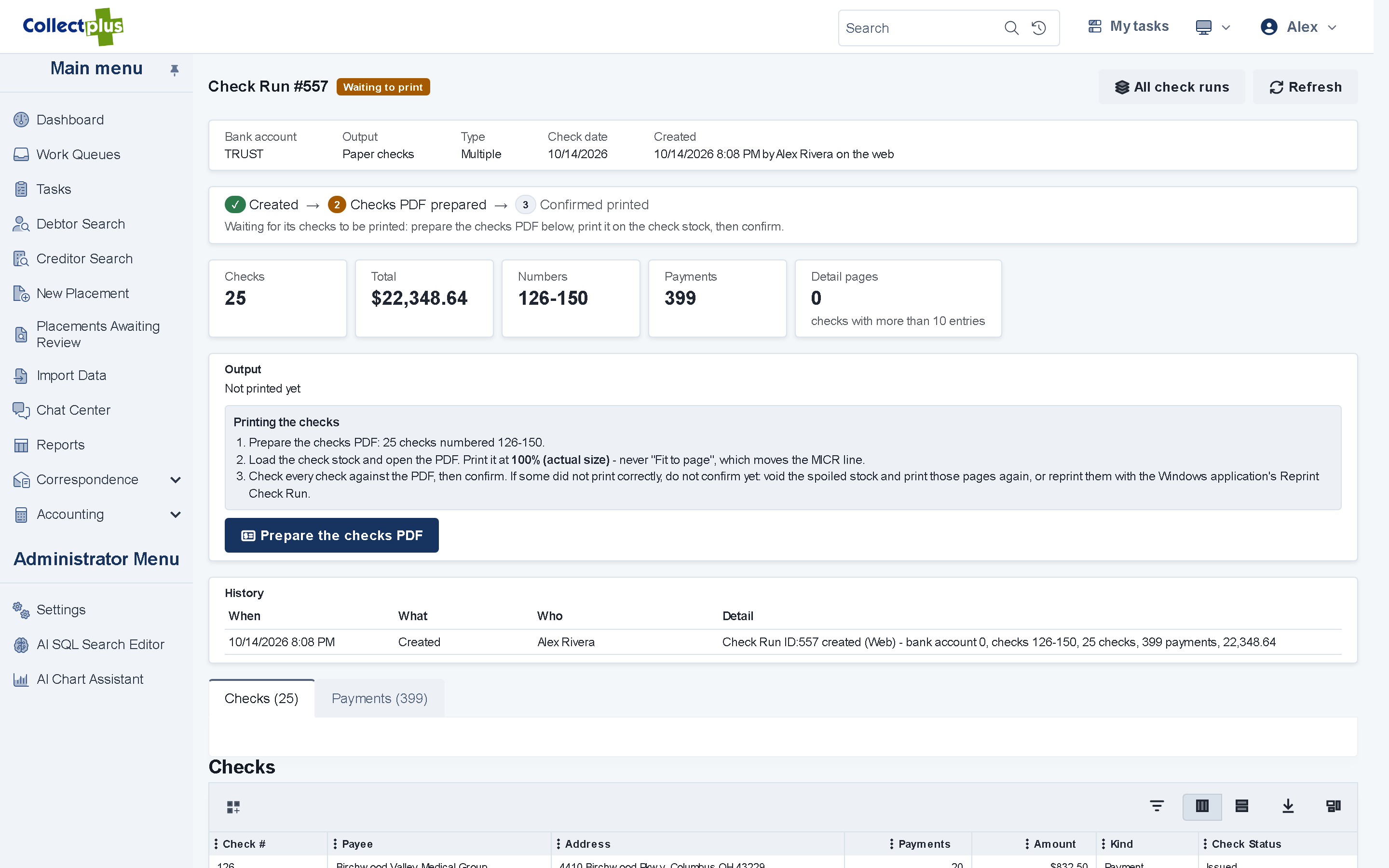
Judgments, interest and billable time on the account
- Judgment details Windows app The case number, the judgment date and amount, and the principal, interest, fees and costs awarded.
- Interest. An account can accrue interest at a rate set for the client or for the account.
- Time on a task. Track time with a timer, and mark hours as billable or not.
- Billable items. Add service items to a task and bill them to the debtor or to your client.
The record
A file you can stand behind
Every contact in one timeline
Letters, emails, texts, calls, chats and notes for a debtor, in the order they happened.
Audit trail
User activity and settings changes are recorded with who made them and when.
Permissions
Each person sees what their role allows, down to individual fields such as Social Security numbers.
Contact controls
Do-not-use numbers, text opt-outs and contact preferences are applied for you. Security
See a collections practice run in CollectPlus
A 30-minute demo follows one account from your client's placement to the remittance check.