Payments
Get paid faster, with less chasing
Text a payment link, print a QR code on your letters, and let debtors pay online, by phone or through a plan. Every payment posts to the right account and flows through to creditor remittance.
- Authorize.Net, NMI and Clover
- Card and ACH
- Trust accounting and remittance
Pay by link
A payment page in every message and on your letters
- Payment links by email or text. One tap opens the debtor's balance, ready to pay.
- QR codes on letters. Printed letters open the same page from a phone camera.
- Pay Now page. No account or password needed.
- Pay-by-phone code. A short code finds the balance when a debtor calls.
Card and ACH
Take cards and bank payments with the processor you choose
- Authorize.Net, NMI and Clover. Clover is already in production at an ICCO customer.
- Card and ACH batches. Run scheduled charges and bank debits in the browser.
- Card verification on save. Cards are checked with the processor before they are stored.
- Payment posting. Post checks and other payments to the right accounts.
Screenshot coming soonA card batch ready to run
Payment plans
Installment plans that collect themselves
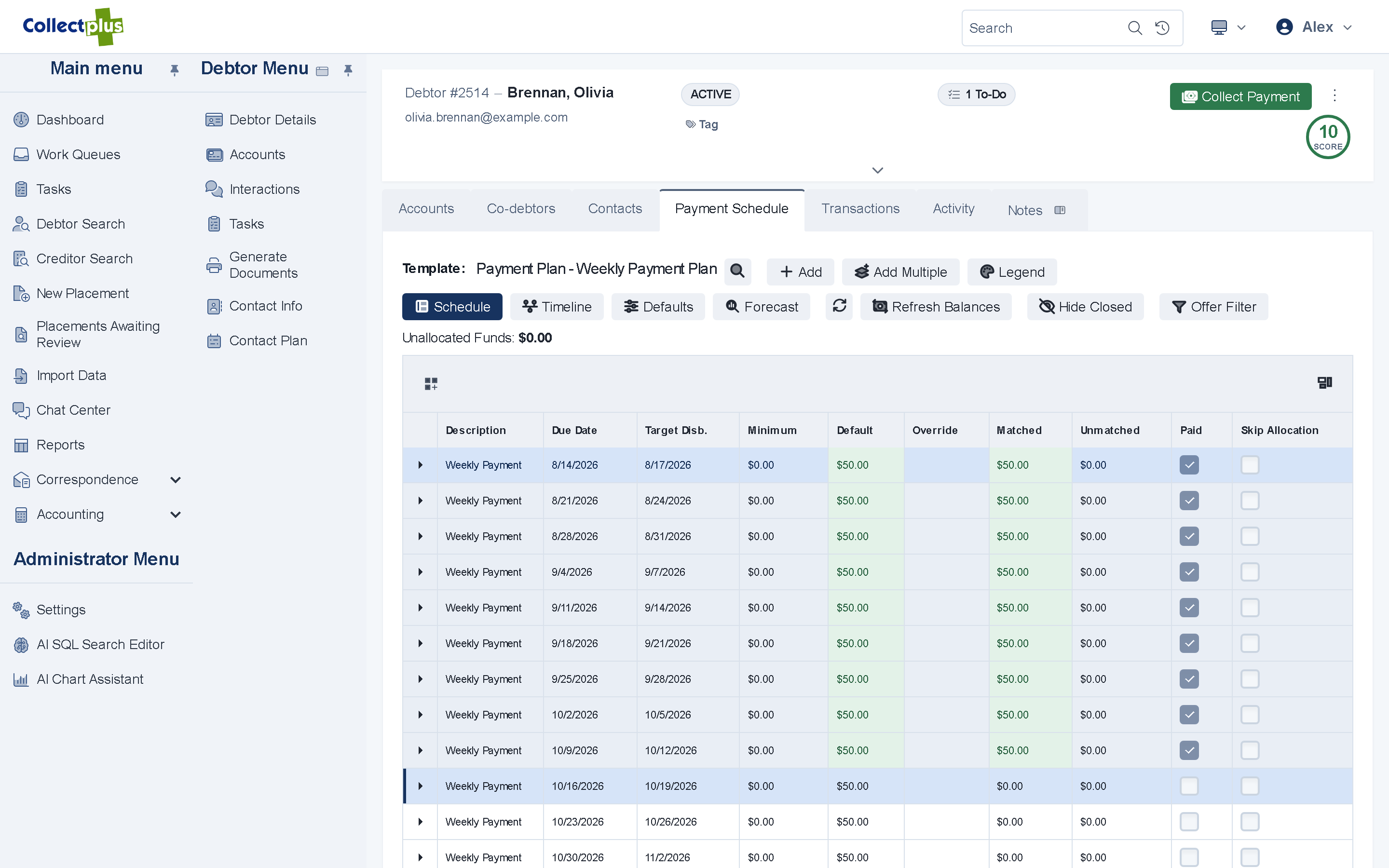
- Plans from templates. Start each debtor on a plan your agency designed.
- Adjust as life happens. Change an amount or a due date, or postpone the schedule.
- Collect each installment by link or on schedule. Scheduled card and ACH batches take care of the rest.
Posting and remittance
From payment to creditor remittance without spreadsheets
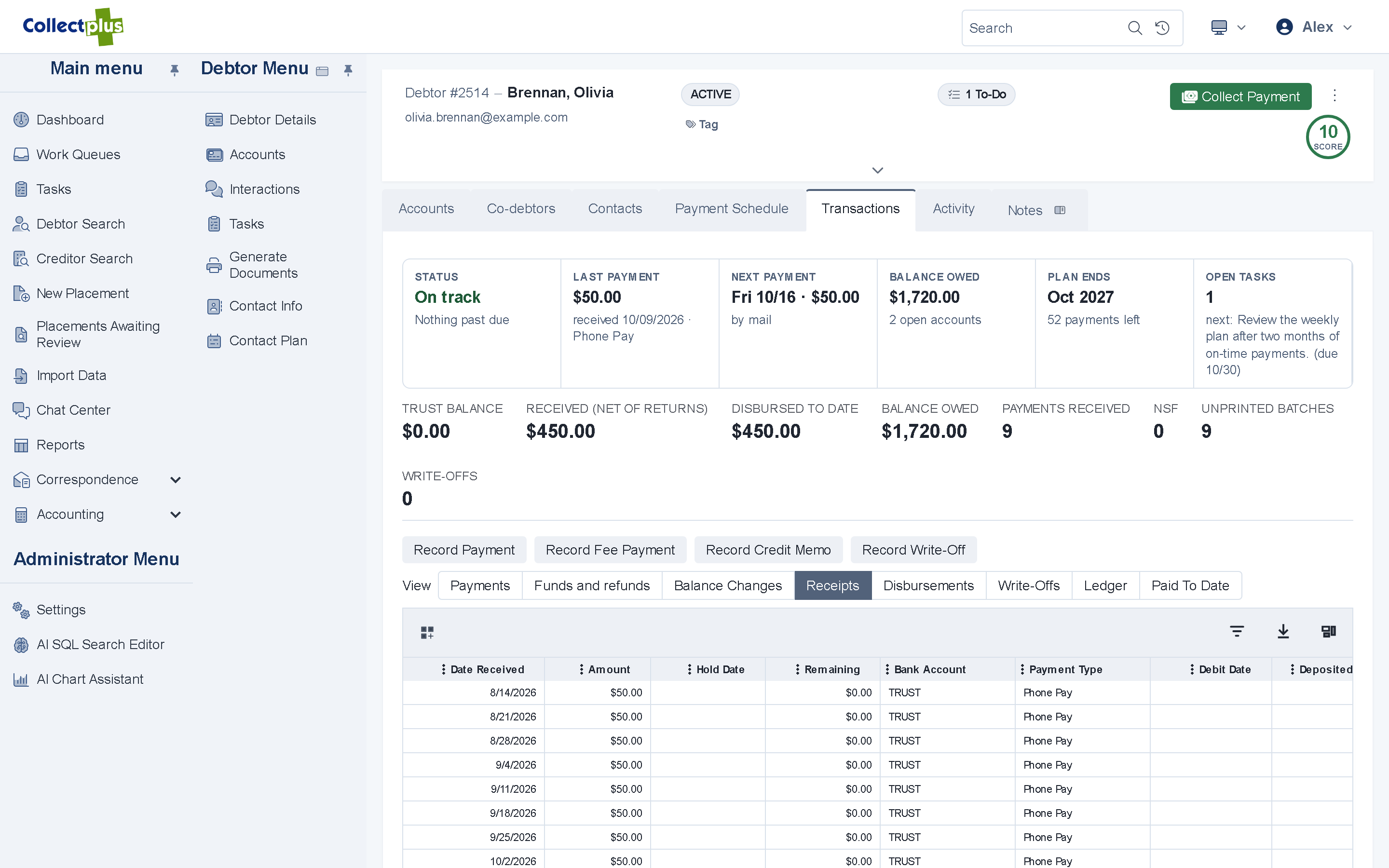
- Collections postings. Each payment is split between the creditor's share and your fee, by the creditor's terms.
- Check runs and remittance. Pay creditors their share, and invoice the fees you bill.
- Trust accounting. Trust balances, disbursements and reconciliation in the CollectPlus Windows application.
For IT and security teams
How payments work under the hood
- Processors
- Card payments through Authorize.Net, NMI or Clover. ACH batches as NACHA files for your bank, and one-time ACH payments through NMI.
- Payment links
- The link carries an encrypted payload and needs no login. The amount is recalculated when the debtor pays.
- Pay-by-phone code
- An 8-digit code that is valid for 10 minutes, with a lock-out after repeated failed codes.
- QR codes
- Printed on Word (.docx) letter templates. The amount is worked out when the code is scanned.
- Batches
- Card and ACH batches run as background jobs with a LIVE/TEST banner and a review list, and are protected against double charges. NACHA, prenote and check-run files are checked before they go out.
- Postings
- Each payment, credit memo and write-off posts as a single database transaction.
Card payments run through Authorize.Net, NMI or Clover. ACH batches go out as NACHA files you send to your bank, and staff can take a one-time ACH payment through NMI. If you use another processor, ask us.
No. Payment links, QR codes and the Pay Now page open the balance directly. Debtors who want to see their history and documents can also use the debtor portal.
Each payment is posted with the creditor's share and your fee. Check runs pay the creditors, fees you bill are invoiced, and creditors can follow their remittances in the creditor portal.
See a payment go from text message to remittance
A 30-minute demo covers your processors, your creditors and your questions.