Collector workspace
Every collector knows the next account and the next step
Work queues rank accounts by your rules. Contact plans schedule the letters and follow-up tasks each account should get. Every call, text, letter and note sits in one timeline beside the debtor.
- Work queues by your rules
- Contact plans per creditor
- Click-to-call
Work queues
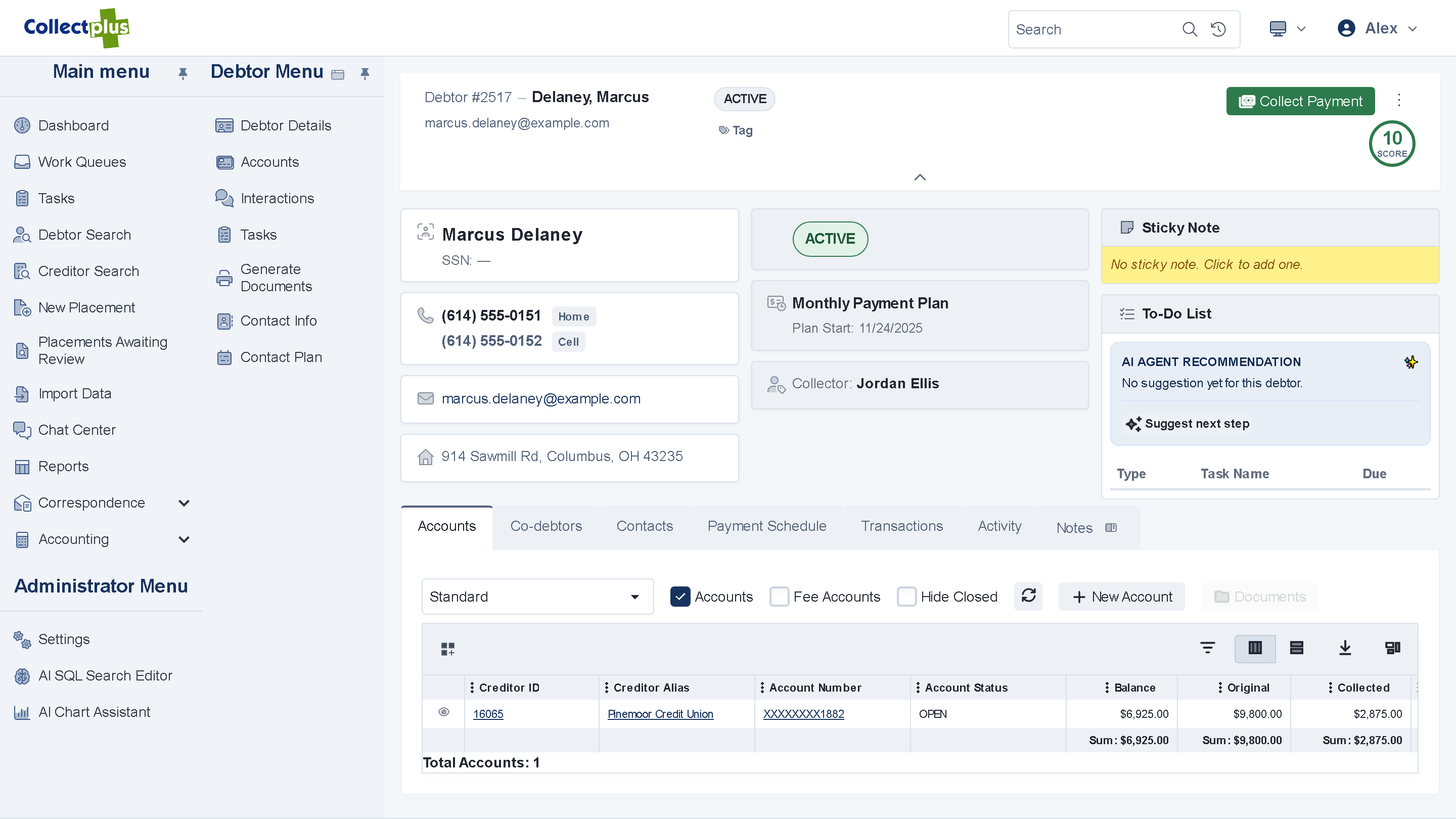
Work the list from top to bottom
A queue is a list of accounts in the order you want them worked. Collectors open the first one, act on it and move to the next without going back to the list.
- Queues by your rules. Rank accounts by collector, creditor, age, balance or any rule your agency sets.
- A triage drawer. See the account, act on it and advance, with keyboard shortcuts for the common steps.
- Snooze and follow up. Snooze an account to a later date and move on, or schedule a follow-up for several accounts at once.
Queue supervision
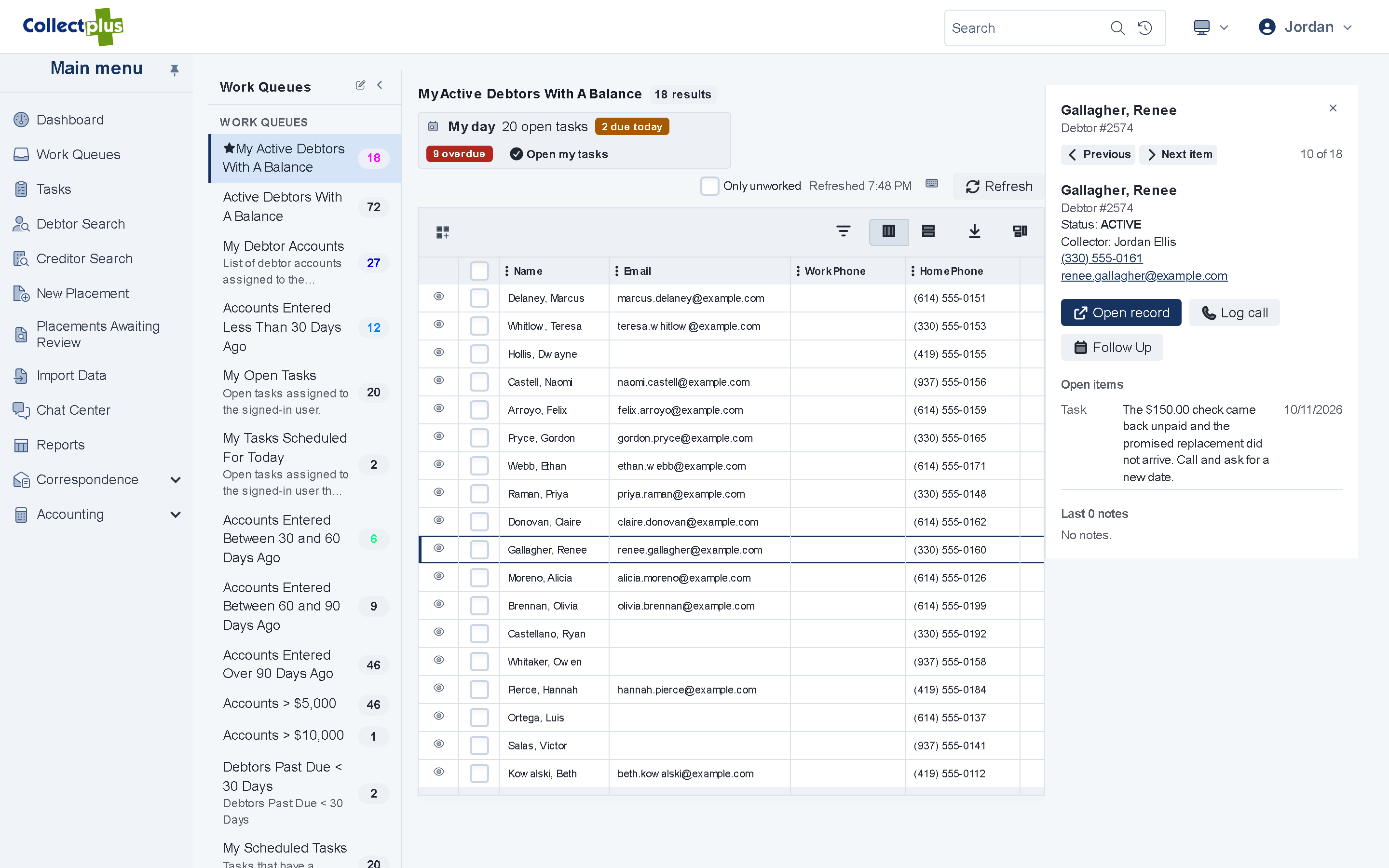
Balance the workload in a few clicks
- Assign in bulk. Hand a list of accounts to one collector, or take accounts back.
- Distribute automatically. Spread a queue across the team.
- Every change recorded. You can see who moved which accounts, and when.
Contact plans
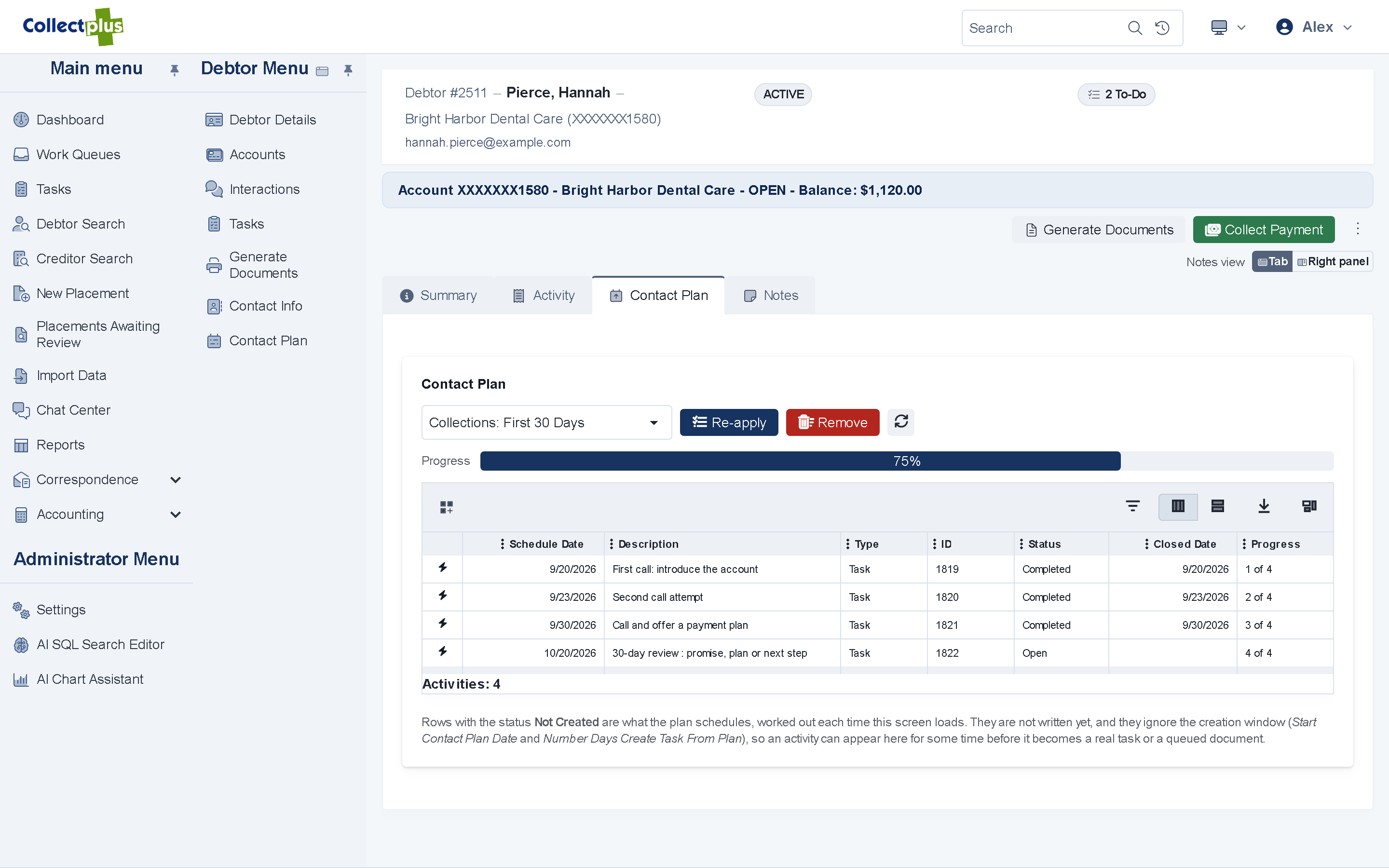
The right letter and the right follow-up, on the right day
- A cadence per creditor or account. Decide which letters go out and which tasks are created, and on which day.
- New accounts start on a plan. Each new account inherits its creditor's default contact plan.
- See what comes next. The plan on the debtor's record shows what was done and what is scheduled.
Interaction timeline
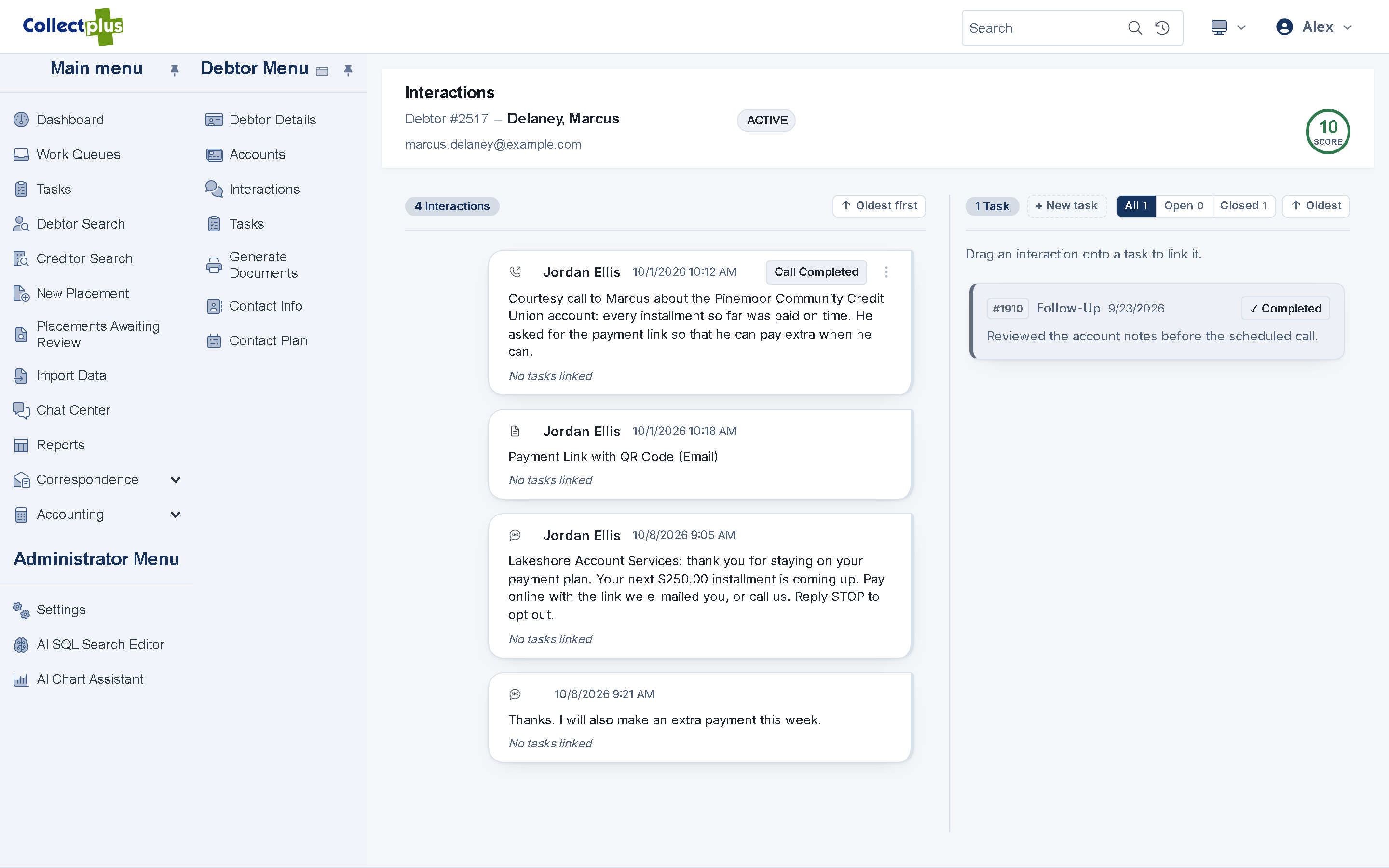
One timeline for every conversation
- Everything in one place. Messages, texts, calls, chats, notes and letters in one timeline, beside the debtor's tasks.
- Suggested next step. Google Gemini suggests the next contact or task, with the reason and the record behind it.
- The collector decides. A suggestion never changes an account on its own.
Calls
Call from the account, and know who is calling
- Click-to-call. Click a number and your Intermedia phone rings, then the debtor's.
- Numbers you should not dial are blocked. A number marked do-not-use, or outside the calling hours recorded on it, cannot be dialed, and the reason is shown.
- Call card. When a call rings or connects, a card shows which debtors the number belongs to, keeps a timer, and opens a call log you save to the right account.
Click-to-call and the call card work with Intermedia Unite. Collectors place calls one at a time, and the call itself stays on the Unite app or desk phone.
Collector dashboard
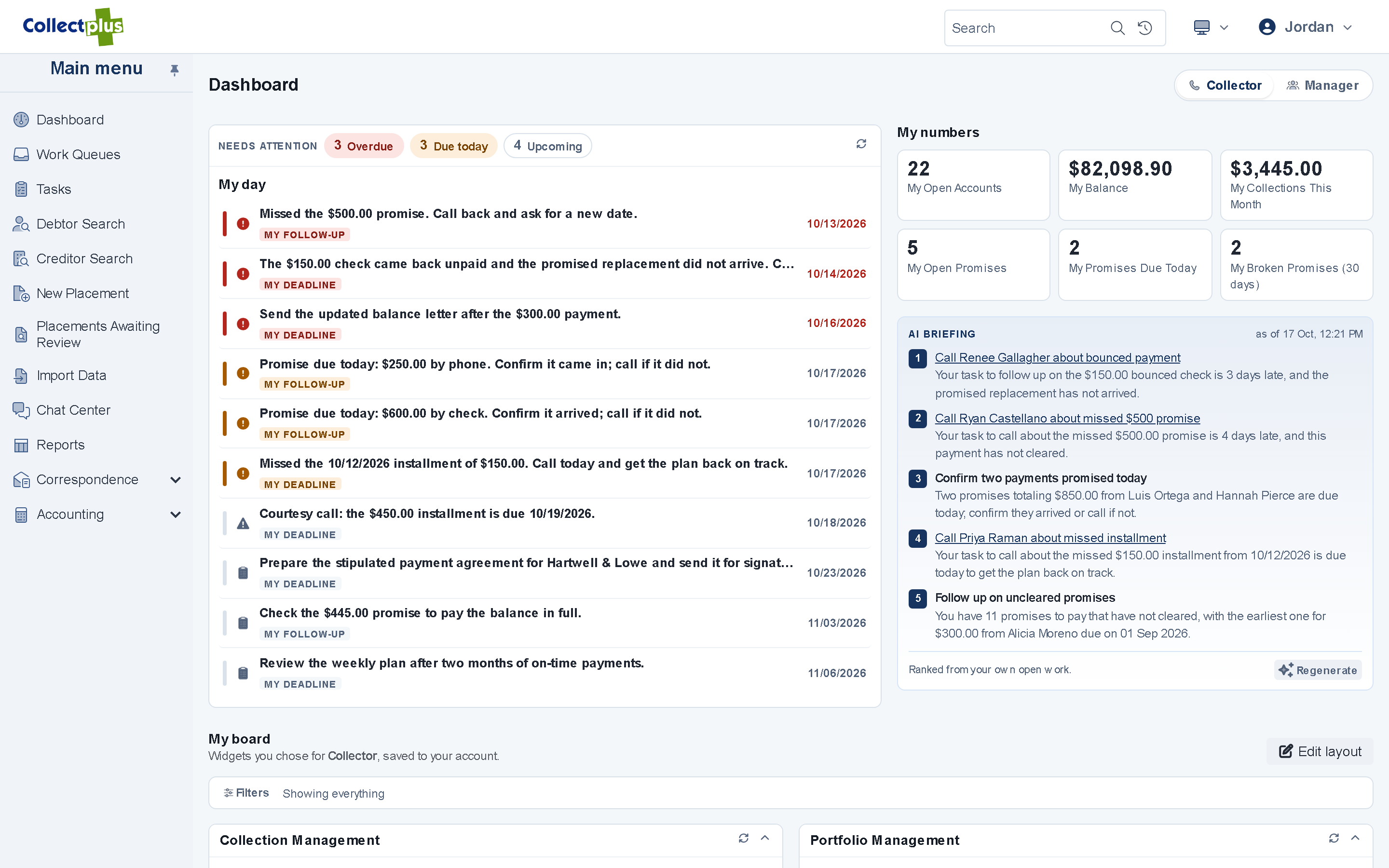
Today's work at a glance
- Ranked to-dos. Today's tasks in the order they should be done.
- Promises. Open promises to pay, and the ones that were broken.
- Delinquent balances by creditor. Where the money is, by creditor client.
- Daily briefing. An optional AI summary of what to do first today, and why.
For IT and security teams
How the workspace works under the hood
- Work queues
- Queues are saved searches your administrators define. Queue queries run under a least-privilege database account.
- Supervision
- Bulk assignment, automatic distribution and unassignment are recorded with who made the change and when.
- Telephony
- Click-to-call and the call card use Intermedia Unite. Each collector connects their own Unite account once, and the audio stays on the Unite app or desk phone.
- Dial checks
- Before each call the number's do-not-use flag and the calling hours recorded on it are checked. Calling hours are compared with the server's clock.
- AI
- Google Gemini through Vertex AI, in your agency's own Google Cloud project. Suggestions are advisory and cite the record they are based on.
- Devices
- A web app for current browsers. Grids switch to cards on a phone, in light or dark mode.
FAQ
Collector workspace questions
Yes. Queues are built from the rules you set, such as collector, creditor, account age or balance. Administrators can also describe a new queue in plain English and let AI draft it, then review the result before saving it.
In the web app, click-to-call and the call card work with Intermedia Unite. Collectors place calls one at a time: your phone rings first, then the debtor's. The CollectPlus Windows application also works with SIP softphones and TAPI phone systems.
Yes. The web app adapts to small screens, and grids switch to cards on a phone.
No. AI suggests a next step and shows the reason and the record behind it. The collector decides what to do.
See a collector's day in CollectPlus
A 30-minute demo follows one account from the work queue to a posted payment.