Communications
Letters, email, text, chat and calls, from one record
Write a template once and send it by mail, email or text. Replies, chats and calls land on the debtor's record, so the next person who opens the account sees the whole conversation.
- One template, three channels
- Two-way text messaging
- Live chat
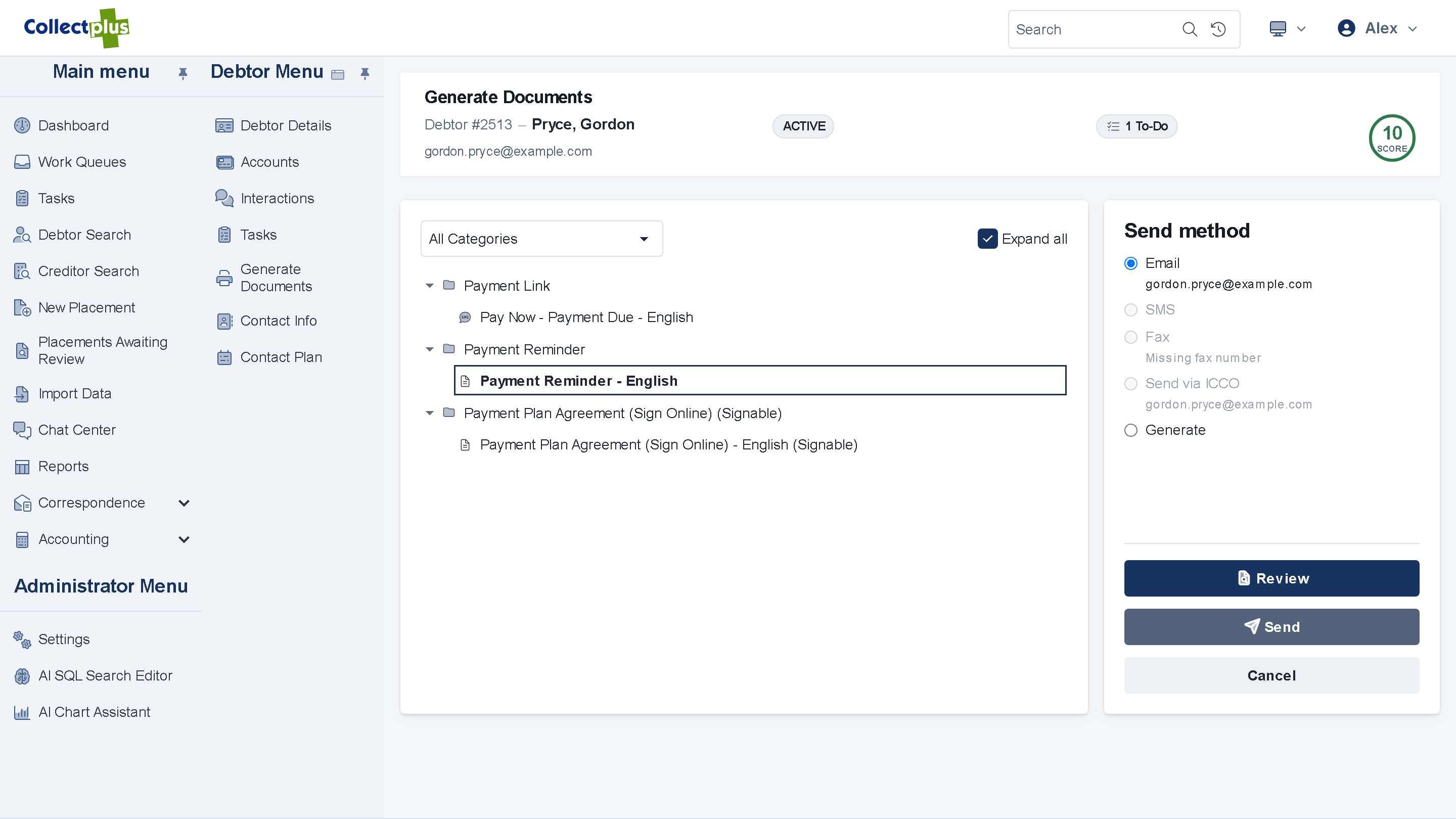
Letters, email and text
One template, three channels
- Write it once. The same template goes out as a printed letter, an email or a text message.
- One at a time or in batches. Send from a debtor's record, or build a batch from a work queue.
- A way to pay in each one. Add a payment link to an email or text, and a QR code to a letter.
- Templates in Word. Your letters are Word files with merge fields, and the server turns them into PDFs.
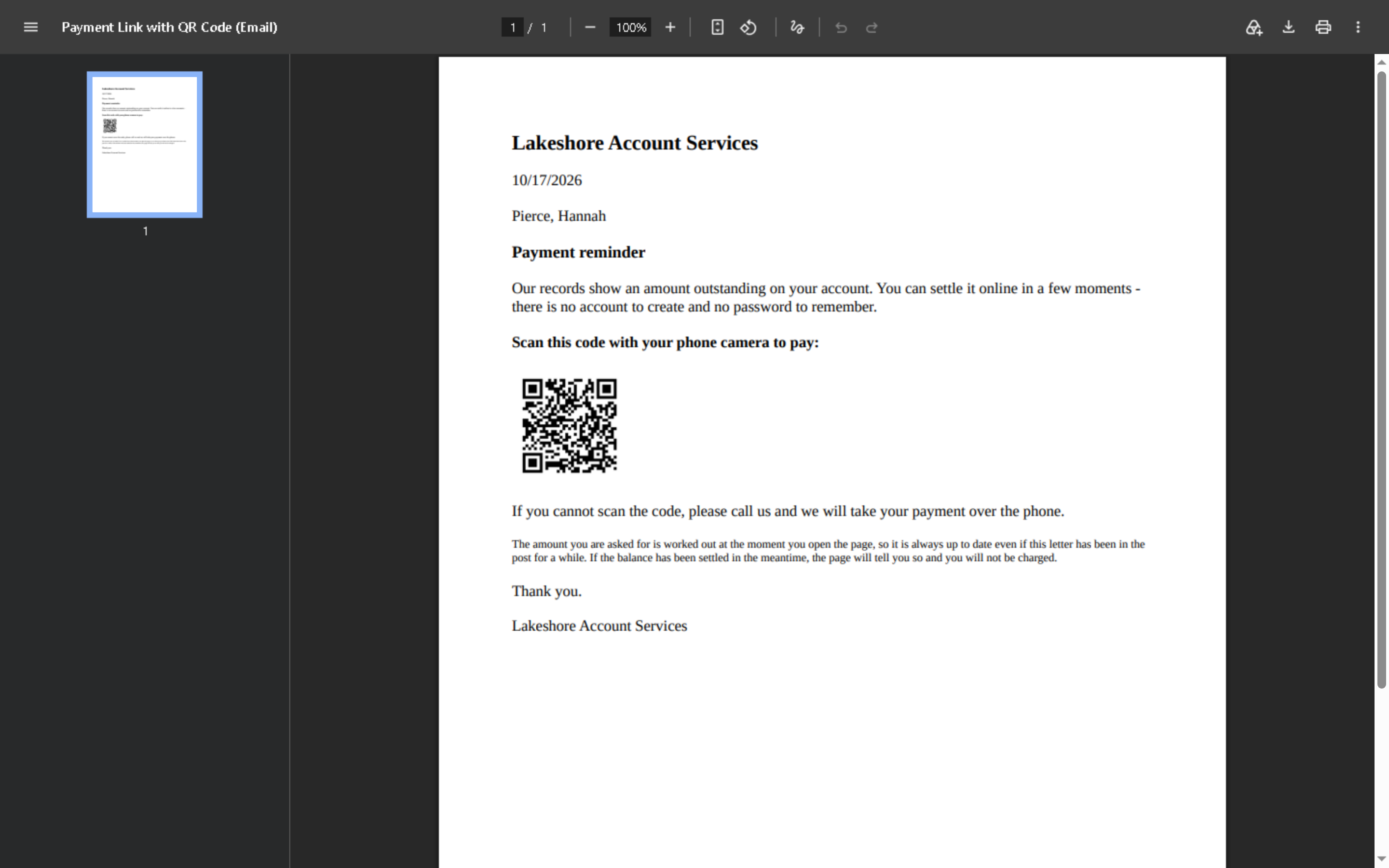
Text messaging
Text messages that can be answered
- Two-way. A debtor's reply lands on their record, beside the message it answers.
- Opt-outs handled. STOP replies are processed for you.
- Delivery status. See whether each text was delivered.
- Text-to-pay. A text can carry a payment link that opens the debtor's balance.
Text messages are sent through MessageMedia.
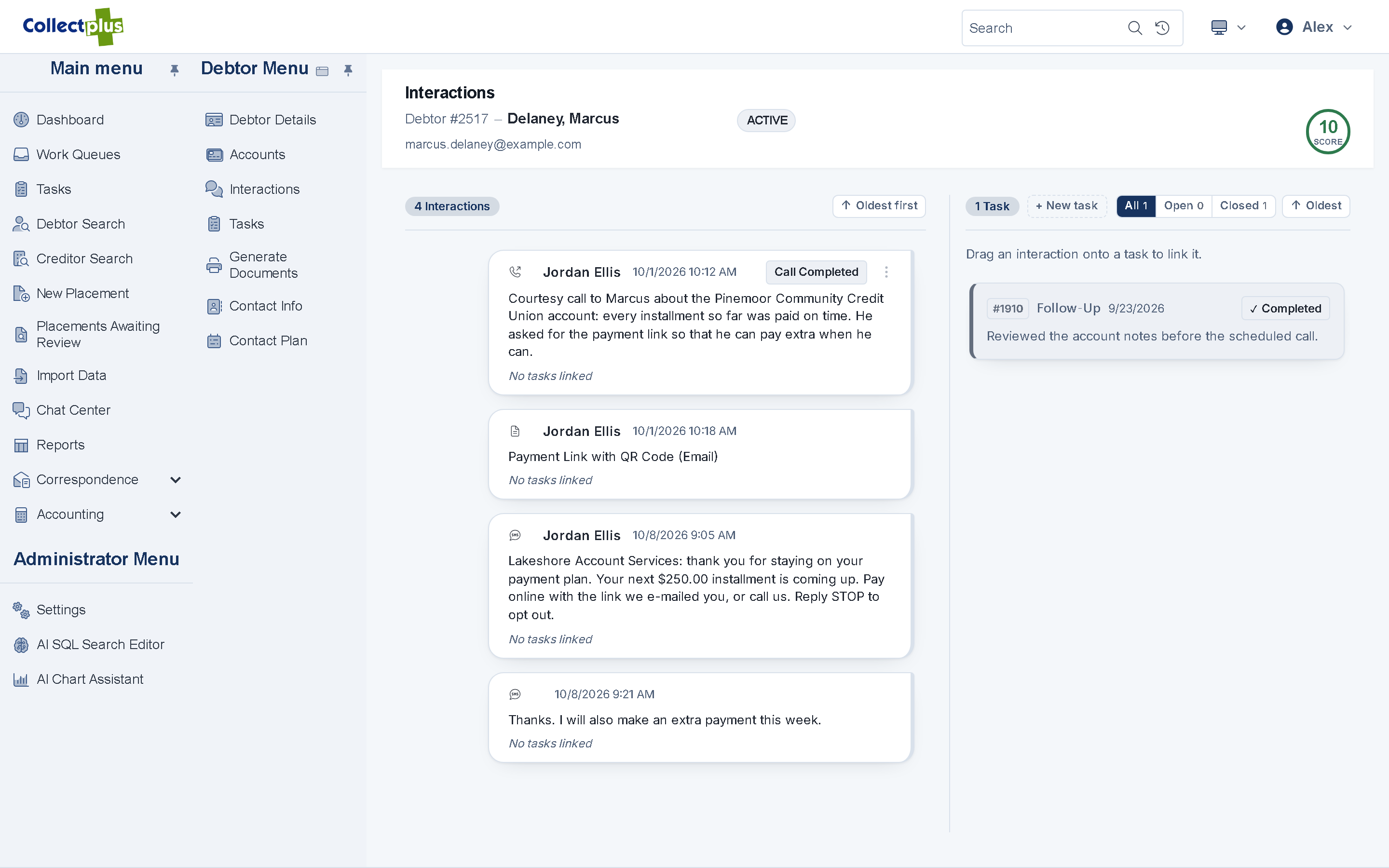
Email you can follow up on
- Open tracking. See which emails were opened.
- Trackable links. Links carry a campaign code, so you can tell which message brought the debtor in.
- Contact preferences. Each email can include a link where the debtor chooses what they hear about, with no password.
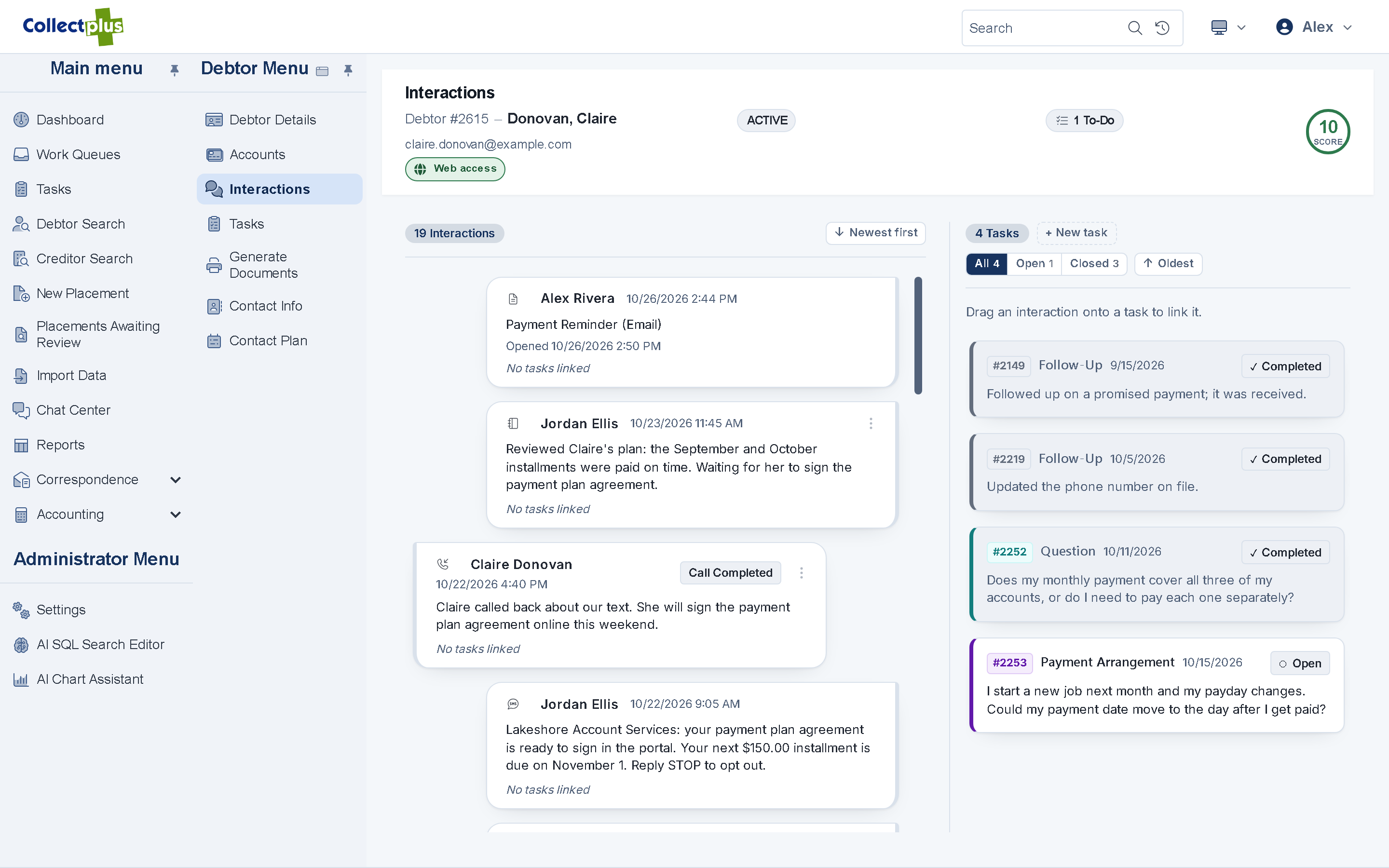
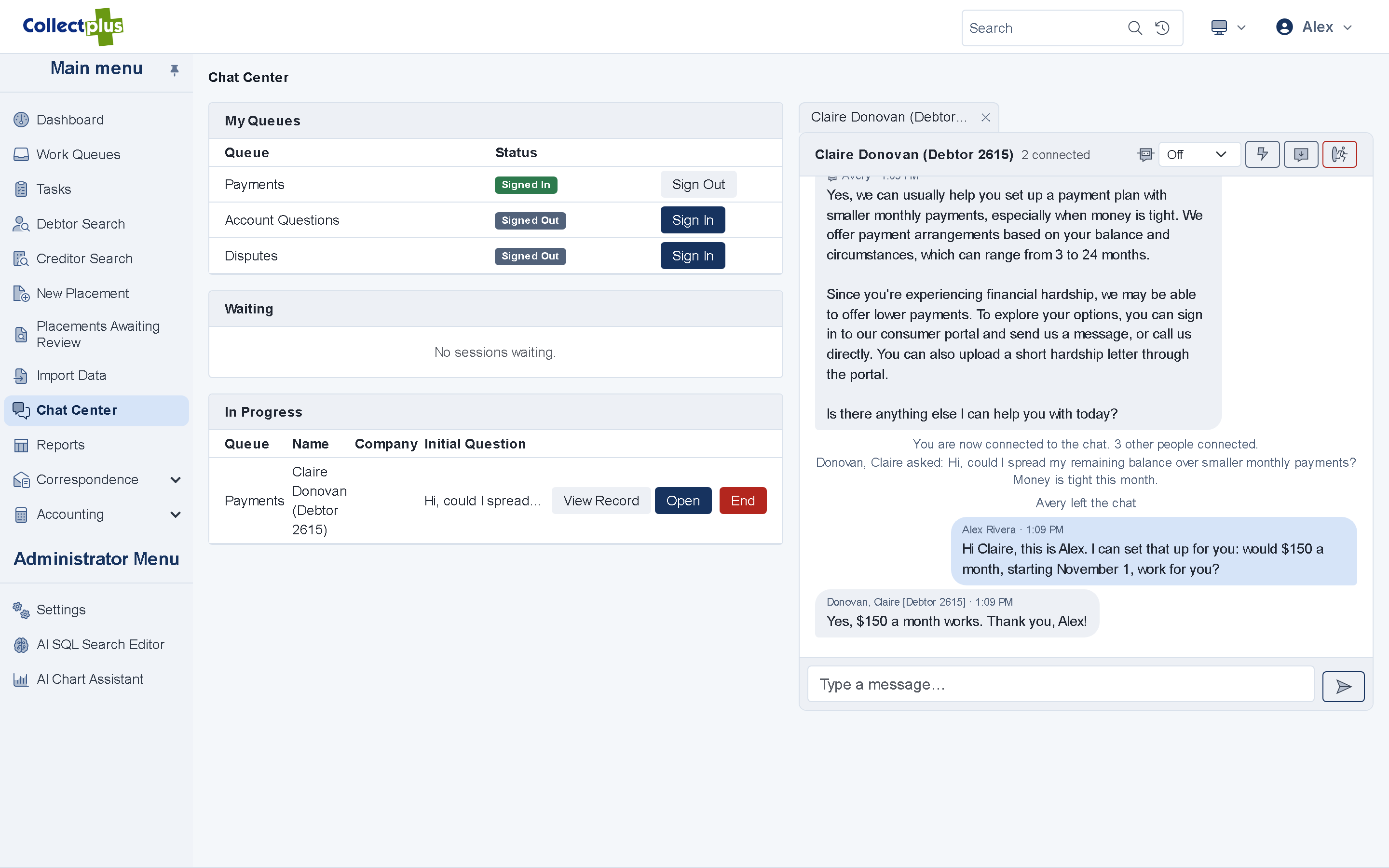
Live chat
Answer debtors while they are on the page
- Chat Center. Your team answers chats from the web app, several at a time.
- Know who you are talking to. Before discussing an account, ask the visitor for a code sent to their email.
- Transcripts kept. Each chat is saved to the debtor it belongs to.
- AI chat assistant. Answers common questions from your knowledge base, and hands the conversation to a collector with a summary.
Calls
Call from the account
- Click-to-call. Click a number and your Intermedia phone rings, then the debtor's.
- Call card. When a call rings or connects, a card shows which debtors the number belongs to and opens a call log.
- Numbers you should not dial are blocked. A number marked do-not-use cannot be dialed, and the reason is shown.
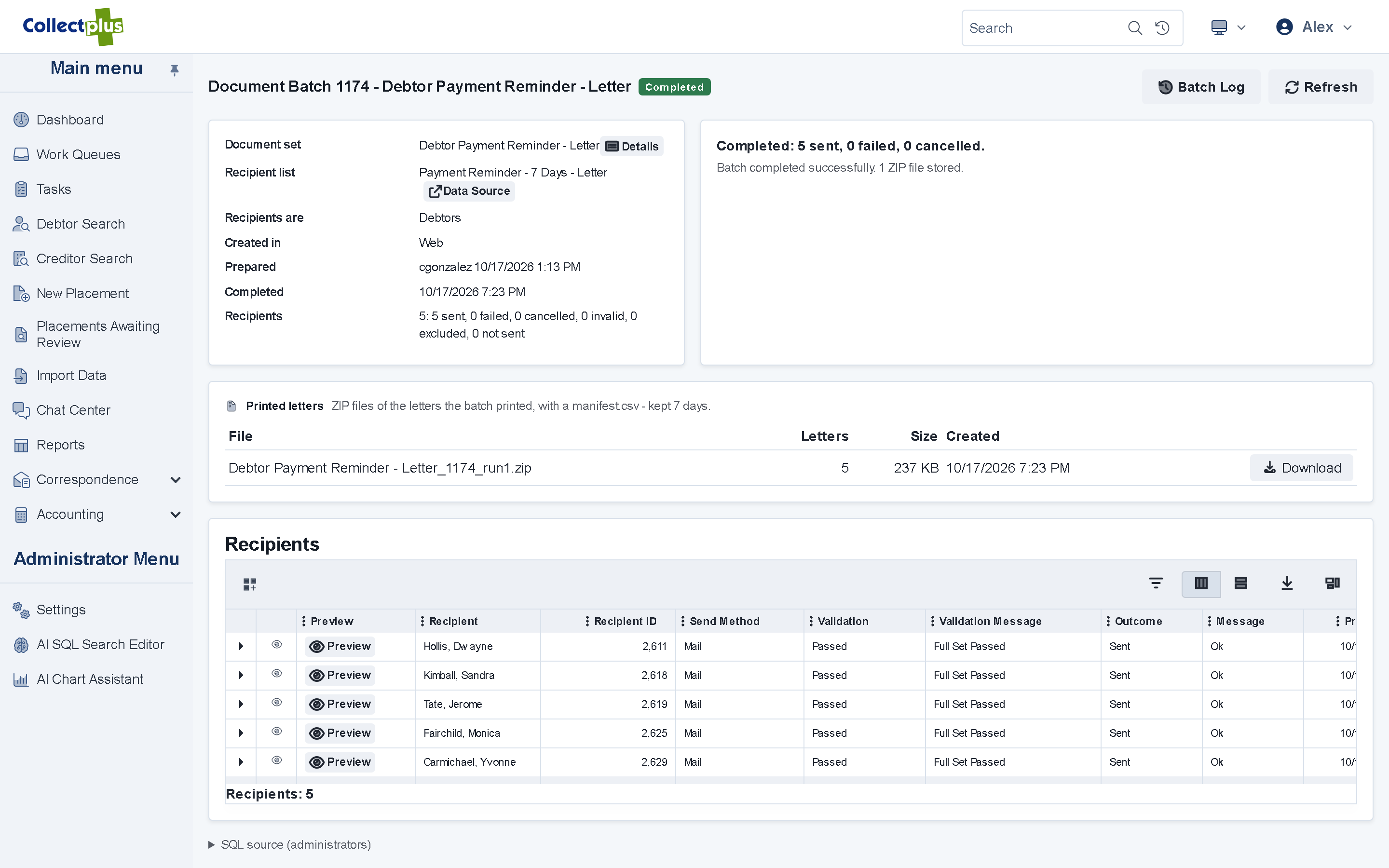
Document batches
Hundreds of letters, each one tracked
- Build, review, send. Build a batch from a work queue, review it, and watch the progress as it goes out.
- Do-not-contact honored. A batch skips the channels a debtor has opted out of.
- Resend what failed. Each recipient's result is recorded, and failures can be sent again.
For IT and security teams
How communications work under the hood
- Templates
- Word (.docx) files with merge fields. The server produces PDFs with LibreOffice, so Microsoft Word is not needed on the server.
- Text messages
- Sent through MessageMedia, with replies, delivery status and STOP handling. Text settings and the replies screen are in the Windows application.
- Chat
- Runs in the portal and on the portal's chat page, which you link to from your website. Staff can ask a visitor for a code sent by email before discussing an account.
- Telephony
- Click-to-call and the call card use Intermedia Unite in the web app. The Windows application works with SIP softphones and TAPI phone systems.
- Opt-outs
- Document batches honor do-not-contact settings for every channel, and the contact-preferences link in each email and text works without a login.
FAQ
Communication questions
Yes. Replies land on the debtor's record. STOP replies are handled for you, so a debtor who opts out stops receiving texts.
Text messages are sent through MessageMedia, with replies, delivery status and opt-out handling.
The chat runs on a page of your CollectPlus portal, and you link to that page from your website. Debtors who are signed in to the portal can chat from there too.
No. The same template goes out as a letter, an email or a text message.
See one debtor reached five ways
A 30-minute demo covers your letters, your text messages and your questions.