Lenders and payment plans
Payment plan software for lenders and collections teams
Set up an installment plan from a template, collect each installment by a scheduled card or ACH batch or by a payment link, and see which promises were kept.
- Plans from templates
- Scheduled card and ACH batches
- Promises to pay
Set up
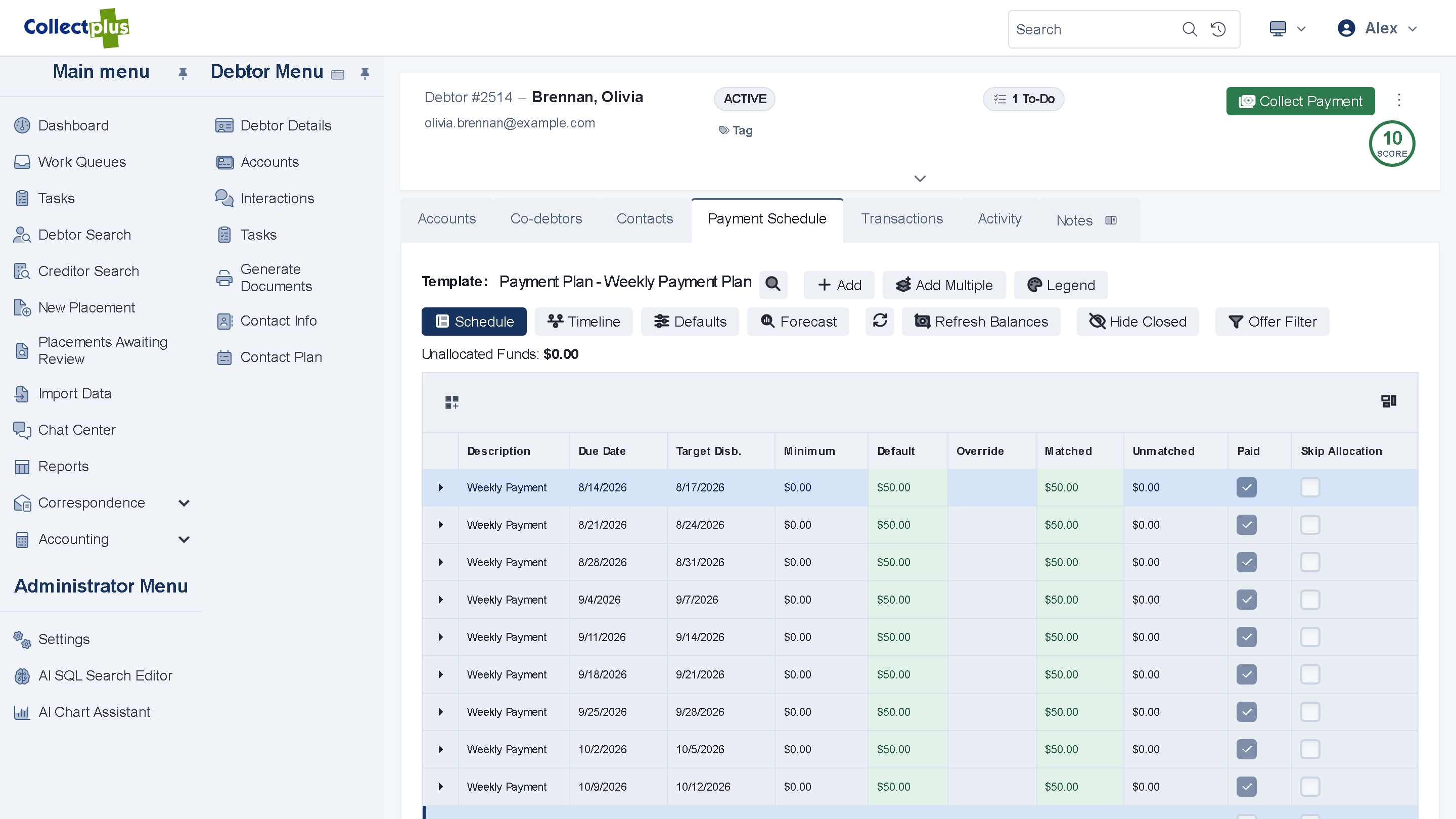
A plan in a few clicks, from your own templates
- Plan templates. Design the plans your organization offers, and start each customer on one.
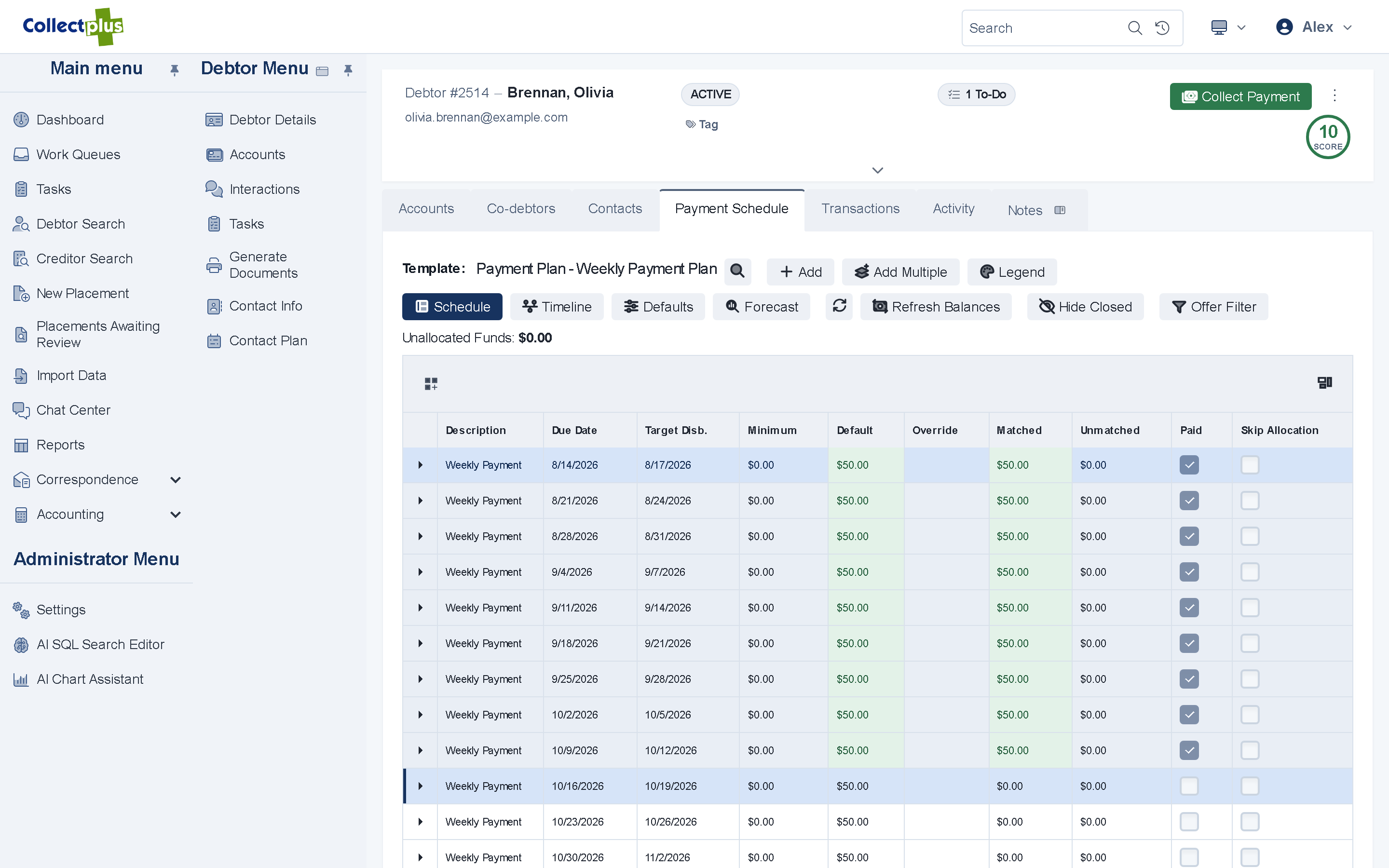
- Adjust as life happens. Change an amount or a due date, or postpone the schedule.
- A signed agreement. The customer reads and signs the agreement online.
Collect
Each installment, collected on its date
- Scheduled card and ACH batches. Review the list, run the batch and retry the declines.
- Or a link for each installment. Customers who prefer to pay themselves get a payment link by email or text.
- Cards checked before they are saved. A card is verified with the processor first, so fewer are declined on batch day.
- Posted to the right account. Each payment posts to the account it belongs to.
Screenshot coming soonA card batch ready to run
Follow up
Know which promises were kept
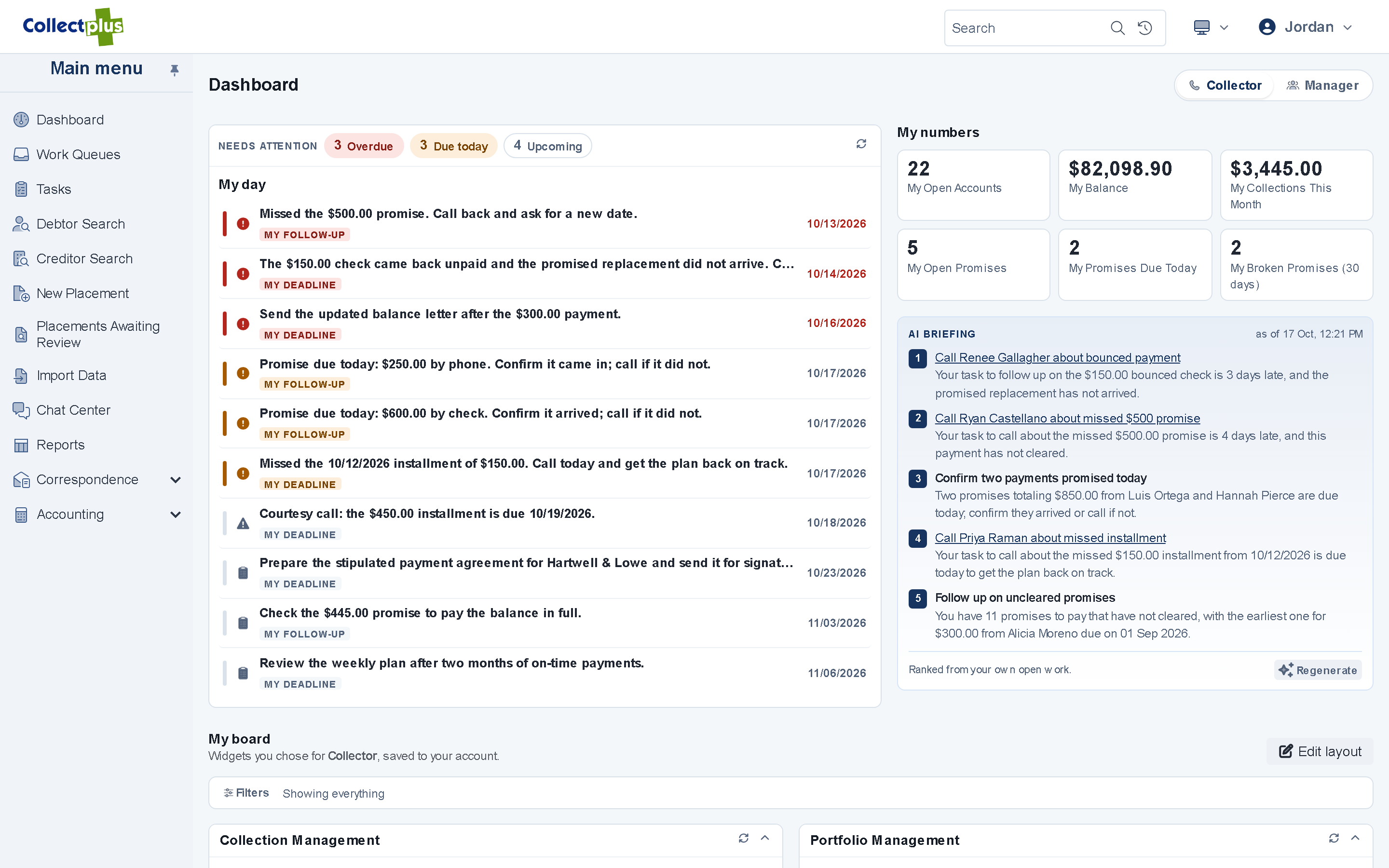
- Promises to pay Windows app Record a promise, and CollectPlus marks it kept or broken from the payments that arrive.
- Broken promises on the dashboard. Each collector sees their open and broken promises; managers see promises by outcome.
- Reminders before a due date. A scheduled batch sends a reminder by email, text or letter to customers with an installment coming up.
Returned payments
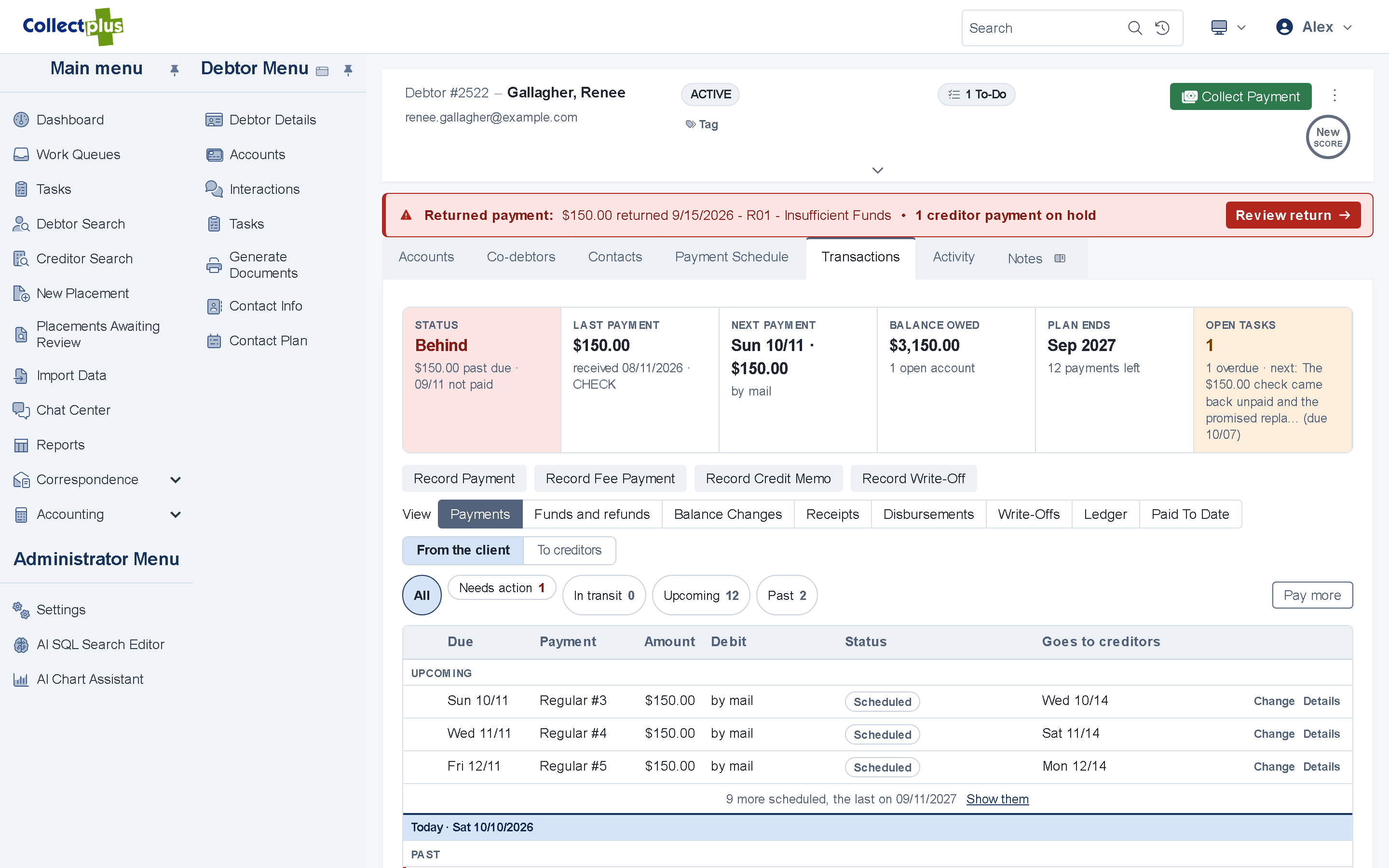
When a payment comes back
- Reversed on the account. A returned payment is reversed with its date and reason, and with a fee if you charge one.
- Declines and return files. A declined online card payment is recorded as it happens, and return files from your bank can be imported on a schedule.
- Back in front of your team. Work queues list the accounts with a returned payment, and a promise that was marked kept turns to broken.
Self-service
Customers see their plan and pay on their own
- The schedule in the portal. Customers on a plan see what is due and when.
- Pay the next installment. Or one account, or the full balance, by card, with an on-screen confirmation.
- No account needed. A payment link or a QR code on a letter opens the balance without a password.
Also for lenders and finance teams
The rest of the account
Interest
An account can accrue interest at a rate set for the creditor or for the account.
Co-debtors
Add co-debtors to a record, give each one a portal login, and say who is responsible for each account.
E-signature
Agreements are signed online with ICCOSign, DocuSign or SignNow.
For IT and security teams
How scheduled payments work under the hood
- Batches
- Card and ACH batches run as background jobs with a LIVE/TEST banner and a review list, and are protected against double charges.
- Bank files
- NACHA, prenote and check-run files are checked before they go out.
- Processors
- Cards through Authorize.Net, NMI or Clover. ACH batches as NACHA files for your bank.
- Cards on file
- A card is verified with the processor before it is saved.
- Payment links
- The link carries an encrypted payload and needs no login. The amount is recalculated when the customer pays.
Yes. You define plan templates for the plans your organization offers, start each customer on one, and adjust amounts and dates afterwards.
By scheduled card and ACH batches, or by a payment link sent by email or text for each installment. Customers can also pay the next installment in the portal.
Card payments run through Authorize.Net, NMI or Clover. Scheduled bank (ACH) payments go out as NACHA files you send to your bank.
The payment is reversed on the account with its date and reason, and with a fee if you charge one. Declined online card payments are recorded as they happen, return files from your bank can be imported on a schedule, and work queues list the accounts to follow up.
Yes. Customers on a plan see their payment schedule in the portal and can pay the next installment there.
See a payment plan from setup to the last installment
A 30-minute demo covers your plan templates, your processor and your questions.