Education
Tuition and student account collection software
CollectPlus gives a student accounts office the tools to collect past-due tuition and campus charges: one record per student, a list of accounts to work, payment plans, payment links and a self-service portal.
- Every campus office in one system
- Payment plans
- Student portal
How a campus uses it
One record per student, one creditor per office
CollectPlus was built for agencies that collect for many creditors. A campus uses the same structure for its own offices.
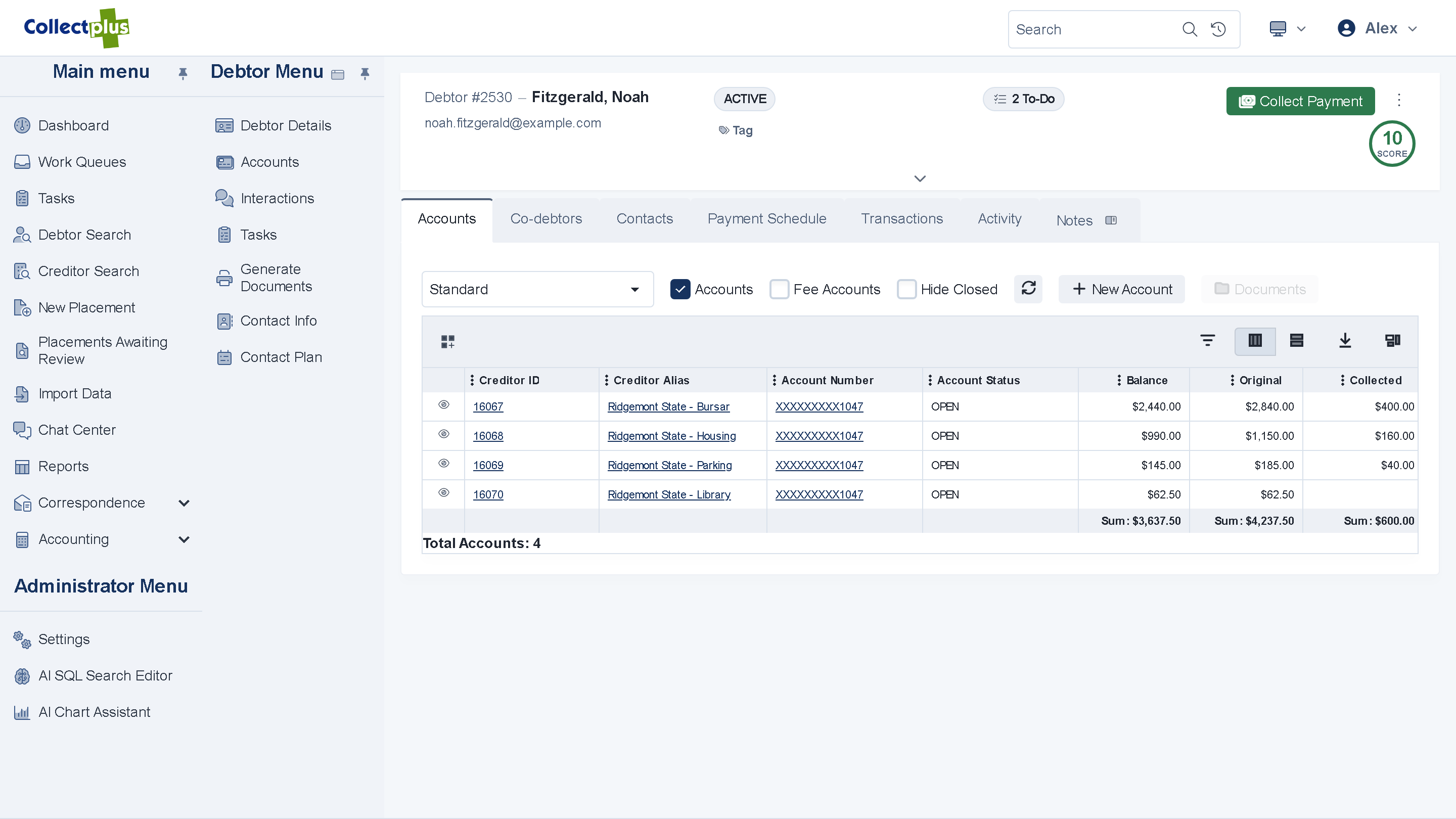
- Set up each office as a creditorTuition, housing, the library and parking each get their own record, with their own contact plan, work queues and reports.
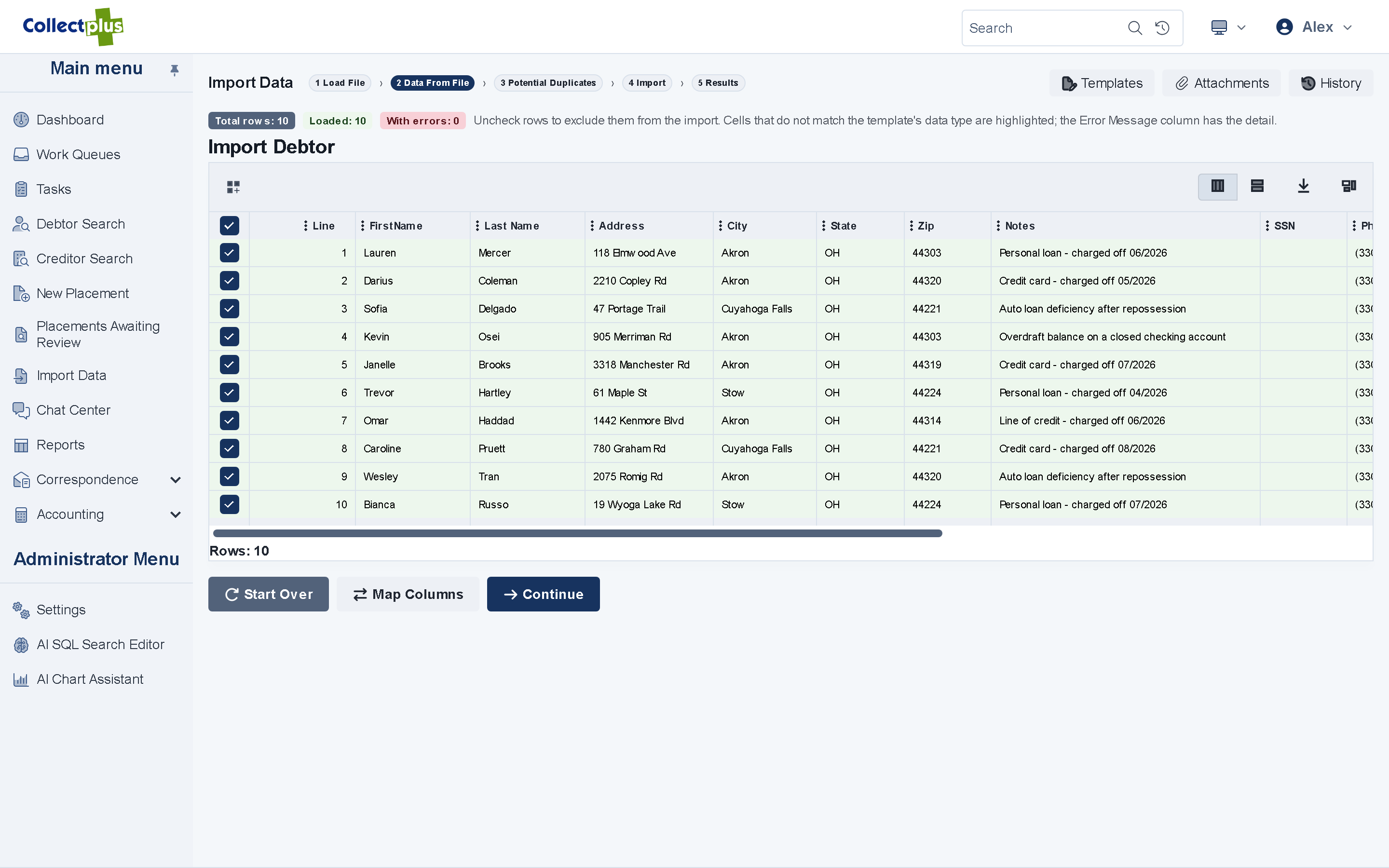
- Bring in the past-due chargesImport a file from your student system. You map its columns, preview the result and deal with duplicates before anything is saved. Each record keeps your own ID, such as the student ID, and an import can match on it.
- Work the accountsA student's record lists every charge, whichever office it belongs to. Work queues put the next account in front of each staff member.
- Agree a plan, or take the paymentStudents pay from a link, a QR code or the portal, or accept an installment plan.
Payment plans
Plans a student can keep
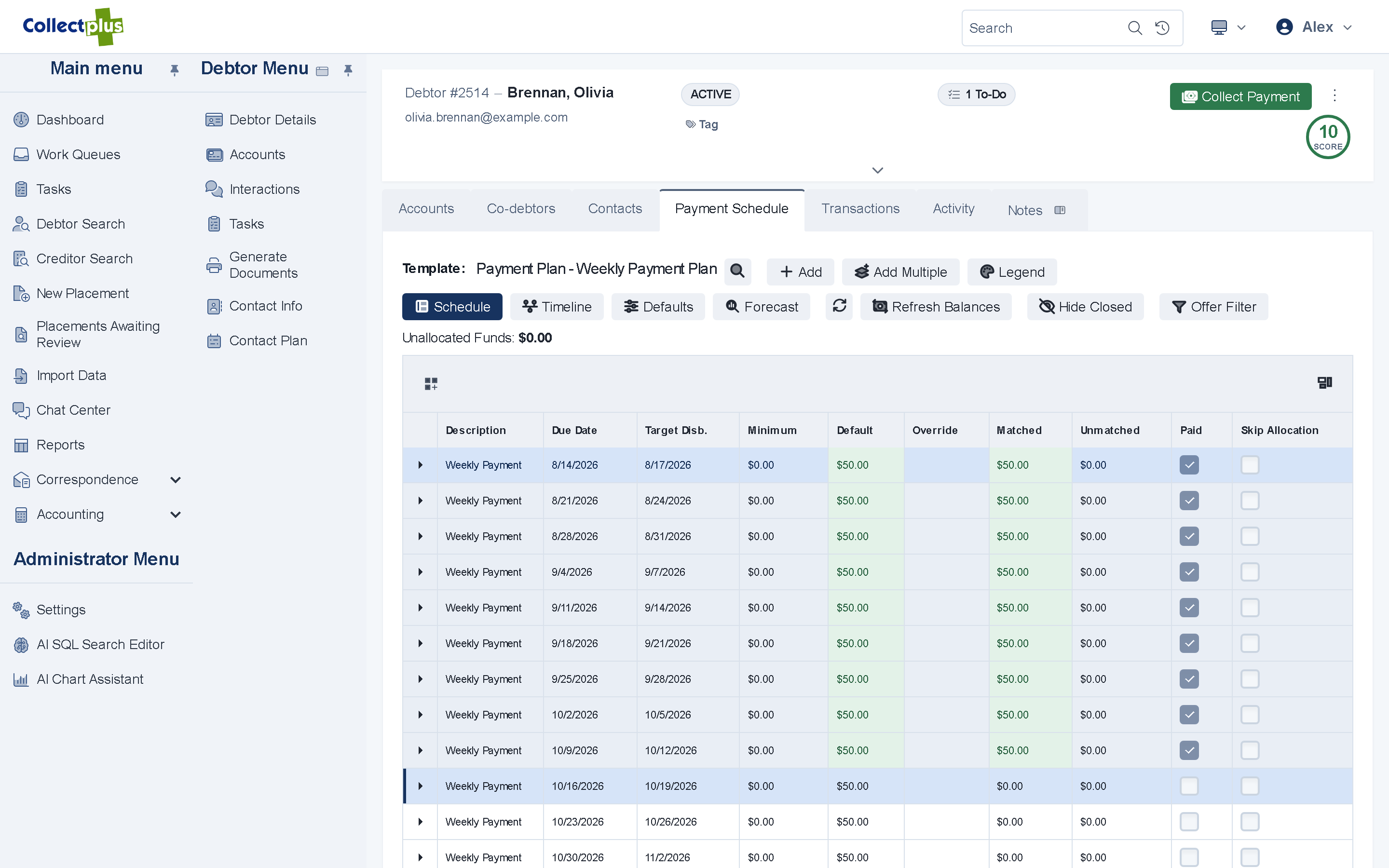
- Plans from templates. Start each student on an installment plan your office designed.
- Adjust as life happens. Change an amount or a due date, or postpone the schedule.
- Collected on schedule. Scheduled card and ACH batches collect each installment, or the student pays from a link.
Self-service
Students pay from their phone
- Payment links and QR codes. An email, a text or a letter opens the balance, ready to pay, with no account or password.
- A portal for the rest. Students see what they owe and what they have paid, sign agreements and write to your office.
- Their choice of contact. A link in each message lets a student choose what they hear about.
Outside agencies
Collect in-house first, and refer what you cannot
- Refer accounts Windows app Choose the outside agency and the accounts to refer. You can take an account back later.
- Referral history Windows app Each referral is kept with its date, agency and balance.
- Payments from the agency. Record what an outside agency collected, on the account it belongs to.
Your campus offices
Keep each office informed
Balances by office
Dashboards show the delinquent balance of each office, and collections by date.
A login for an office
An office can sign in to the portal to follow its own accounts and documents.
Your student system
File imports and a web services API connect CollectPlus to the systems the campus already runs.
Student data
Two-factor sign-in, permissions down to a field and an audit trail. Security
Customers
From a university collections department
Michigan State University chose CollectPlus for its debt collections department.
“I've worked closely with several ICCO staff members over the past few months hammering out business specific functionality and without exception I've found everyone with which I've interacted to be courteous, knowledgeable, and timely.”
See your student accounts in CollectPlus
A 30-minute demo covers your campus offices, your student system and your questions.