Creditor clients
Accurate remittance and a portal for every creditor client
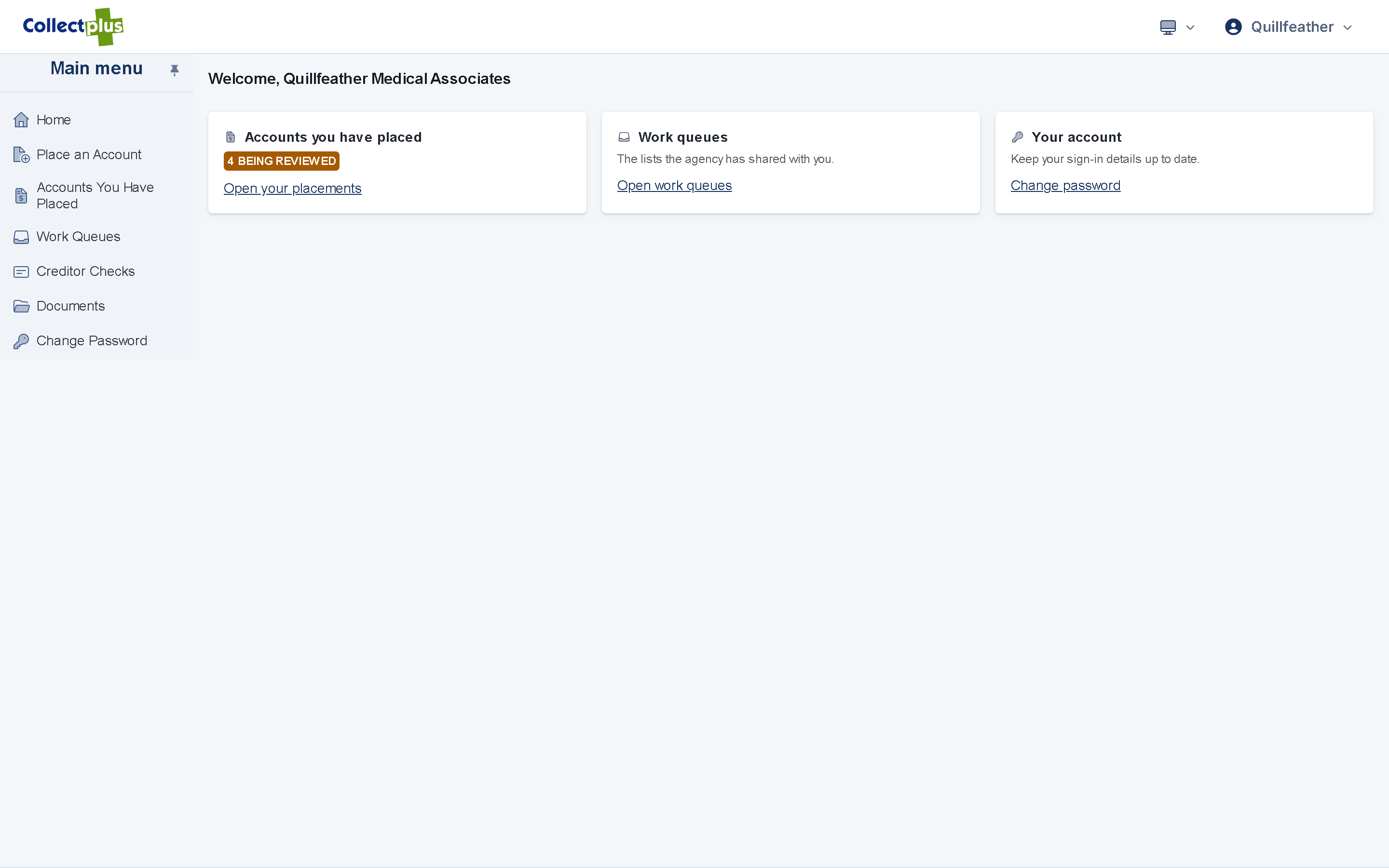
Each creditor has its own fee terms, contact plan and portal login. Payments are split by those terms, check runs pay the creditor's share, and creditors follow their accounts online.
- Fee structures per creditor
- Creditor portal and online placement
- Check runs and trust accounting
Creditor terms
Each creditor's contract, set up once
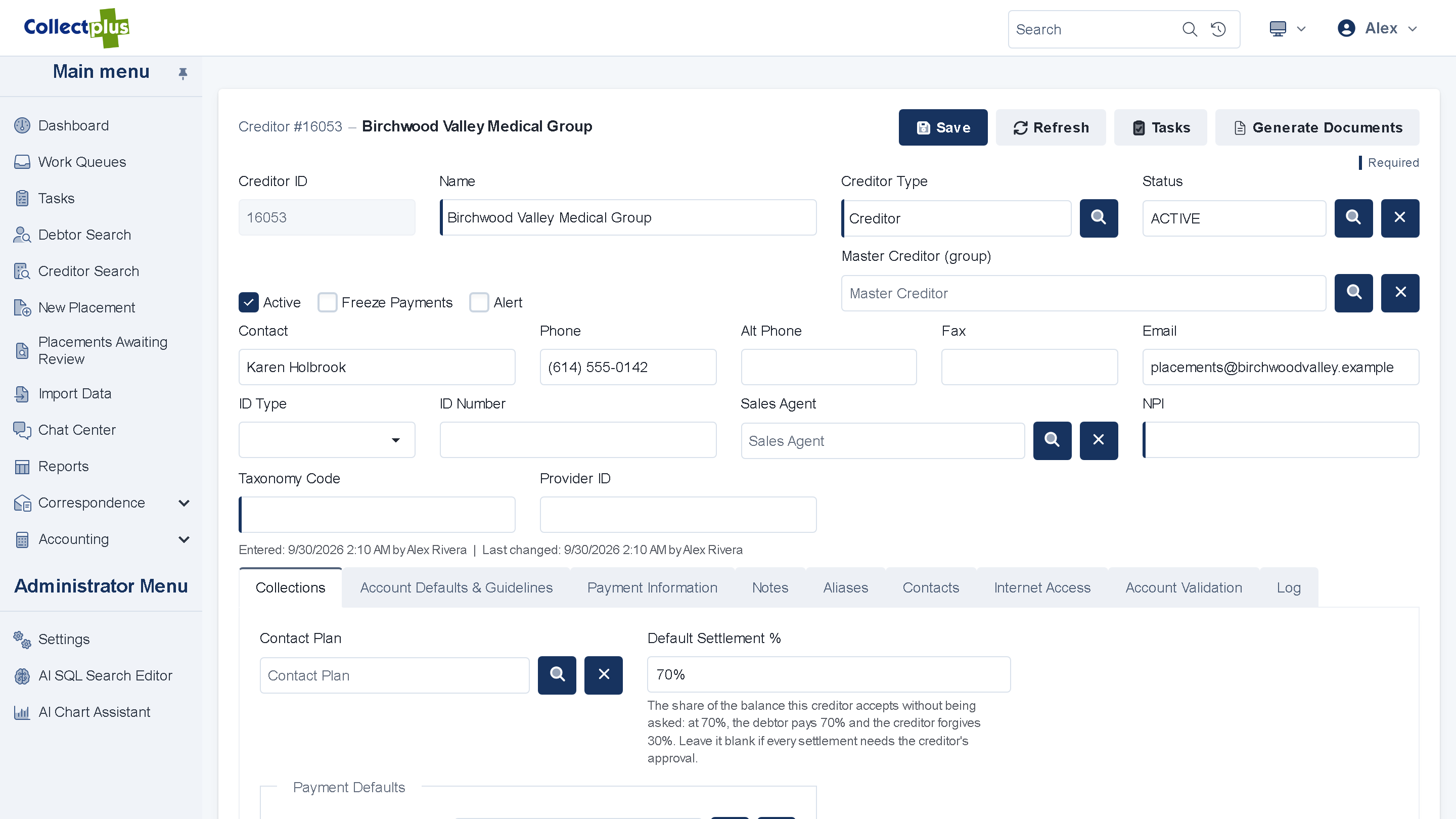
Record the terms on the creditor, and every account placed by that creditor follows them.
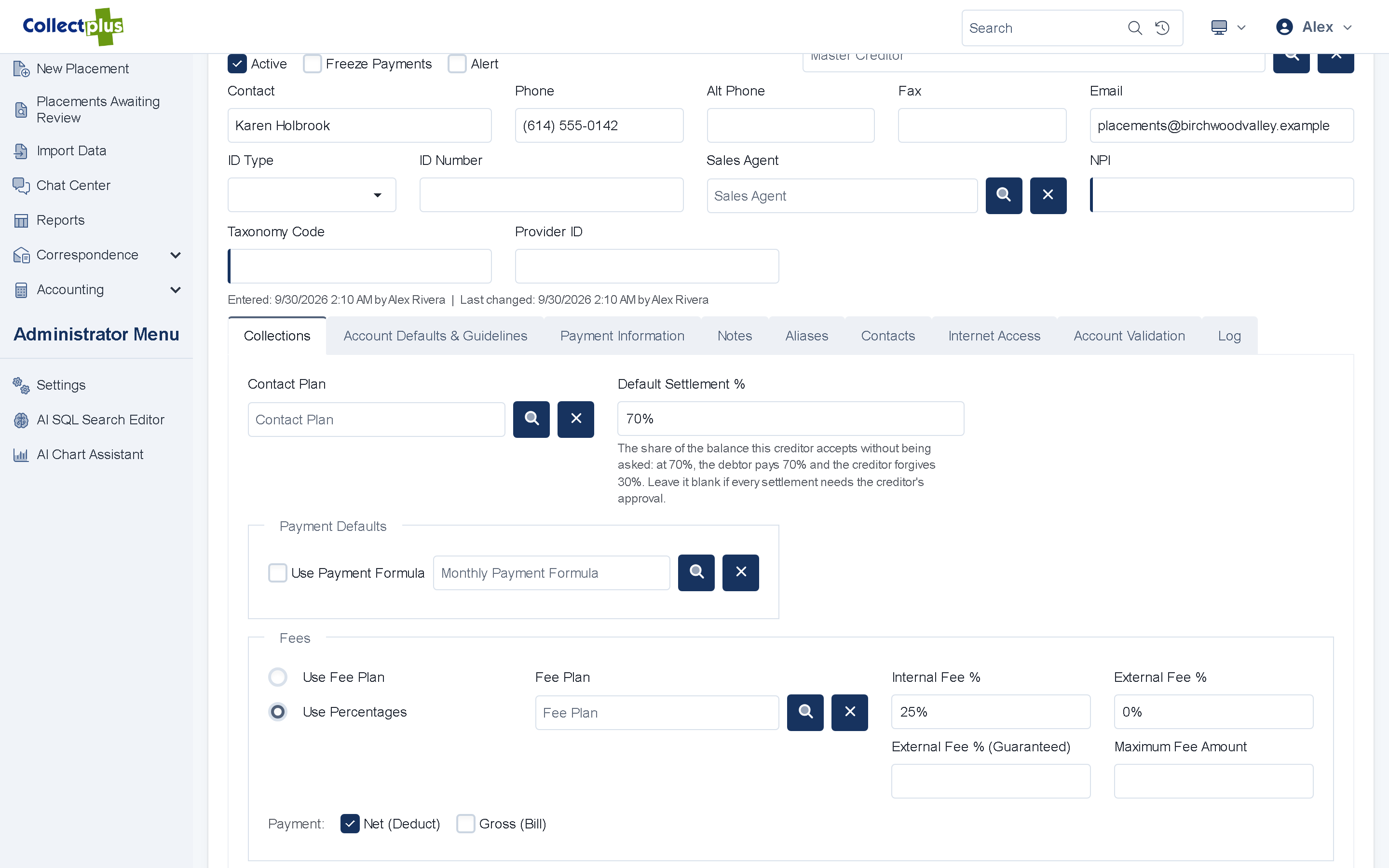
- Your fee. A fee plan or a percentage, with caps where the contract has them.
- Net or gross remittance. Deduct your fee from each payment, or remit in full and bill the fee.
- Defaults for new accounts. A default contact plan, plus the creditor's aliases and account-number formats.
Fee structures
Contingency fees that follow the contract
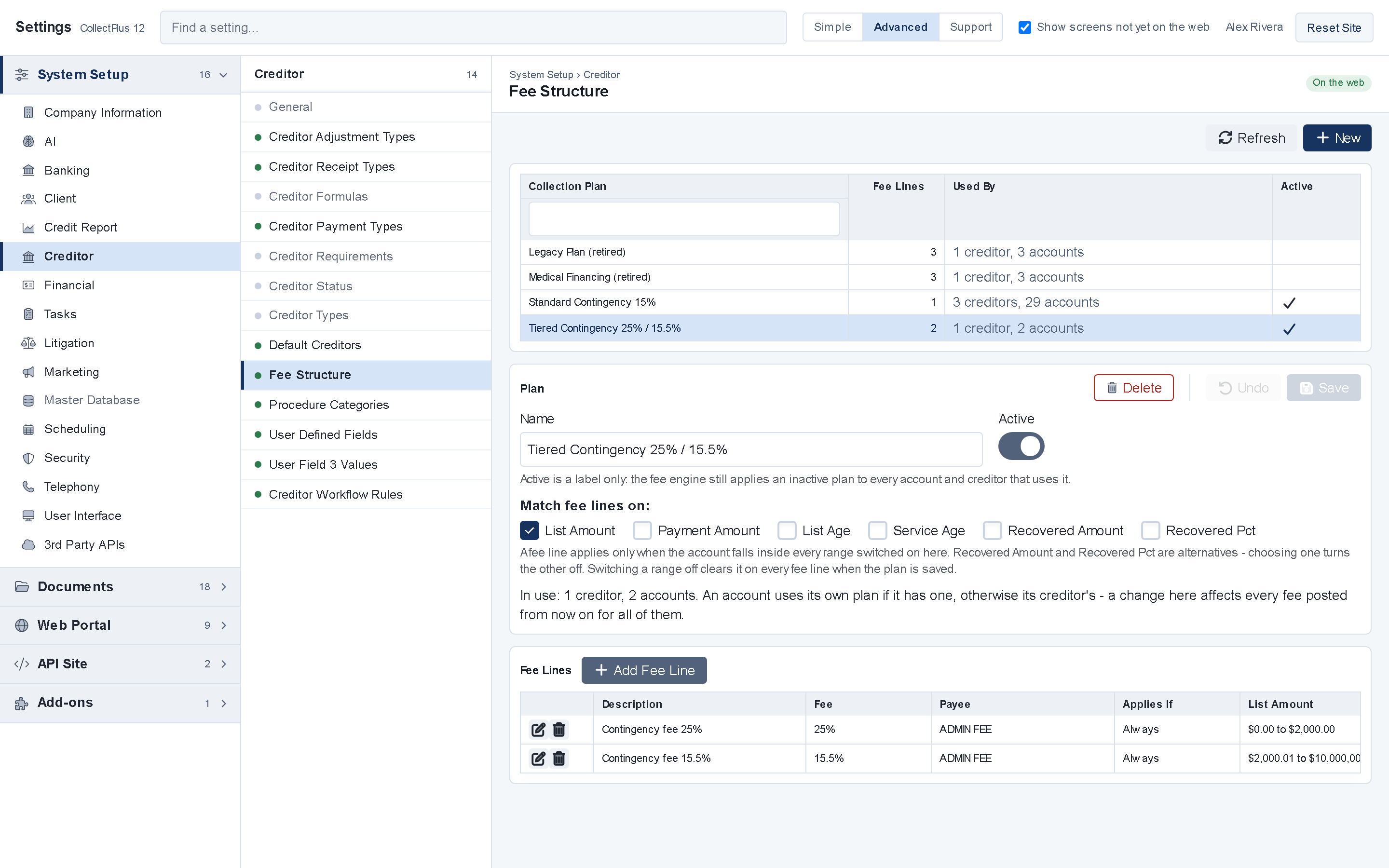
- Tiered fees. Set the fee by balance, payment, account age or amount recovered.
- Custom formulas. For the contracts that do not fit a tier table.
- Edited in the browser. Build and change fee structures in the web app.
Placements
New accounts, online or by file
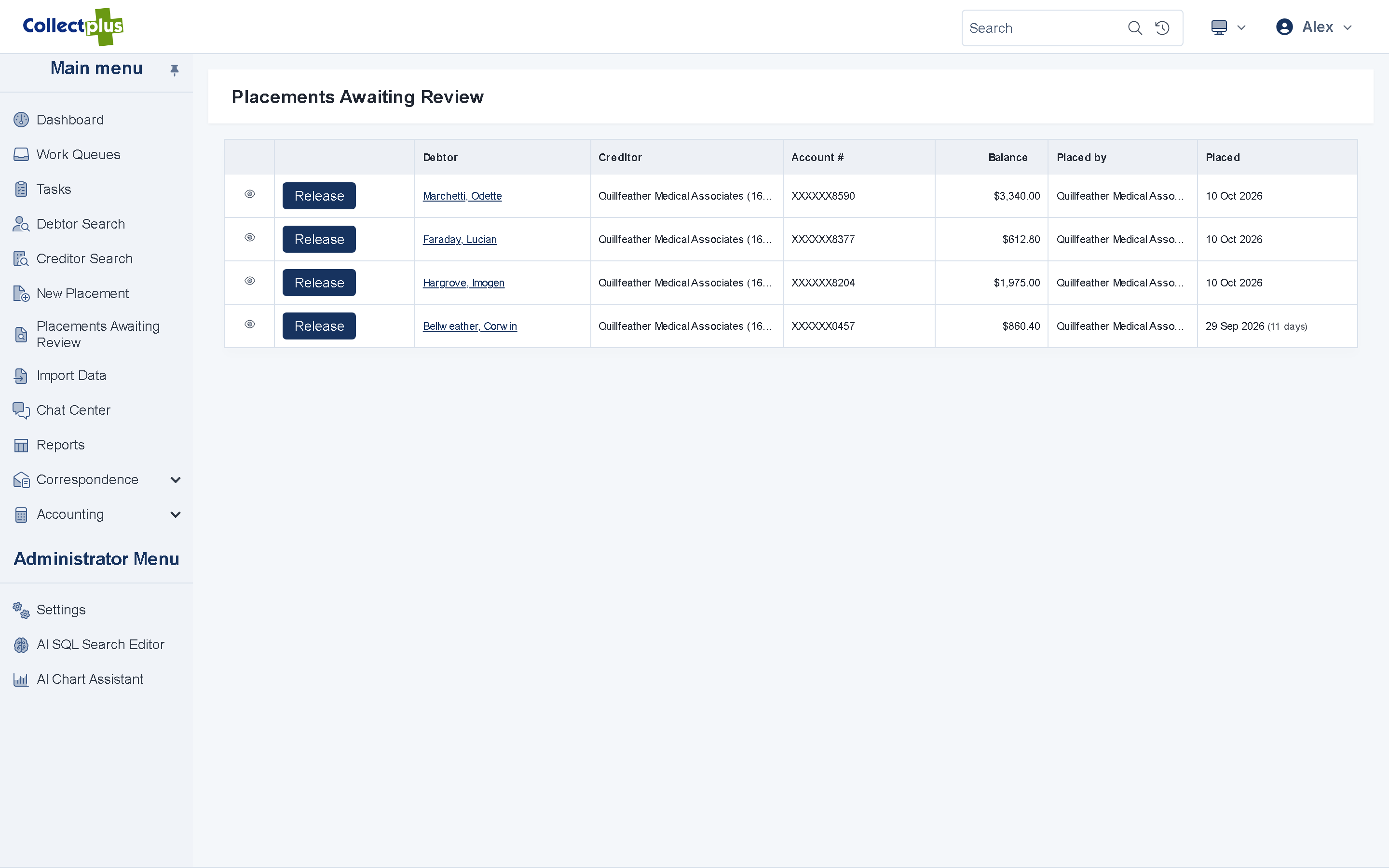
- Online placement. Creditors place new accounts in the portal and are warned about duplicates. You review each placement before it goes live.
- Placement file import. Upload the file a creditor sends, map its columns, preview the result and handle duplicates.
- Undo an import. If a file was wrong, take the whole import back.
Creditor portal
Creditors answer their own questions
Give each creditor client a login, so they can check on their accounts without calling you.
- Their own queues. Recent remittance checks and the detail behind each check.
- Documents. The documents you share with that creditor.
- Placements. New accounts placed online, without a file.
Remittance and trust accounting
Pay creditors from the browser, reconcile in the back office
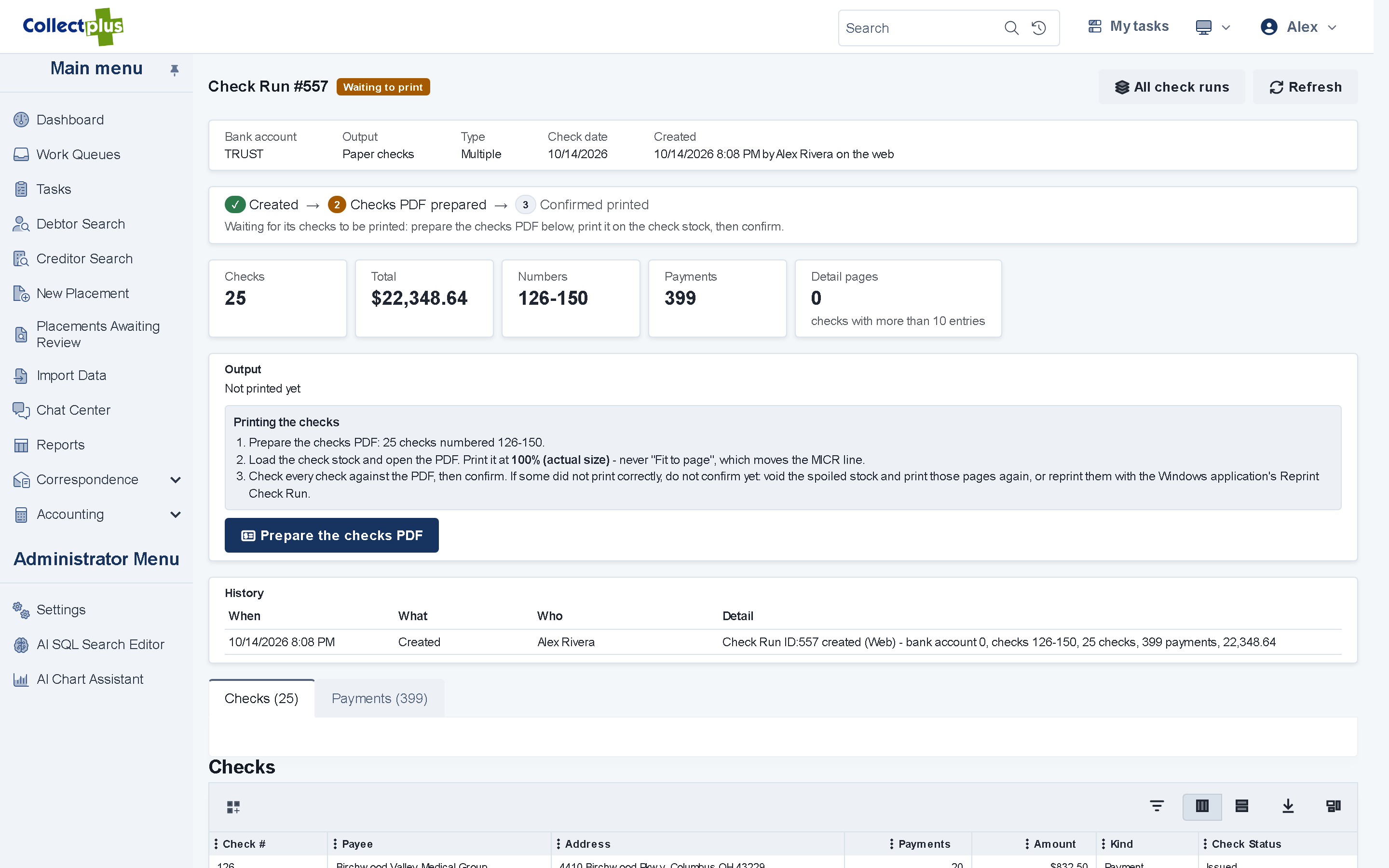
- Check runs. Print creditor checks, or produce ACH and check files, from the web app.
- Creditor invoices Windows app Invoice the fees you bill.
- Trust accounting Windows app Bank reconciliation, deposits, refunds and voids.
CollectPlus 12 is a hybrid: daily work runs in the web app, and the Windows application, which is included, handles this back-office work.
For IT and security teams
How remittance works under the hood
- Postings
- Each payment, fee payment, credit memo and write-off posts as a single database transaction.
- Check runs
- Check runs execute as background jobs and are protected against paying the same amount twice.
- Remittance output
- Printed checks, or ACH (NACHA), RPPS and check files. Files are checked before they are released.
- Placements
- File import with column mapping, a preview, duplicate handling and an undo. Online placements wait in a review list until you release them.
- Creditor logins
- A separate login type from staff, with its own menu and queues.
- Windows app
- Bank reconciliation, deposits, refunds and voids, and creditor invoices run in the CollectPlus Windows application.
FAQ
Creditor management questions
Yes. Each creditor has its own fee plan or percentage, with net or gross remittance. Fee structures can be tiered by balance, payment, account age or amount recovered.
Yes. Creditors can place new accounts in the creditor portal, and you review each placement before it goes live. You can also import the placement files creditors send.
Check runs and creditor remittance run in the web app. Bank reconciliation, deposits, refunds and voids, and creditor invoices are in the CollectPlus Windows application, which is included in the price.
See a placement go all the way to remittance
A 30-minute demo covers your fee structures, your creditors' reports and your questions.