Security
Security you can explain to an auditor and to your clients
Collections data is sensitive: Social Security numbers, bank accounts, health-related balances. This page lists the controls CollectPlus gives you to protect it, in plain terms.
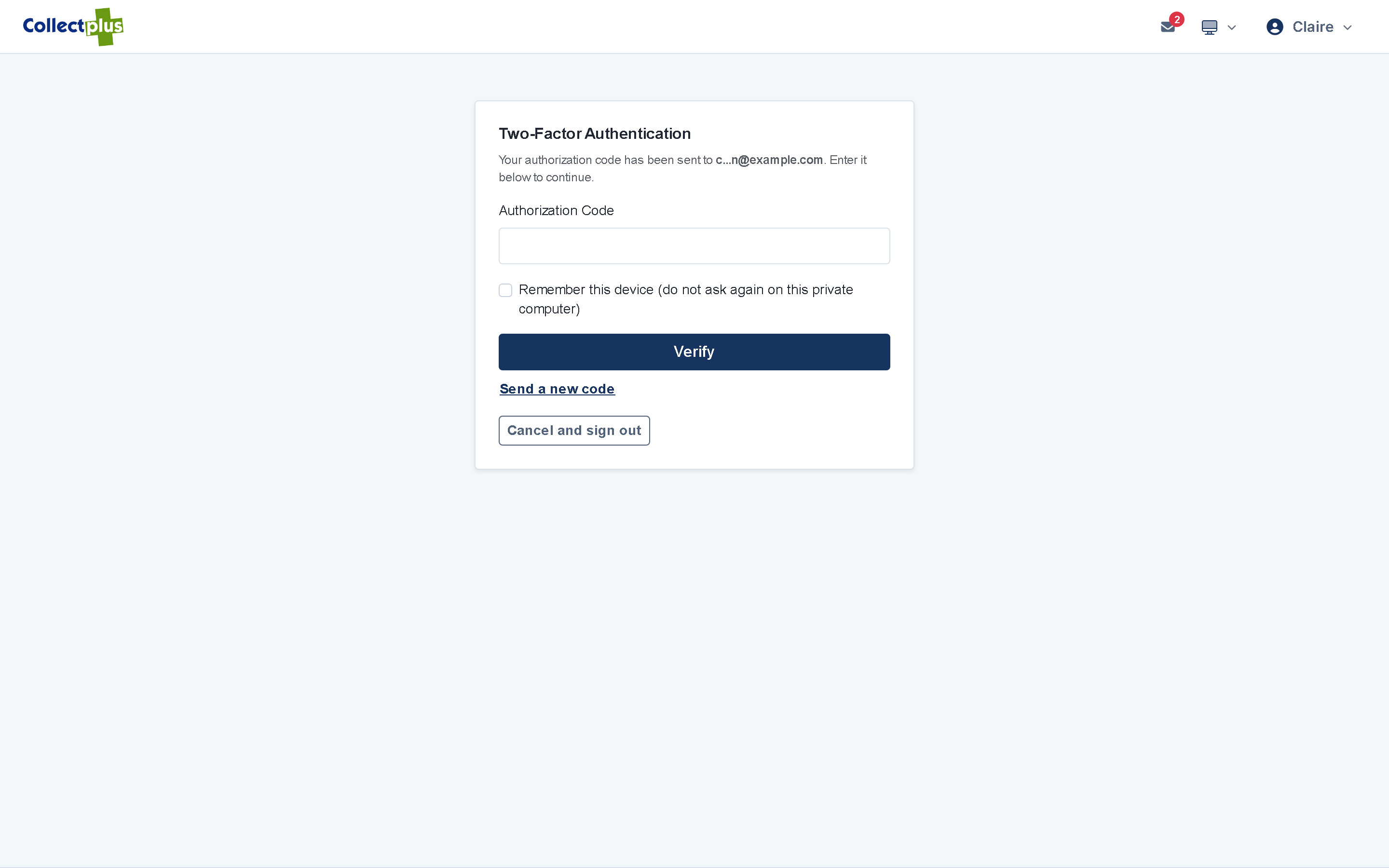
- Two-factor sign-in
- Permissions down to a field
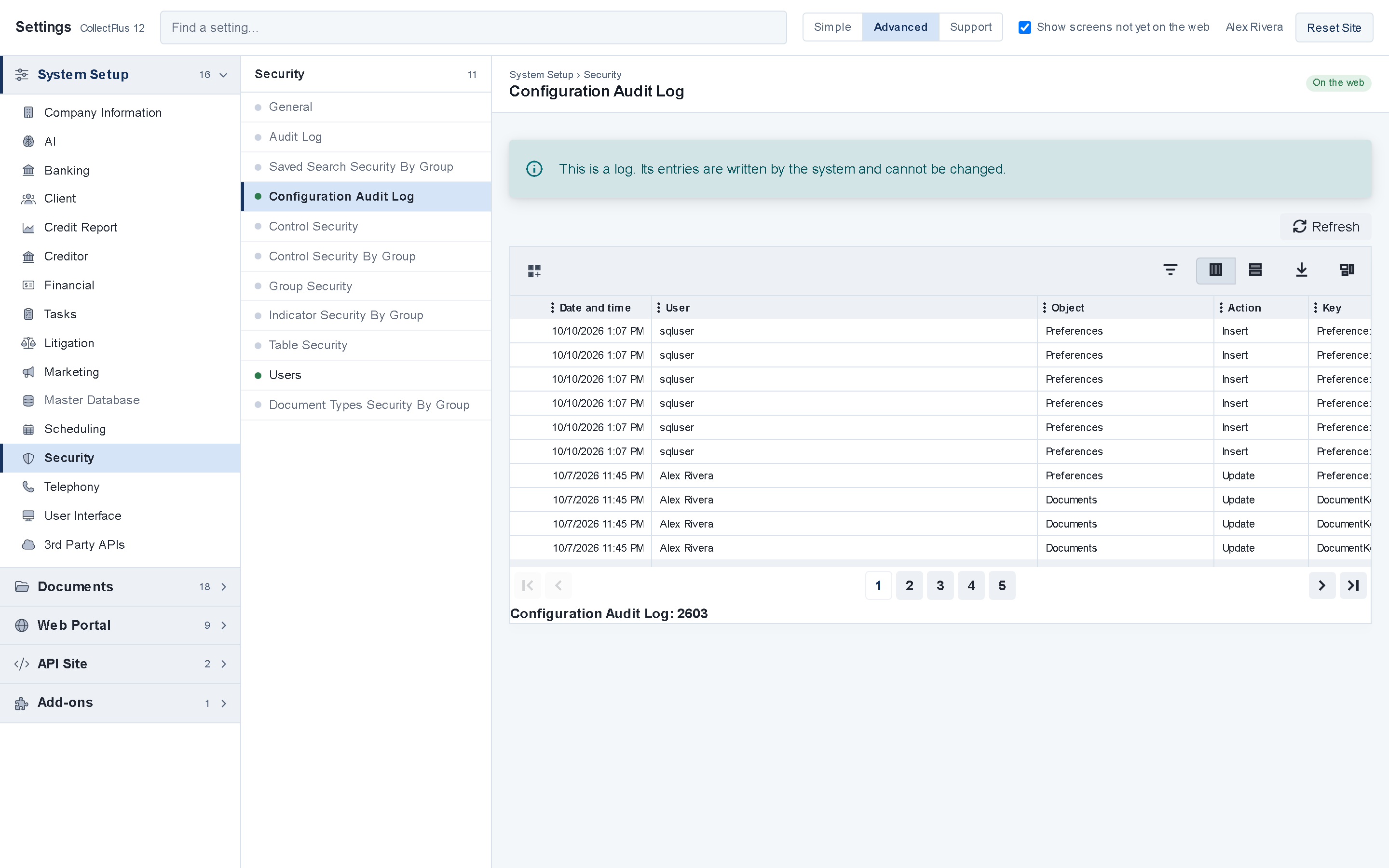
- Audit trail
- Field encryption
Sign-in and accounts
Who gets in
- Two-factor sign-in. A 6-digit code by email or text at sign-in. People can mark a device as trusted so they are not asked every time.
- Password rules. Your agency sets the minimum length and the kinds of characters a password must have. Passwords are stored hashed.
- Lockout. An account locks after repeated failed attempts, and wrong two-factor codes count too.
- Temporary passwords. They must be changed at the first sign-in, and they can expire.
- One switch to disable a user. A disabled user is refused in the web app, the Windows application and the API.
Permissions
What each person sees
- Roles and permissions. Permissions go down to individual fields, such as Social Security numbers.
- Separate kinds of login. Staff, creditor clients and debtors each sign in to their own menu.
- Exports where you allow them. Exporting a grid can be switched off for a kind of login.
Audit trail
Who changed what, and when
- Audit log. User activity is recorded with who did it and when.
- Settings changes. Every settings change is logged with who made it, when, and the old and new values.
- Reports. Every report run is logged.
- Security log. Two-factor codes, password changes, accounts locked and unlocked, and API sign-ins are recorded.
Data protection
How the data is protected
Field encryption
Social Security numbers and bank, card and account numbers are encrypted with SQL Server keys held outside the database.
Documents
Attachments and reports can be encrypted too.
Encrypted connections
The web app is served over HTTPS.
Payment links and codes
A payment link carries an encrypted payload. A pay-by-phone code is valid for 10 minutes and locks after repeated wrong entries.
API access
Each vendor gets its own API user with permissions per call, and API tokens expire, after 24 hours by default.
Data retention
An administrator can purge debtors that have been inactive for the number of years you set. Records with recent payment activity are kept out of the purge.
Contact controls
Respecting how people want to be contacted
Do-not-use numbers
A number marked do-not-use, or outside the calling hours recorded on it, is refused by click-to-call, with the reason shown.
Text opt-outs
STOP replies to text messages are handled for you.
Contact preferences
A link in each email and text lets people opt out of, or back into, each kind of message, with no password.
Do-not-contact in batches
Document batches honor do-not-contact settings for letters, email and text.
What these controls do, and what they do not
CollectPlus gives you the controls on this page. Whether your organization meets HIPAA, the FDCPA, Regulation F, the TCPA or state rules also depends on your policies, on how the system is configured and on how your team works. If you are reviewing CollectPlus for your organization, tell us what the review needs when you book a demo.
Hosting
Hosted and maintained by ICCO
Hosting is included in the price. ICCO maintains the servers and applies upgrades, so your team has no server to patch.
Your own servers
Documented hardening standards
If your policies require your own servers or cloud account, ICCO provides hardening standards for single-server, separate-server and multi-tenant installations.
FAQ
Security questions
Bring your security questions to the demo
Tell us what your review needs when you book, and we will cover it.