Medical claims
Bill insurance first, then collect what the patient owes
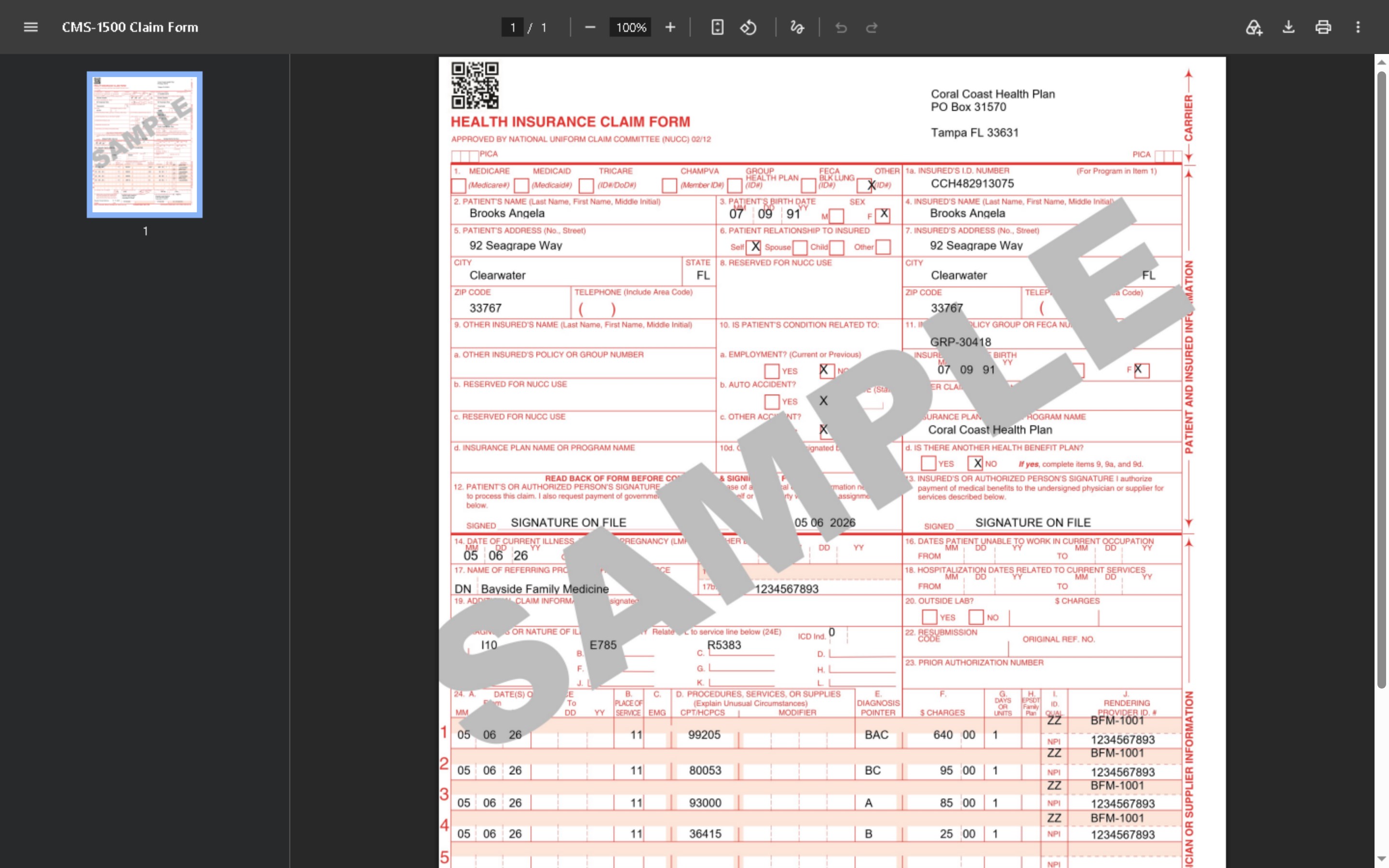
CollectPlus prints CMS-1500 claim forms and builds 837P claim files from the patient's procedures and diagnoses, follows every claim through the clearinghouse and the payer, and keeps the patient from being asked to pay while the claim is with the insurance.
- CMS-1500 (02/12) forms
- 837P claim files (HIPAA 5010)
- Clearinghouse integration included
On the record
Everything a claim needs, kept with the patient
Each claim field is entered once, in the web portal or the Windows application, and prints on every claim that needs it.
Procedures and diagnoses
Procedure codes with their CPT or HCPCS code, a provider's own fee schedule imported from a file, and ICD-10 diagnosis codes loaded from the CDC's code file.
Providers
Each provider's NPI (one with a wrong check digit is refused), taxonomy code, tax ID and billing address, and the procedure categories it bills.
Payers and insurance
A list of payers with their claims address, payer ID and claim filing indicator, and each patient's primary and secondary insurance, member ID and insured.
Paper claims
CMS-1500 forms on your own printer
- Printed onto the red forms. The PDF places the claim's data in the boxes of the pre-printed CMS-1500 (02/12) form.
- All the patient's services. Each billable account is a service line, six to a page, with the diagnoses lettered A to L.
- Filed for the provider. Each form is recorded in the patient's document history and kept in the document repository.
Electronic claims
837P claim files your clearinghouse accepts
- See what is ready to bill. The Claim Files screen lists every service of the enrolled providers and why it can or cannot be billed, and a preview shows the claims a file would hold without writing anything.
- Checked before it goes. Each file is checked against the 837P rules and archived. A claim that is missing something, such as the patient's date of birth or a nine-digit ZIP code, is listed in plain words and left for the next file.
- Each claim goes out once. A service that is waiting for an answer, or that the payer accepted, is never billed again.
- Test, then production. Each clearinghouse connection starts in test, and a restored copy of your database does not send production claims.
The clearinghouse's answers
Acknowledgements read back onto every claim
The TA1, 999 and 277CA files the clearinghouse returns are read into CollectPlus, so each claim shows where it stands: accepted by the clearinghouse, rejected by the payer, and the payer's claim number.
- Rejections become tasks. A rejected claim or file opens a task, and after the data is corrected the claim is released to be billed again.
- Work queues for claims. Rejected files, files waiting for their 999, rejections from the clearinghouse and from the payer, and claims the payer has not answered yet.
Sending the files
Upload by hand, or let the scheduler do it
Download a file and upload it in your clearinghouse's portal, or connect by SFTP and let the Task Scheduler send the claim files and pick up the acknowledgements on its own.
- A verified connection. The clearinghouse's server key is checked on every connection, and passwords are stored encrypted.
- Nothing sent twice. A file whose upload could not be confirmed is never sent again on its own: someone checks with the clearinghouse first.
While the payer has it
The patient is not asked to pay while insurance has the claim
- Claim statuses. Insurance pending, insurance denied and patient due show whose turn it is, and you can add statuses of your own for the payer's side.
- No dunning too early. Your letters and contact plans can skip a patient whose balance is with the insurance.
- A clear portal. In the patient portal such an account says it is being billed to the insurance, with nothing due yet and no Pay button.
Insurance aging
How long each claim has been with the payer
Three reports show the claims with the payers: a summary by provider in 0-30, 31-60, 61-90, 91-120 and over-120-day buckets, every open claim with its days and open tasks, and the accounts that closed while their claim was still with the insurance.
See a claim go from the patient's record to the payer's answer
A 30-minute demo built around your providers, your payers and your clearinghouse.